


Tracking WhatsApp ad performance can be challenging, especially in the UAE. Why? When users click ads on platforms like Google or Facebook and are redirected to WhatsApp, UTM parameters - critical for tracking - are lost. This makes it difficult to connect ad spend with conversions.
Here’s the solution:
- Add UTM parameters to WhatsApp links to track campaign details like source, medium, and campaign name.
- Use tools like Google Tag Manager (GTM) to capture UTM data and store it in cookies for better attribution.
- Integrate UTM and WhatsApp tracking into Google Analytics (GA4) and CRMs to link conversations to specific campaigns.
- For automated and precise tracking, tools like WAConversionTracking can directly attribute WhatsApp conversations to ads in real-time.
Whether you're running campaigns in English or Arabic, these steps ensure you can track performance effectively, allocate budgets wisely, and improve ROI.
What Are UTM Parameters and Why WhatsApp Tracking Is Different
What Are UTM Parameters?
UTM parameters are small snippets of text that you add to the end of a URL. They act like digital trackers, helping you figure out where your website traffic is coming from.
There are five main UTM parameters you should know about:
- utm_source: Identifies the source of your traffic. For campaigns in the UAE, examples might include "facebook", "google", or "tiktok".
- utm_medium: Points to the type of marketing channel, such as "cpc" (cost per click), "social", "email", or "display".
- utm_campaign: Labels the specific campaign. For instance, a Ramadan promotion could be tagged as "ramadan_2025", or a Dubai Shopping Festival sale might be named "dsf_sale".
- utm_term: Used mainly for paid search campaigns to track which keywords triggered your ad.
- utm_content: Helps differentiate between similar content or links within the same campaign, like "video_ad" versus "image_ad".
Here’s an example of what a URL with UTM parameters looks like:
https://yourwebsite.ae/?utm\_source=facebook&utm\_medium=cpc&utm\_campaign=ramadan\_2025&utm\_content=video\_ad
When someone clicks on this link, your analytics platform captures all the UTM details. This allows you to see which channels, campaigns, and specific content pieces are driving traffic to your site.
Why Tracking WhatsApp Clicks Is Difficult
Tracking becomes tricky when users move from web browsers to standalone apps like WhatsApp. Normally, UTM parameters stay intact in the browser’s address bar, making it easy to track. But with a "Chat on WhatsApp" link, users are redirected directly to the WhatsApp app, and those UTM parameters disappear. This creates a disconnect between the initial ad click and any subsequent actions.
This disconnect, often called an attribution gap, makes it hard to link ad clicks to actual conversions. You might see plenty of ad clicks in your analytics, but tracing those clicks to WhatsApp interactions or sales becomes a challenge. Adding to the complexity, WhatsApp doesn’t support standard tracking scripts, making it tough to measure post-click behaviour or map out the customer journey. For marketers in the UAE, especially those managing campaigns across different emirates and demographics, this lack of visibility can make it harder to allocate budgets effectively and fine-tune campaigns.
Ahmad Hijazi, Managing Director at Innov821 DMCC, shared how overcoming these challenges transformed their approach:
"Respond.io helped us scale our business and grow at a rapid rate. It reduced operational complexity so we could answer inquiries quickly while improving response quality. This was key to our 100% boost in student enrolments."
Despite these hurdles, with the right tools and strategies, it’s possible to close the gap between WhatsApp interactions and measurable ad performance.
How to Create WhatsApp Links with UTM Parameters
Where WhatsApp Traffic Comes From
Before diving into the process of adding UTM parameters to WhatsApp links, it’s important to understand the main sources of WhatsApp traffic, especially in the UAE. Here are some popular entry points that drive users to WhatsApp conversations:
- Google Ads click-to-WhatsApp extensions: These allow users to initiate a chat directly from search results. For example, if someone in Dubai searches for "property agents near me" and clicks on your WhatsApp extension, they’ll be taken straight to the app.
- Meta ads: Platforms like Facebook and Instagram offer click-to-WhatsApp buttons, which are widely used in the UAE due to high social media engagement.
- Landing pages: Campaigns often feature a "Chat with us on WhatsApp" button. For instance, a limited-time offer during the Dubai Shopping Festival might direct users to WhatsApp through a call-to-action on your landing page.
- QR codes: These are increasingly common, appearing on billboards along Sheikh Zayed Road, in shopping malls, or on product packaging. When scanned, they direct users to WhatsApp with embedded campaign data.
Each of these traffic sources can be tagged with UTM parameters, but the setup varies depending on the platform and how users interact with your WhatsApp number.
How to Build URLs with UTM Tags
Creating a WhatsApp link with UTM parameters involves two key components: the WhatsApp URL structure and the UTM tags. The basic WhatsApp link format looks like this:
https://wa.me/971501234567
Here, "971501234567" is the UAE-based mobile number. To include a pre-filled message, add the text parameter. Special characters in the message, like spaces and apostrophes, need to be URL-encoded (%20 for a space and %27 for an apostrophe).
Here’s an example of a complete link for a Ramadan campaign on Instagram:
https://wa.me/971501234567?text=Hello%2C%20I%27m%20interested%20in%20your%20Ramadan%20offer&utm_source=instagram&utm_medium=social&utm_campaign=ramadan_2025&utm_content=carousel_ad
The structure works as follows:
- Add
?text=to include your pre-filled message. - Append UTM parameters like
&utm_source=,&utm_medium=,&utm_campaign=, and&utm_content=to track specific details of your campaign.
You can build these URLs manually or use tools like Google’s Campaign URL Builder. Simply input your WhatsApp link as the base URL, fill in the UTM fields, and the tool will generate the full tagged link. Don’t forget to URL-encode any pre-filled text before adding UTM tags.
For QR codes, always generate the UTM-tagged WhatsApp link first. Then, use that complete URL to create your QR code. This ensures that when someone scans the code at a trade show in Abu Dhabi, you’ll know exactly where the traffic originated.
Tips for UAE Campaigns
When targeting the UAE market, here are some tips to make your campaigns more effective:
- Use English for UTM values: Even if your ads are in Arabic, stick to Latin characters for UTM parameters. This avoids encoding issues and ensures compatibility with analytics tools.
- Keep campaign names short and clear: Instead of
utm_campaign=عروض_رمضان_الخاصة, useutm_campaign=ramadan_special_2025. This makes data analysis easier and avoids technical problems with non-Latin characters. - Include location identifiers: For emirate-specific campaigns, add location tags like
utm_campaign=property_dubaiorutm_campaign=tourism_abudhabi. This helps you compare performance across regions without extra filtering. - Be consistent: Stick to one naming style. If you use underscores (
ramadan_2025), don’t switch to hyphens (eid-2025) in other campaigns. Inconsistent naming can create duplicate entries in your analytics, complicating data analysis.
Always test your UTM-tagged links to ensure they open WhatsApp correctly and that your analytics platform captures the UTM data. A quick test can save you from wasting ad spend on broken tracking.
If your links will appear in ads or printed materials, consider using a URL shortener. Shortened links are cleaner and easier to type, especially for billboards or other offline channels. Just make sure the shortening service keeps your UTM parameters intact.
Capture parameters and data with WhatsApp Buttons or WhatsApp Forms (GClid, FbClid, UTMs)
How to Capture UTM Parameters on Landing Pages
Once you've set up your UTM-tagged WhatsApp links and launched your campaigns, the next step is to capture those UTM parameters when users land on your site. Why is this important? Because it connects your ad spend directly to WhatsApp conversations, letting you see which campaigns are driving real interactions. Without this tracking, the link between a user's click and their eventual chat with you is lost.
With the right setup, you can track the entire journey - from the moment someone clicks your ad to when they start a WhatsApp conversation - even if they navigate through several pages before clicking the WhatsApp button. Here's how to set this up using Google Tag Manager (GTM) and GA4, and how to push this data to your backend systems.
Setting Up Google Tag Manager to Capture UTMs
GTM is a powerful tool for tracking UTM parameters from landing page URLs and WhatsApp button clicks. The process involves extracting UTM values from the URL, storing them temporarily, and attaching them to WhatsApp click events.
Start by creating URL variables in GTM to extract UTM parameters. Go to your GTM container, click "Variables" on the left menu, and scroll to "User-Defined Variables." Click "New", select "URL" as the variable type, and choose "Query" as the component type. In the "Query Key" field, input utm_source. Name this variable something clear like URL - utm_source. Repeat this for utm_medium, utm_campaign, utm_content, and utm_term. If you're running Google Ads, create a variable for gclid (Google Click ID) as well.
For instance, if someone clicks an Instagram ad and lands on:
https://yoursite.ae/?utm_source=instagram&utm_medium=social&utm_campaign=ramadan_2025
GTM will extract and store each parameter.
Since users may navigate multiple pages, you’ll need to store UTM data in a first-party cookie. Create a new GTM tag called "Store UTM Parameters in Cookies." Select "Custom HTML" as the tag type and paste the following code:
<script>
  function setCookie(name, value, days) {
    var expires = "";
    if (days) {
      var date = new Date();
      date.setTime(date.getTime() + (days * 24 * 60 * 60 * 1000));
      expires = "; expires=" + date.toUTCString();
    }
    document.cookie = name + "=" + (value || "") + expires + "; path=/";
  }

  var utmSource = {{URL - utm_source}};
  var utmMedium = {{URL - utm_medium}};
  var utmCampaign = {{URL - utm_campaign}};
  var gclid = {{URL - gclid}};

  if (utmSource) setCookie('utm_source', utmSource, 30);
  if (utmMedium) setCookie('utm_medium', utmMedium, 30);
  if (utmCampaign) setCookie('utm_campaign', utmCampaign, 30);
  if (gclid) setCookie('gclid', gclid, 90);
</script>
Set this tag to fire on all pages where UTM parameters are present.
Next, set up click triggers for your WhatsApp buttons. In GTM, go to "Triggers" and create a new one. Choose "Click - All Elements" as the trigger type. Under "This trigger fires on", select "Some Clicks" and add conditions to identify your WhatsApp buttons. For example, if your buttons have a class name like whatsapp-cta, set the condition to "Click Classes contains whatsapp-cta." Alternatively, use "Click URL contains wa.me" to capture all WhatsApp links.
Finally, create a GA4 event tag for WhatsApp clicks. Add a new tag, select "GA4 Event" as the type, and input your GA4 Measurement ID. Name the event something descriptive like whatsapp_click. Add event parameters for each UTM value by referencing your cookie variables (you may need to create additional GTM variables to read these cookies). Set this tag to fire on your WhatsApp click trigger. When a user clicks the WhatsApp button, GTM will send an event to GA4 with the original UTM parameters.
Tracking WhatsApp Clicks in GA4
Once GTM is set up to capture UTM values and send click events, GA4 will start recording these interactions. GA4 handles events differently compared to Universal Analytics, so proper configuration is key. After your GTM tags are firing, the events will flow into GA4. Mark these events as conversions.
In your GA4 property, go to "Configure" > "Events." You should see the whatsapp_click event appear once users start clicking your WhatsApp buttons. Click the three-dot menu next to the event and select "Mark as conversion." This tells GA4 that WhatsApp clicks are important actions tied to your ad spend.
To analyse which campaigns are driving WhatsApp clicks, navigate to "Reports" > "Acquisition" > "Traffic acquisition." Here, you can group sessions by source and medium. Adding a secondary dimension like "Session campaign" lets you see utm_campaign values. You can also filter for the whatsapp_click conversion to identify your most effective campaigns.
For a more detailed view, create a custom exploration in GA4. Start a blank exploration and add dimensions like "Session source", "Session medium", "Session campaign", and "Event name", along with metrics like "Event count" and "Conversions." Apply a filter where "Event name exactly matches whatsapp_click" to break down WhatsApp clicks by campaign, time period, or user segment.
Keep in mind, though, that GA4 can track the click to WhatsApp, but it cannot monitor what happens inside the WhatsApp app itself. For that, backend integration becomes crucial.
Sending UTM Data to Your Backend or CRM
To track actual conversions or revenue from WhatsApp interactions, you’ll need to send UTM data to your backend systems or CRM. This step is especially important in markets where high-value transactions often happen through WhatsApp.
If your landing page includes a form (e.g., a contact form or newsletter signup), add hidden fields for UTM parameters and the GCLID. When the form is submitted, these values are sent to your backend along with the user's details. Use this JavaScript to populate the hidden fields from cookies:
document.addEventListener('DOMContentLoaded', function() {
  function getCookie(name) {
    var value = "; " + document.cookie;
    var parts = value.split("; " + name + "=");
    if (parts.length == 2) return parts.pop().split(";").shift();
  }

  document.getElementById('utm_source').value = getCookie('utm_source') || '';
  document.getElementById('utm_campaign').value = getCookie('utm_campaign') || '';
  document.getElementById('gclid').value = getCookie('gclid') || '';
});
Add this script to your landing page and create hidden fields (e.g., utm_source, utm_campaign, gclid) in your form. When the form is submitted, your backend will receive the UTM data along with the user’s details, allowing you to link conversions to the correct campaign.
sbb-itb-0a82e4d
Using WAConversionTracking for Automated WhatsApp Attribution
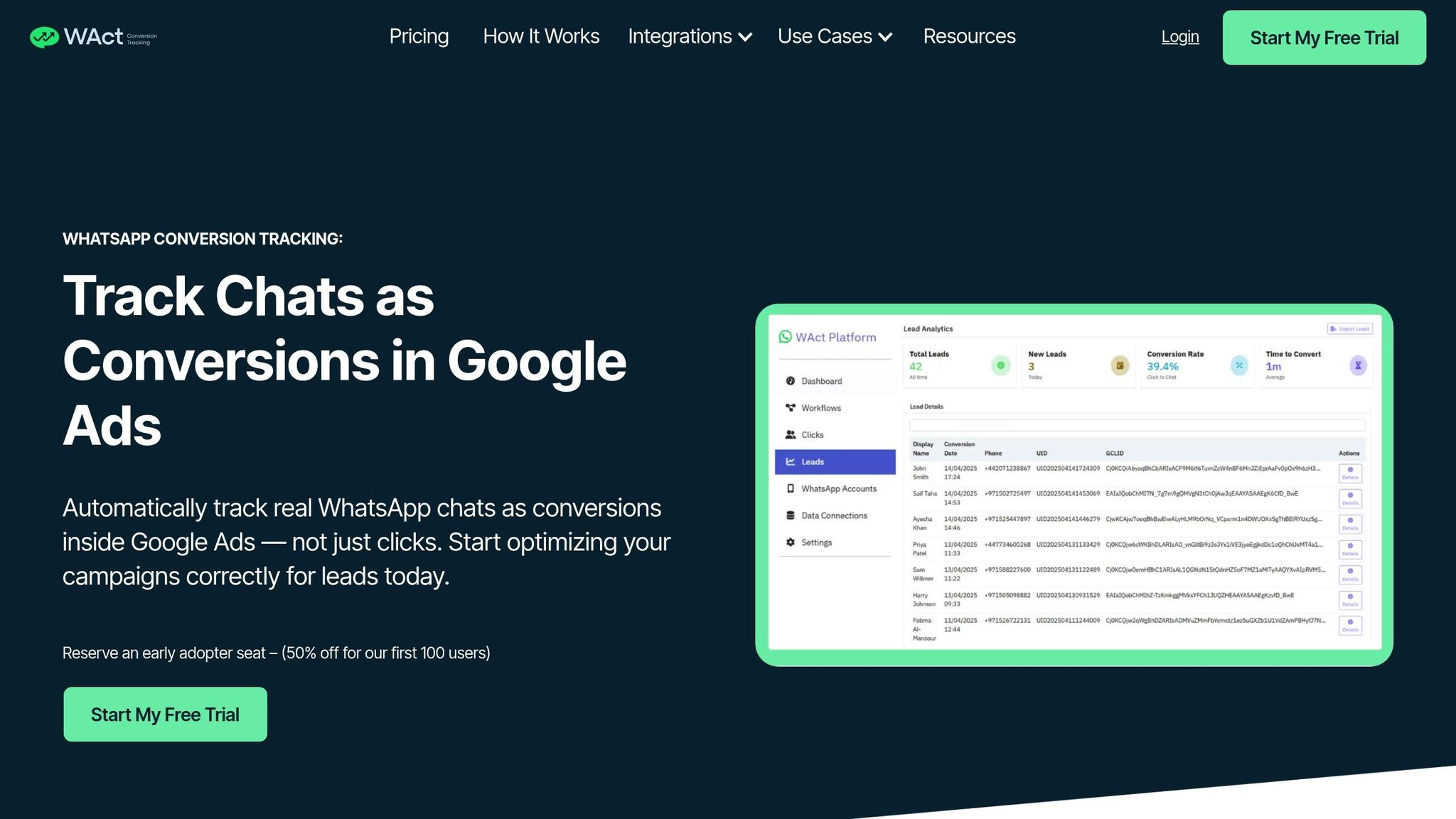
When using manual UTM tracking, there’s always a missing piece in the puzzle. You can track clicks to WhatsApp, but what happens after someone opens a chat? For advertisers in the UAE - where WhatsApp is often the go-to platform for customer inquiries and big-ticket purchases - this gap makes it hard to fine-tune campaigns effectively.
WAConversionTracking bridges this gap by automating WhatsApp attribution. It doesn’t just track clicks; it captures actual conversations on WhatsApp and sends that data straight to Google Ads. This means your campaigns are optimised based on real user interactions, not just intent.
How WAConversionTracking Works
WAConversionTracking simplifies the entire process, eliminating the need for complex tracking setups. Here’s how it works:
- It captures the GCLID and UTM parameters from your landing page URL and links them to the user’s session.
- When a user clicks your WhatsApp button and starts a conversation, the tool logs the event instantly. It doesn’t just stop at tracking a button click - it confirms that a genuine conversation has begun.
- Conversion data, along with the original GCLID and UTM parameters, is sent to Google Ads via API in real time. No manual uploads, no delays.
This real-time tracking ensures Google Ads receives accurate conversion signals as soon as a WhatsApp message is sent. Your Smart Bidding algorithms then use this data to target users who are more likely to engage, improving campaign performance.
The setup is hassle-free. You generate a tracking script with just one click, add it to your landing pages, and link your Google Ads account. No coding or developer assistance is needed. The tool automatically handles everything - UTM tracking, cookie management, event detection, and conversion uploads. If you’re using the WhatsApp Business API, WAConversionTracking even tracks conversations across multiple agents and departments.
Benefits for UAE Advertisers
This automation provides UAE advertisers with precise, real-time conversion data, which can significantly improve campaign performance.
- Better data for Smart Bidding: Google’s bidding strategies like Target CPA, Target ROAS, and Maximise Conversions rely on high-quality conversion data. WAConversionTracking feeds these algorithms with real engagement data, helping you target the right audience and lower costs per lead.
- Cut down on wasted ad spend: With visibility into which campaigns and keywords drive actual WhatsApp conversations, you can allocate your budget more effectively. Many UAE advertisers find that high-traffic campaigns often generate clicks but few meaningful inquiries, while smaller campaigns yield more engaged prospects.
- AED-specific tracking: The tool supports conversion value tracking in dirhams, which is critical for calculating ROAS. For example, you can assign values like AED 500 for a furniture inquiry or AED 2,000 for a luxury product conversation. These values are then passed to Google Ads for accurate performance analysis.
- Unified tracking for English and Arabic ads: Whether your campaigns are in English, Arabic, or both, WAConversionTracking provides consistent attribution across your entire audience.
- CRM integration: Every WhatsApp lead is logged with details about the originating campaign, ad group, and keyword. For B2B advertisers in Dubai or Abu Dhabi, where sales cycles are longer and deal sizes are larger, this level of detail is essential for understanding acquisition costs and ROI.
Manual Tracking vs. WAConversionTracking
The difference between manual UTM tracking and WAConversionTracking becomes obvious when you compare the results:
| Aspect | Manual Tracking | WAConversionTracking |
|---|---|---|
| Setup | Requires GTM, custom JavaScript, and ongoing maintenance | One-click setup, no coding needed |
| Metric | Tracks button clicks (intent) | Tracks real WhatsApp conversations (action) |
| Data accuracy | Prone to errors from cookie issues and cross-device tracking | Captures every conversation with full attribution |
| Google Ads integration | Relies on manual imports or GA4 goals (delayed) | Sends real-time data via API |
| Smart Bidding | Optimises for clicks | Optimises for actual engagement |
| Maintenance | Requires constant updates | Fully automated |
| Cross-device tracking | Limited | Maintains attribution across devices |
| Conversion value tracking | Complex setup required | Built-in AED value tracking |
With manual tracking, you only know if someone clicked your WhatsApp button, leaving you guessing about whether they actually started a conversation or became a customer. This incomplete data can lead to poor decisions - like pausing a campaign that’s driving valuable conversations or continuing one that generates clicks but no real leads.
WAConversionTracking eliminates this guesswork. Every conversion recorded in Google Ads represents a genuine WhatsApp conversation. This accurate, timely data enables you to make smarter optimisation decisions. For UAE businesses in competitive industries like real estate, luxury retail, or B2B services, this level of precision can be the difference between running profitable campaigns and wasting your budget.
With automated tracking, you get a clear and actionable view of WhatsApp conversations, seamlessly integrated into your marketing analytics.
Sending UTM and Conversion Data to Analytics and CRMs
Once you've captured UTM parameters as outlined earlier, the next step is integrating this data into your analytics and CRM systems. This is where raw data transforms into actionable insights, helping you identify which campaigns are driving actual business results and which ones need fine-tuning. This integration is key to achieving full attribution across your marketing channels.
For advertisers in the UAE, this process is especially valuable. Managing campaigns in both English and Arabic, targeting audiences in cities like Dubai, Abu Dhabi, and Sharjah, and dealing with high-value conversions in dirhams requires a clear understanding of how each marketing effort contributes to your revenue.
Connecting UTM Data with GA4 and Google Ads
In GA4, you can monitor acquisition data under Reports > Acquisition > Traffic acquisition, which provides insights into which campaigns, sources, and mediums are bringing in traffic. For WhatsApp campaigns, you’ll typically see UTM parameters like utm_source=whatsapp or, if your Google Ads campaigns lead to WhatsApp, utm_source=google paired with utm_medium=cpc.
However, GA4 primarily tracks traffic and button clicks - not the actual WhatsApp conversations that follow. For example, you might see 500 clicks on your WhatsApp button but have no visibility into how many of those clicks turned into real inquiries unless you set up custom events to track actual messages sent.
To address this, you can manually create a custom event in GA4 that triggers when the WhatsApp button is clicked. You can then import this event as a conversion into Google Ads. This involves configuring the event in GA4, linking it to your Google Ads account, and setting it up as a conversion action. While this method works, it often results in delays - Google Ads may receive conversion data hours later instead of in real time, potentially affecting the performance of Smart Bidding.
If you're also tracking conversion values, you’ll need to pass these custom parameters from GA4 to Google Ads. This is particularly important in the UAE market, where order values can vary significantly depending on the industry.
For deeper insights, connecting this data to your CRM is a game-changer.
Integrating with CRM Systems
Linking UTM data to your CRM completes the picture of your campaign’s performance. When a lead comes through WhatsApp, knowing which ad, keyword, or campaign led to that interaction becomes essential - especially for B2B businesses in the UAE, where sales cycles are often long, and deals are high in value.
Popular CRM platforms like HubSpot, Zoho, and Salesforce allow you to create custom fields to store UTM parameters. Typically, when a user fills out a form on a landing page, UTM data from the URL is captured and stored alongside their contact details. However, WhatsApp leads don’t involve form submissions; instead, the interaction begins when a user clicks to start a chat.
To automate this process, you can use a webhook to send session-based UTM data directly to your CRM. While effective, this setup often requires ongoing developer support. For advertisers in the UAE running campaigns in multiple languages and currencies, the CRM must also handle Arabic names, store conversion values in dirhams, and accurately attribute leads regardless of the campaign’s language.
Automating the Process with WAConversionTracking
This is where WAConversionTracking simplifies everything. When a user clicks your WhatsApp button to start a conversation, the tool captures the event along with all associated UTM parameters and GCLID, sending this data directly to Google Ads as a conversion.
The tool also integrates seamlessly with Google Sheets and CRM systems, logging every WhatsApp lead with full campaign attribution. Each entry includes details such as the campaign name, ad group, keyword, landing page URL, and conversion value in dirhams. For example, a luxury car dealership in Dubai tracking high-value conversions can gain precise, actionable insights from this level of detail.
WAConversionTracking sends conversion data to Google Ads instantly via API, ensuring Smart Bidding algorithms receive real-time signals based on actual user engagement. This immediacy improves bid optimisation and reduces wasted ad spend.
The tool also automates conversion value tracking. You can assign specific values to different types of WhatsApp interactions, and these are automatically relayed to Google Ads. This ensures accurate ROAS calculations without the need for manual data entry.
For agencies managing multiple clients across the UAE, this automation is a huge time-saver. Instead of juggling spreadsheets and manual updates, you get clean, transparent data in both your analytics platforms and CRMs, enabling you to deliver detailed, reliable performance reports with ease.
Testing and Fixing UTM Tracking Issues
Setting up UTM tracking is just the first step - making sure it works as intended is equally important. WhatsApp campaigns, in particular, can complicate things since the user journey doesn’t follow the standard web flow. For advertisers in the UAE managing campaigns in both English and Arabic, targeting cities like Dubai, Abu Dhabi, and Sharjah, and tracking conversions in AED, accuracy is critical.
Testing your setup thoroughly before launching campaigns is a must. Even minor errors, like a missing UTM parameter or a broken redirect, can disrupt your attribution model. Once you’ve set things up, you need to confirm that the system captures and processes all UTM data correctly throughout the user journey.
How to Verify UTM Capture
Start by checking whether your UTM parameters are making it to your landing page. Click on one of your ads and inspect the URL in your browser. It should look something like this: ?utm_source=google&utm_medium=cpc&utm_campaign=dubai_real_estate&gclid=xyz123. If any of these parameters are missing, your tracking setup needs fixing.
Use Google Tag Manager's Preview Mode to ensure your tags are firing as expected. Open GTM, click Preview, and enter your landing page URL with the UTM parameters attached. Navigate the site like a regular user, clicking the WhatsApp button to trigger the event. In the GTM debug panel, you should see your custom event fire along with the UTM parameters. If the event doesn’t appear or if parameters are missing, you’ll need to adjust your tag setup.
Next, check the GA4 real-time report to confirm that your test session captures the UTM parameters. Look for utm_source, utm_medium, utm_campaign, and any other custom parameters you’ve added.
For Google Ads conversion tracking, go to Tools & Settings > Conversions in your Google Ads account. After clicking your WhatsApp button, wait a few minutes and check if the conversion is recorded. If you’re using WAConversionTracking, conversions should appear almost instantly since the tool sends data directly via API. If you’re relying on GA4 imports, expect a delay of several hours.
Verify that conversion values are being passed correctly. For high-value leads in the UAE - like property enquiries or luxury car sales - ensure the conversion value reflects the actual worth in AED. Check both GA4 and Google Ads to confirm the value field is populated and formatted correctly.
Once you’ve confirmed that your tags are firing correctly, address common issues to optimise tracking performance.
Common Problems and Solutions
One frequent issue is UTM parameters being dropped during redirection. This can happen when users are redirected through multiple pages or when scripts interfere with the URL structure. If UTMs are disappearing, ensure that redirects preserve query strings. You may need to adjust your server configuration to fix this.
Another common issue is broken WhatsApp links. If the URL for your WhatsApp button is incorrect, users won’t be able to start a conversation, and you’ll lose both the lead and the tracking data. Make sure links like https://wa.me/971501234567?text=Hello work properly on both desktop and mobile. Test manually to confirm the phone number is correct and the URL structure functions as expected.
Data discrepancies between GA4 and Google Ads are another headache. For instance, you might see 100 WhatsApp button clicks in GA4 but only 80 conversions in Google Ads. This can happen for several reasons. Some users might open WhatsApp but not send a message. If you’re importing conversions from GA4 to Google Ads, delays or syncing issues can also cause mismatched numbers. Additionally, differences in conversion window settings between platforms can lead to discrepancies.
If you’re using WAConversionTracking, many of these issues are resolved, as the tool directly tracks WhatsApp chat initiations and sends the data to Google Ads. This eliminates reliance on GA4 imports and ensures more accurate, real-time data.
For Arabic campaign tracking, using Arabic characters in UTM parameters can cause problems. Some analytics platforms struggle with non-Latin scripts, leading to corrupted or missing parameters. To avoid this, use English labels for UTM parameters, even if your ad copy is in Arabic. For example, use utm_campaign=dubai_apartments_arabic rather than embedding Arabic text in the parameter.
Another challenge specific to UAE campaigns is the difference between mobile and desktop performance. Since WhatsApp is primarily a mobile app, your tracking setup must work seamlessly on mobile devices. Test your UTM tracking on both iOS and Android to ensure the WhatsApp button functions properly and all parameters are captured.
Ensuring Accurate Reporting for UAE Campaigns
Once your tracking is live, regular monitoring is essential to maintain accuracy. Set a schedule to review your GA4 and Google Ads reports weekly. Look for sudden drops in conversions or unexpected cost spikes, which could signal tracking issues.
In GA4, go to Reports > Acquisition > Traffic acquisition and filter by utm_source=whatsapp or utm_source=google with utm_medium=cpc. Compare the session counts with the recorded conversions. High traffic but low conversions might indicate that your WhatsApp button isn’t working or that users are clicking but not completing the action.
In Google Ads, check the Campaigns tab for conversion data. If certain campaigns show clicks but no conversions, investigate immediately. This could point to a broken tracking script, a misconfigured conversion action, or an issue with UTM parameters.
Ensure that Google Ads displays conversion values correctly, such as "AED 5,000.00" instead of "5000" or an incorrect currency symbol. If values are missing or formatted incorrectly, your ROAS calculations will be inaccurate, making it harder to optimise campaigns.
For campaigns targeting multiple emirates - like Dubai, Abu Dhabi, and Sharjah - use location-specific UTM parameters to track performance by region. For example, utm_campaign=dubai_real_estate and utm_campaign=abudhabi_real_estate. This allows you to identify which areas generate the most valuable leads and adjust budgets accordingly.
If you’re using WAConversionTracking, leverage its Google Sheets integration to keep a detailed log of WhatsApp leads. Each entry should include the campaign name, ad group, keyword, landing page URL, UTM parameters, GCLID, and conversion value in AED. This creates a clear, auditable record that you can cross-reference with GA4 and Google Ads data to ensure everything matches.
Routine testing and validation aren’t just about avoiding errors - they help you trust your data. When your tracking is solid, you can confidently decide where to allocate your budget, which campaigns to scale, and which ones to pause.
Conclusion
Tracking UTM parameters is a game-changer for running profitable campaigns in the UAE. Without it, you’re left guessing which ads actually drive WhatsApp conversations - a mistake that could cost you thousands of dirhams every month.
As we’ve covered, the process starts with creating clean WhatsApp links that include UTM parameters and the GCLID. From there, you capture these parameters on your landing page using Google Tag Manager, send them to GA4, and ensure they flow into Google Ads for accurate conversion tracking. Even a single broken link or missing script can derail attribution, leaving you with incomplete data and poor campaign decisions.
Manually tracking this data isn’t just tedious - it’s prone to errors. For agencies juggling multiple clients or businesses running large-scale campaigns across Dubai, Sharjah, and Abu Dhabi, this method quickly becomes unmanageable.
That’s where WAConversionTracking comes in. This tool automates the entire WhatsApp attribution process, capturing GCLID, UTM parameters, and conversion values in AED. It sends real-time conversion data to Google Ads, providing Smart Bidding with the precise signals needed to optimise campaigns and calculate ROAS accurately. And the best part? It integrates seamlessly into your marketing strategy.
For UAE advertisers focusing on bilingual, mobile-first campaigns with high-value leads, precision is non-negotiable. Losing tracking data when users switch from an ad to WhatsApp isn’t an option. Automated tools eliminate this risk, giving you the confidence to scale your campaigns with reliable data.
Whether you opt for manual or automated tracking, consistency is everything. Test your setup thoroughly and monitor reports regularly. When your tracking works as it should, you’ll know exactly which keywords, ad groups, and campaigns are delivering results - and which ones need to be paused immediately.
With proper UTM tracking, WhatsApp transforms from a mysterious channel into one you can measure and optimise. Instead of wasting money on ads that don’t convert, you’ll redirect your budget toward the ones that do. This approach turns uncertainty into actionable insights, ensuring every dirham you spend drives real engagement and measurable results.
FAQs
How can I make sure UTM parameters are preserved when directing users from ads to WhatsApp?
To make sure UTM parameters stay intact when redirecting users from ads to WhatsApp, it's essential to set up your tracking links and tools correctly. Start by crafting a custom URL with UTM parameters using tools like Google’s Campaign URL Builder. This customised link will help you track ad clicks with precision.
Once users click on your ad, ensure the link takes them directly to a WhatsApp chat. You can achieve this by using the WhatsApp Business API or third-party platforms that support UTM tracking. These solutions help capture and pass UTM data seamlessly into your analytics or CRM systems, enabling a more detailed analysis of your campaign's performance. Before going live, always test your setup to ensure the UTM parameters are being captured accurately.
What makes WAConversionTracking better than manual UTM tracking for WhatsApp conversions?
WAConversionTracking streamlines the process of monitoring WhatsApp conversions by automating the tracking setup - no need to manually configure UTM parameters anymore. This tool ensures accurate data collection and real-time syncing with analytics platforms and CRM systems, saving valuable time while minimising the chances of human error.
By automatically linking UTM data to WhatsApp interactions, WAConversionTracking takes the hassle out of campaign performance tracking. Marketers can shift their focus to improving their campaigns instead of dealing with tedious tracking configurations. With its ability to deliver precise and actionable insights, this tool becomes a must-have for businesses looking to boost the return on investment (ROI) from their WhatsApp-driven ad campaigns.
How can I track UTM parameters from WhatsApp clicks and link them to my CRM system for better campaign insights?
To monitor UTM parameters from WhatsApp clicks and connect them to your CRM system, begin by configuring UTM tracking within your ad platform, such as Google Ads. This ensures that every campaign generates distinct tracking links tailored for analysis.
Leverage the WhatsApp Business API or reliable third-party tools to capture these UTM parameters whenever users engage with your WhatsApp links.
Then, set up your CRM system to accept and store UTM data. This typically involves aligning UTM fields like source, medium, and campaign with your CRM’s database fields. This setup enables you to better evaluate campaign performance and directly tie conversions to WhatsApp interactions.




