Track WhatsApp Messages As Conversions
WAct connects directly to your WhatsApp account, allowing you to attribute your WhatsApp chats to Google Ads, Meta Ads and any other paid ads campaigns.


Stop wasting ad spend on clicks that never turn into WhatsApp chats
If you only track WhatsApp button clicks, not actual chats, you'll keep optimizing for the wrong customers, wasting budget on clicks that don't convert.

Track every ad click all the way to a WhatsApp chat
Capture ad IDs and UTM data when a chat starts, linking each WhatsApp lead to the exact campaign, keyword, and platform that generated it.

Optimise with accurate conversion data
Send accurate WhatsApp conversion events back to your ad account, so bidding algorithms optimize for traffic that actually converts.

Lower Your
Cost Per Lead
Optimising for real WhatsApp leads reduces wasted ad budget and lowers your cost per lead.

Get started in less than 10 minutes
Optimise your ads for real WhatsApp chats, not clicks.


How WAct Turns Ad Clicks Into Attributed WhatsApp Leads
Captures the visitor’s ad identifier as soon as they arrive
Every visitor lands on your website with a unique ad identifier and UTM parameters. WAct captures these as soon as someone starts a chat.


Automatically links chats to the exact source
Everytime someone initiates a WhatsApp chat, WAct is able to track the event via your WhatsApp Business API and attribute it back to your paid ads campaigns.

Sends actual conversions back to your ad platforms
WAct takes all the lead data and sends it back to your ad accounts as real conversion events, so your campaigns can optimize with clean, high-quality data.


Get Started In 10 Minutes
Connect Your WhatsApp Account
Connect directly to your WhatsApp business app on mobile or use our webhook to directly integrate with your WhatsApp API provider.
Add The Tracking Script To Your Landing Page
Generate our tracking script and paste it into your website or landing page. It will automatically find and connect to all your WhatsApp buttons. That's it!
Connect Your Google Ads Account
Link to your Google Ads account with a click of a button to automatically send your WhatsApp leads as conversions.
Start Tracking WhatsApp Conversions
Watch the accurate conversion data roll in for each WhatsApp chat.

Paid Ads Platforms We Track
We have you covered. WAct can track WhatsApp conversions across Google Ads, Meta Ads and all major ad platforms.


See the Difference WAct Makes
Here’s what changes when you switch to accurate WhatsApp attribution.
Without WAct

Tracks real WhatsApp conversations
Matches every chat to its ad, keyword, and UTM source
Ad algorithms optimise for conversions
Lower Cost Per Lead and stronger lead quality
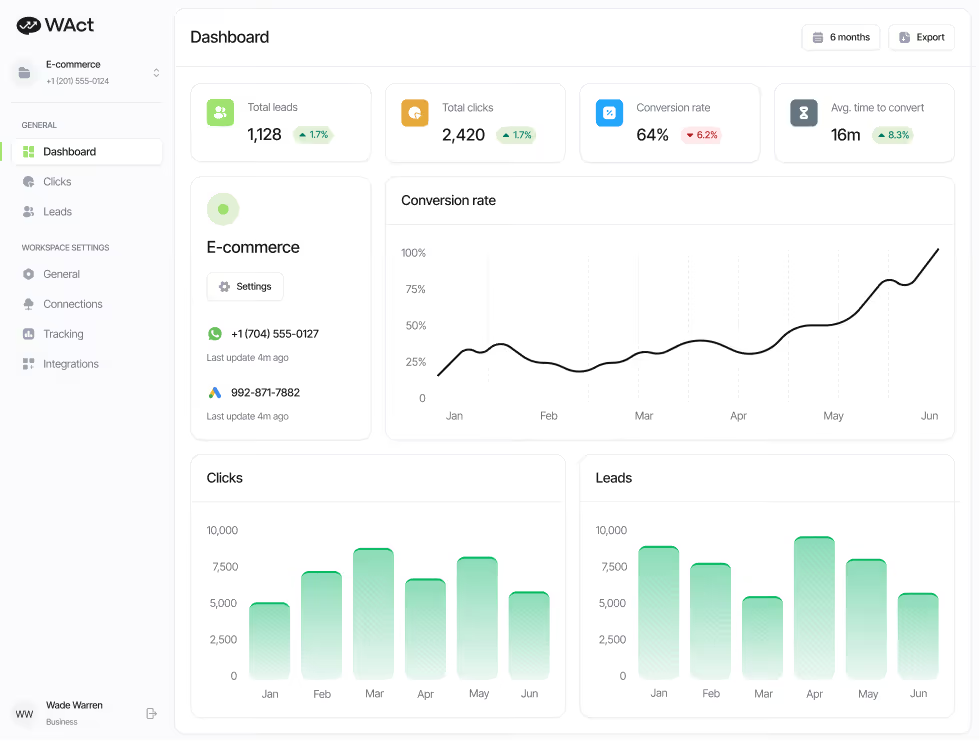
Instantly see which ads and keywords drive results
Automatic conversion upload to ad platforms
Accurate UTM attribution data in your dashboard

With WAct

Tracks real WhatsApp conversations
Matches every chat to its ad, keyword, and UTM source
Ad algorithms optimise for conversions
Lower Cost Per Lead and stronger lead quality
Instantly see which ads and keywords drive results
Automatic conversion upload to ad platforms
Accurate UTM attribution data in your dashboard

We connect directly with your WhatsApp API and support integrations with all major WhatsApp Business Solution Providers


Access your lead data wherever you like!
Connect WAct with your favourite CRM and automation tools to get access to all your lead data.


FAQs
Our most frequently asked questions.
How do I test that my tracking is working?

Do I need technical knowledge to set up WAct?
What landing page builders does WAct work with?
How do I set up WAct on my website?
How does WAct connect to WhatsApp
Get started in less than 10 minutes
Optimise your ads for real WhatsApp chats, not clicks.




The first automated WhatsApp conversion tracking tool for Google Ads. Finally track real WhatsApp conversions, not button clicks.