


Want better results from your Google Ads? Focus on tracking real actions, not just clicks. By 2026, Google’s Smart Bidding relies entirely on accurate conversion data to optimise campaigns. If you're advertising in the UAE, where WhatsApp dominates as a lead channel, tracking actual messages - not just button clicks - is key to improving ROI.
Here’s why this matters:
- Button clicks ≠ real leads. Many clicks don’t result in meaningful conversations.
- WhatsApp leads are huge in the UAE. With 79% of adults messaging businesses weekly, it's a critical platform for industries like real estate, healthcare, and retail.
- Accurate tracking boosts ROI. Verified WhatsApp conversations help Google Ads focus on high-quality traffic, reducing wasted spend.
To track WhatsApp conversions effectively:
- Use the WhatsApp Business API for server-side tracking.
- Capture Google Click ID (GCLID) and match it with actual messages.
- Import verified conversions into Google Ads to improve bidding strategies.
This approach ensures your campaigns target genuine leads, not accidental clicks, leading to better performance and higher returns on your ad spend.
Why WhatsApp Conversion Tracking Matters for Google Ads
WhatsApp as a Primary Lead Channel
In the UAE, WhatsApp plays a massive role in communication, with 8.2 million Messenger users and 5.0 million Business users reported in Q2 2025. For industries like real estate, healthcare, education, and automotive, it has become a key source for inbound leads. Its popularity stems from its instant communication and deep integration into daily life.
Statistics show that 79% of online adults in the UAE message businesses on WhatsApp at least once a week. Moreover, 76% of users in the Middle East prefer buying from brands that actively engage on the platform. During Ramadan 2025, regional sales reached USD 10 billion, with much of this revenue coming from direct WhatsApp conversations rather than traditional e-commerce checkouts.
Take Dubai-based fashion brand Wear That as an example. Under the guidance of Retention Lead Nadia Benjelloun, the company introduced WhatsApp automation in 2025. This resulted in a 21% increase in order requests without adding to their team. Benjelloun shared:
"Stylists are no longer bogged down with back-and-forths for information and can now focus on curating the perfect box for each client".
Similarly, USBS UAE, an electronics reseller led by founder Amr Wasfy, achieved an 80% growth in customer acquisition by using Click-to-WhatsApp ads. Wasfy highlighted:
"The biggest benefit is the optimisation and the systematic, organised flow... It's smart, efficient, and helps us categorise and engage with customers in meaningful ways".
Problems with Measuring WhatsApp Conversions
While generating WhatsApp leads is straightforward, accurately measuring them is another story. Many advertisers mistakenly count WhatsApp button clicks as conversions instead of tracking actual messages. This approach can lead to overestimating results, as it includes accidental clicks or users who never initiate a chat.
Pete Bowen, a conversion tracking expert, points out:
"It [tracking button clicks] doesn't tell you if the person who clicked actually started a conversation... You don't know if that click was from a legitimate lead, an existing client... or a spammer".
This lack of clarity inflates Google Ads data, causing Smart Bidding to optimise for clicks that don’t result in meaningful engagement. Additionally, failing to capture the Google Click ID (GCLID) makes it challenging to trace WhatsApp messages back to specific keywords or campaigns, complicating ROI calculations. Fixing these tracking issues is crucial for obtaining accurate data and improving campaign performance.
How Accurate Tracking Improves ROI
Accurate tracking focuses on genuine conversations, linking them to the specific ad that generated them. When these verified conversions are fed back into Google Ads, Smart Bidding can better target users who are more likely to engage in meaningful ways.
This refined data helps advertisers shift budgets away from low-quality traffic and towards campaigns that deliver better results. By reducing wasted ad spend and lowering the cost per qualified lead, businesses see a direct improvement in ROI. Over time, as Smart Bidding receives more reliable conversion data, it enhances its ability to predict and optimise for real user engagement. For instance, Tennis Express experienced a 114% increase in year-over-year conversions by adopting advanced conversion measurement.
In the UAE, where WhatsApp messages have an open rate exceeding 90% and conversion rates three times higher than email, accurate tracking is critical. It can determine whether a campaign succeeds or drains resources. With precise data, businesses can fine-tune their budgets and bidding strategies to achieve better campaign outcomes.
sbb-itb-0a82e4d
Setting Up WhatsApp Conversion Tracking in Google Ads
Requirements for WhatsApp Business API Integration
If you're using a standard WhatsApp Business app, you won't have the programmatic access needed for automated tracking. Instead, you'll need to use the WhatsApp Business API through a Business Solution Provider (BSP) like Meta Cloud API, 360dialog, or Twilio.
This API makes it possible to track messages server-side, linking them to the specific Google Ads click that led to the interaction. Here's how it works: the system captures the GCLID (Google Click Identifier) at the time of the click, attaches a unique identifier (UID) to the WhatsApp link, and matches these IDs when a message is received. Since this doesn't work like standard web conversions, the data is sent back to Google Ads as offline conversions, which helps improve Smart Bidding models.
Once the API is set up to handle ID capture and matching, you're ready to set up conversion actions in Google Ads.
Creating Conversion Actions for WhatsApp Leads in Google Ads
To track WhatsApp leads, you'll need to create a new conversion action in Google Ads. Go to Tools → Data Manager → Conversions → +, then choose Import → Other data sources or CRMs → Track conversions from clicks. This sets the conversion type to UPLOAD_CLICKS, which allows external tools to send conversion data back to your Google Ads account.
Give the conversion action a clear name and set a 15-day view-through lookback window. Before finishing, make sure you adjust your account-level consent settings under Tools → Data Manager → Consent settings to meet data privacy regulations.
Once this is done, you can use Google Tag Manager (GTM) to track WhatsApp button clicks efficiently.
Using Google Tag Manager to Track WhatsApp Button Clicks
After setting up the conversion action, Google Tag Manager (GTM) can help you track WhatsApp interactions smoothly. Use the provided WAConversionTracking script by deploying it through GTM. Create a Custom HTML tag in GTM, paste the script, and configure it to fire on pages where the WhatsApp button is present.
This script automatically appends the UID to your WhatsApp link, ensuring that each message is accurately matched to its corresponding GCLID. To confirm everything is working, send a message and check if it appears in your conversion log.
Google Ads Conversion Tracking (2026) with Google Tag Manager
For more in-depth guides on optimizing your campaigns, explore our B2B lead generation blog.
Using WAConversionTracking for Automated Attribution

Standard vs WAConversionTracking Tool Comparison for WhatsApp Conversion Tracking
What WAConversionTracking Does
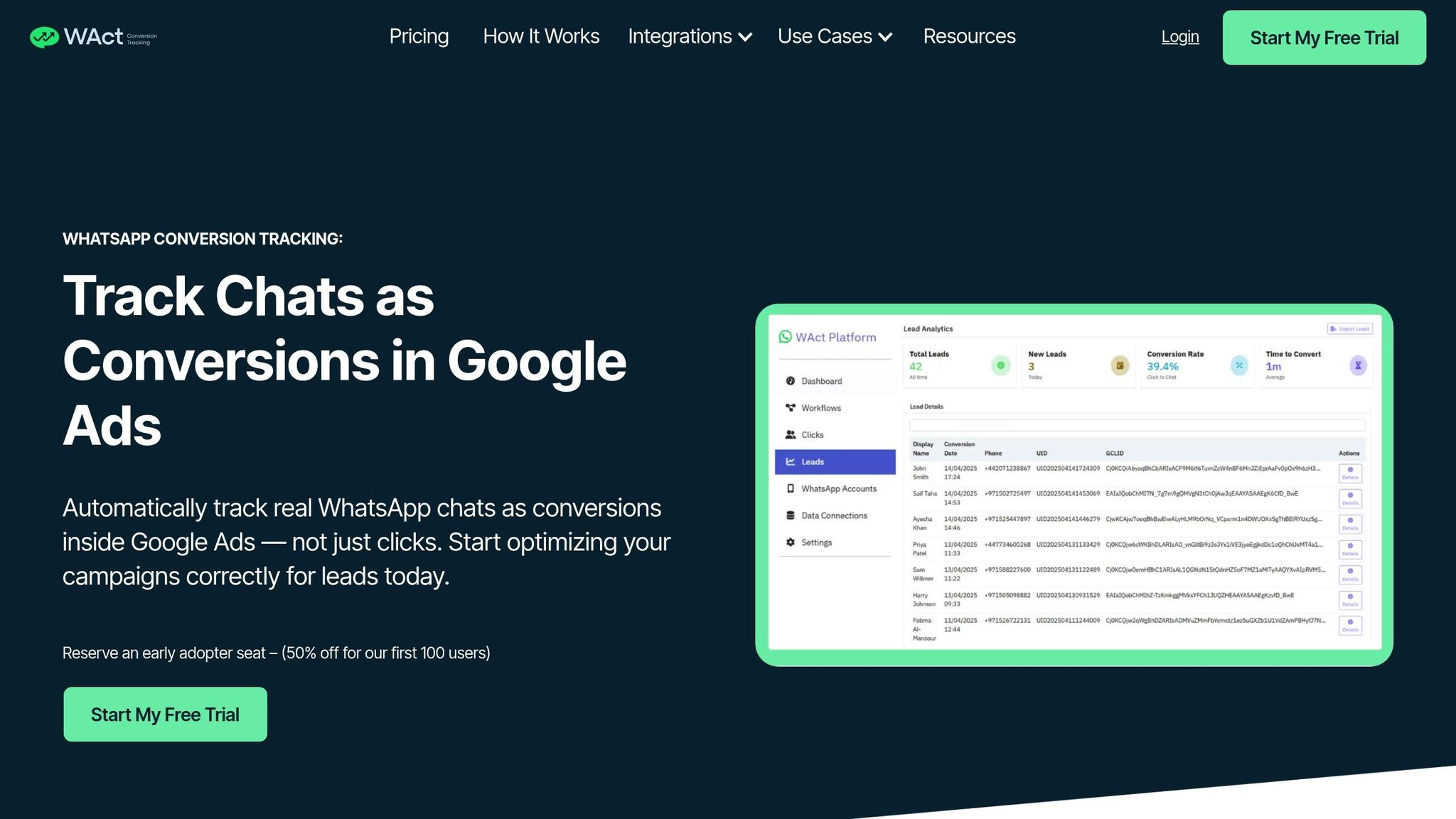
Most tools track clicks but fail to capture what happens after. WAConversionTracking changes the game by recording when someone sends an actual WhatsApp message, not just when they tap the button. It works by capturing the GCLID and UTM parameters when a visitor lands on your site and attaching a unique identifier (UID) to the WhatsApp link. When a message is sent via the WhatsApp Business API, the UID is matched to the original GCLID, and the lead is sent to Google Ads as an offline conversion.
This approach allows Smart Bidding to focus on real leads instead of clicks. By using server-side detection through the WhatsApp Business API, it confirms message delivery, filtering out clicks that don’t turn into conversations.
| Feature | Standard Tool | WAConversionTracking Tool |
|---|---|---|
| Conversion Trigger | Button click/tap | Actual message sent |
| Data Accuracy | High discrepancy | High (verified via API) |
| Attribution Method | Browser events | GCLID + UID matching |
| Google Ads Sync | Manual or pixel-based | Automatic offline conversion upload |
| Optimisation | Intent-based | Lead-based |
Next, let’s dive into how you can set up this system for your campaigns.
How to Set Up WAConversionTracking
To take advantage of precise conversion tracking, follow these steps to configure WAConversionTracking. Start by connecting your WhatsApp Business API key from a BSP to the WAConversionTracking dashboard. From there, create a workflow that links your WhatsApp number to your Google Ads account and a destination like Google Sheets. Use the built-in button generator to create a WhatsApp link that’s tracking-ready. This link automatically attaches a UID.
Add the generated code to your website. Then, use the "Testing Your Setup" feature to ensure the tracking script captures session data correctly. Send a test message and check if it appears in your conversion log. Once everything is verified, integrate the tracking data with your CRM or Google Sheets to monitor which keywords and campaigns bring in the most meaningful conversations.
Advanced Features for Large-Scale Campaigns
For businesses managing multiple WhatsApp accounts or regions, the Agency plan offers unlimited WhatsApp connections under one system. It also supports GBRAID and WBRAID tracking, which is crucial for accurate attribution on iOS devices - especially when mobile traffic forms a large part of your audience. You can set up workflows to filter data and ensure conversion signals are routed to the correct Google Ads account.
Custom URL parameters let you track campaign variables beyond basic UTMs, revealing which creatives drive the best conversations. Server-side detection ensures only verified messages count as conversions, eliminating wasted ad spend. Plus, real-time syncing with CRMs keeps high-volume lead data organised without manual input. These features allow you to refine your bidding strategies by focusing solely on validated leads.
Improving Campaigns with WhatsApp Conversion Data
Capturing GCLID and UTM Parameters in WhatsApp Messages
When someone clicks on your ad, Google assigns a unique Click ID (GCLID) to that session. Capturing this identifier when a WhatsApp message is sent allows you to trace the conversation back to the specific ad, keyword, and campaign that initiated it. Without this connection, you're left relying solely on button clicks for campaign analysis.
"Tracking button clicks doesn't tell the full story. You may be optimising for users who click but never chat - wasting ad spend."
– WAConversionTracking
The GCLID is recorded at the moment of the ad click and linked to a unique ID (UID) once the user starts a WhatsApp chat. Adding UTM parameters provides even more insight, revealing which creative elements or landing pages drive the most conversations. This helps you shift your budget away from keywords that generate clicks but fail to convert into chats. With this method, you’re setting the stage for accurate offline conversion tracking, which is explained next.
Importing Offline Conversions from WhatsApp Business API
After capturing the GCLID and linking it to a WhatsApp message, the next step is uploading that data into Google Ads as an offline conversion. This requires the WhatsApp Business API, as the standard WhatsApp Business app doesn’t allow programmatic access to message data. The API tracks when a message is sent, filters out unqualified leads, and uploads verified conversions directly to Google Ads.
To ensure privacy compliance, user data (like email addresses or phone numbers) must be hashed using SHA-256 before uploading. Offline conversion uploads are processed within a specific time frame, with the data appearing in reports in about three hours.
Training Smart Bidding with Accurate Conversion Signals
Once the conversion data is properly imported, it becomes a powerful tool for training Smart Bidding algorithms such as Target CPA or Maximise Conversions. These algorithms rely on precise signals to identify high-quality traffic. By using verified WhatsApp messages instead of just button clicks, you enable Google to focus on users who show genuine engagement. This approach reduces wasted ad spend on low-intent clicks and allows for real-time campaign adjustments based on confirmed leads.
"Without [WhatsApp conversion tracking] you don't know if you're actually getting real value from your ad spend and optimising campaigns is guesswork."
– Pete Bowen, Digital Marketing Consultant
This feedback loop helps Smart Bidding fine-tune bids for keywords and audiences that consistently deliver engaged leads, ultimately driving better ROI.
Common Mistakes in WhatsApp Conversion Tracking
Fixing Tracking Discrepancies
To maintain accurate data in your WhatsApp conversion tracking, it's crucial to avoid some common pitfalls. For instance, tracking button clicks instead of actual messages can lead to inflated conversion numbers. This not only skews your data but also results in wasted ad spend. In UAE campaigns, missing GCLID data can misattribute up to 70% of WhatsApp leads to Performance Max ads. This misattribution can cause inefficiencies in bidding strategies, reducing ROAS by 8–15%. During Ramadan campaigns, where conversions often require 2–4 touchpoints, poor tracking can inflate CPA by 20–30% - a costly mistake.
Another issue is the impact of ad blockers and browser tracking prevention, which can block 30–40% of client-side tracking signals. To address this, server-side tracking through tools like GTM becomes essential. Relying solely on browser pixels leaves gaps in your conversion data.
Technical misconfigurations can also disrupt tracking. For example, missing the conversion linker tag in GTM prevents proper attribution of WhatsApp conversions. To fix this, ensure the conversion linker tag fires on all pages before WhatsApp-specific conversion tags. Additionally, double-check that GTM triggers, conversion IDs, and labels are correctly set up.
For better accuracy, enable enhanced conversions by hashing user data, such as phone numbers or email addresses, using SHA-256. This step, done through the WhatsApp Business API, can improve matching accuracy by 10–30%. Adding these first-party data signals helps Google match conversions even when GCLID data is incomplete.
Addressing these issues is key to planning and measuring campaign performance effectively and maximising your ROI. By resolving these technical discrepancies, you ensure both compliance and data integrity, setting a solid foundation for better results.
Following Data Privacy Laws in the UAE
Compliance with UAE's Federal Decree-Law No. 45/2021 on Personal Data Protection (PDPL) is non-negotiable when tracking WhatsApp user data. This means obtaining explicit consent before collecting information like phone numbers or GCLID data. Failure to comply can lead to fines reaching AED 5 million.
To align with privacy regulations, always hash personally identifiable information and avoid storing server logs without proper anonymisation. Your tracking system should focus strictly on conversion attribution, not on accessing message content or contact lists. Tools that log only the click-to-chat event and the final conversion action, without storing sensitive data, align with privacy principles.
When uploading offline conversions via the WhatsApp Business API, ensure that hashed data is securely processed. Additionally, document your consent mechanisms clearly. This approach not only protects your customers but also safeguards your business from potential legal risks, all while maintaining compliance with UAE's data protection laws.
Measuring ROI with WhatsApp Attribution Reports in Google Ads
Key Metrics for WhatsApp Conversions
Tracking WhatsApp conversions is essential for improving your Google Ads performance. Start by calculating Conv. value / cost - this metric divides the total conversion value by ad spend, offering a clear view of your ROI. Keep an eye on Cost / conv., which reveals how much you're spending on average to acquire a conversion. Another important metric is Assisted Conversions, which shows campaigns that spark WhatsApp chats even if they don’t lead directly to a final conversion.
For a better understanding of your sales cycle, track Avg. interactions to conversion and Avg. days to conversion. These metrics provide insights into how long and how many touchpoints it takes for a user to convert. Lastly, monitor the Click-to-Message Rate - this tells you how many users who click your WhatsApp button actually send a message, helping you assess the quality of your audience engagement. Together, these metrics form the foundation for deeper analysis through attribution reports.
Using Attribution Reports to Allocate Budget
Once you’ve established your key metrics, dive into the Attribution section under Goals > Measurements in Google Ads. These reports give a full picture of the customer journey, not just the final interaction. The Model Comparison tool can help you assess whether Data-Driven Attribution is giving more weight to awareness campaigns. If so, you may need to adjust your budget allocation accordingly.
Before deciding to pause campaigns, review the Assisted Conversions report. Campaigns with low last-click conversions but high assisted value often play a crucial role in driving awareness at the top of the funnel. Pausing these could disrupt your overall conversion flow. Also, segment your path reports by device to see if users are discovering your business on desktop but completing conversions via WhatsApp on mobile. This insight can guide adjustments to your mobile bidding strategies.
Attribution reports allow you to set lookback windows of 30, 60, or 90 days, so tailor this to your business cycle. Additionally, path report data spans up to 2 years, providing historical context that can inform your budget decisions. By integrating WAConversionTracking, you ensure every lead is attributed to the correct ad or campaign, giving you even more precise insights for optimisation.
Conclusion
Switching from click-based tracking to focusing on actual conversations can dramatically improve campaign outcomes. Tracking button clicks alone often leads to wasted budgets and misrepresented performance. By measuring real messages sent through the WhatsApp Business API, businesses can access accurate data to refine Smart Bidding, identify effective keywords, and cut out low-quality traffic - ultimately calculating a more precise ROI on ad spend.
As outlined in the WAConversionTracking section, automated offline conversion uploads allow Google’s machine learning to optimise bids using real conversation data. Tools like WAConversionTracking play a key role by capturing GCLID and UTM parameters, linking them to messages, and sending offline conversions to Google Ads. This ensures Google’s algorithms focus on users likely to start meaningful chats, not just click buttons.
The benefits of accurate tracking are clear. For instance, Tennis Express saw a 114% year-over-year rise in conversions by adopting enhanced conversion tracking. This highlights the impact of providing campaigns with reliable data.
To get started, upgrade to the WhatsApp Business API, capture GCLID at the point of the click, and automate offline conversion uploads. With proper tracking in place, leverage attribution reports to fine-tune budget allocation and optimise Smart Bidding strategies like Target CPA or Maximise Conversions. This approach helps minimise wasted spend and boosts the effectiveness of high-intent campaigns.
In the UAE, where WhatsApp is a dominant communication tool, focusing on real conversations ensures better performance and maximises returns on every dirham spent. By adopting precise WhatsApp conversion tracking, businesses can achieve consistent ad success in the UAE market.
FAQs
Do I need WhatsApp Business API to track real WhatsApp leads from Google Ads?
No, you don’t need the WhatsApp Business API to track actual WhatsApp leads from Google Ads. WAConversionTracking is designed to work seamlessly with WhatsApp Business API setups, but it can also use alternative methods to track leads efficiently. This ensures you can achieve accurate conversion tracking without needing the API.
How do I capture and match GCLID to a WhatsApp message?
To link the GCLID (Google Click ID) with a WhatsApp message, you need to establish tracking that connects the GCLID from Google Ads to WhatsApp chats. Tools like WAConversionTracking make this process simpler by tying the GCLID to a unique UID associated with WhatsApp conversations.
This process requires adding a tracking script to your website. The script captures the GCLID from the URL parameters when a user clicks on a WhatsApp link. This ensures accurate lead tracking and attribution.
How long does it take for offline WhatsApp conversions to show in Google Ads?
Offline WhatsApp conversions typically take between 24 to 48 hours to show up in Google Ads. The exact timeframe can vary based on your configuration and the time needed for processing the data.




