


WhatsApp Click to Chat simplifies communication by letting users start a WhatsApp conversation with your business instantly - no need to save phone numbers or fill out forms. Businesses create a link (e.g., https://wa.me/) using their international phone number, and when clicked, it opens a WhatsApp chat window directly. This tool is widely used in the UAE to make customer interactions faster and more efficient.
Key Features:
- Instant Connection: No need to save numbers; users click a link to chat.
- Custom Links: Add pre-filled messages like "I'm interested in [product]" for easier communication.
- Multiple Uses: Add links to social media bios, ads, websites, emails, or QR codes.
- Two Link Formats:
- Short:
https://wa.me/[phone] - Legacy:
https://api.whatsapp.com/send?phone=[phone]
- Short:
- UAE Number Format: Use
971(e.g.,https://wa.me/971501234567).
Business Benefits:
- Higher Engagement: 80% of WhatsApp messages are read within 5 minutes.
- Lead Quality: Automatically captures accurate WhatsApp numbers.
- Proven Results: Turkish retailer Modanisa saw 55% of new customers place orders via WhatsApp.
For businesses in the UAE, integrating Click to Chat links across platforms and using tools like WAConversionTracking to measure performance ensures better customer interactions and improved marketing results. This includes learning how to track WhatsApp button clicks to optimize your ad spend.
How to Get Your WhatsApp Click-to-Chat Link (Share Easily)
sbb-itb-0a82e4d
How WhatsApp Click to Chat Works

How WhatsApp Click to Chat Works: Step-by-Step Process
The process behind WhatsApp Click to Chat is straightforward. When a user clicks on a Click to Chat link, it instantly opens a chat window with your business - either in the WhatsApp mobile app (on iOS or Android) or on WhatsApp Web if they’re browsing from a desktop. The best part? They don’t need to save your number in their contacts beforehand, making it far easier to start a conversation.
"The WhatsApp click-to-chat feature allows you to start a conversation with someone without saving their phone number first." - Gareth Burroughes, Dotdigital
This feature works smoothly across all platforms. Whether customers are on their phones or desktops, the link immediately launches the WhatsApp interface, connecting them directly to your business chat.
Now, let’s look at the URL formats that make Click to Chat function seamlessly across devices.
There are two primary URL formats for creating Click to Chat links:
- Short format:
https://wa.me/[phone] - Legacy format:
https://api.whatsapp.com/send?phone=[phone]
The short format is ideal for modern systems, while the legacy format is better suited for older integrations.
Getting the phone number format correct is vital. Always use the full international format without any special characters - no plus signs (+), no brackets, no dashes, no spaces, and no leading zeros. For businesses in the UAE, this means starting with the country code 971, followed directly by the mobile code and number. For instance, if your business number is +971 50 123 4567, the correct URL format would be https://wa.me/971501234567. Even a small mistake, like including a + or 00, will render the link unusable. Always test your links before sharing them to avoid errors.
Adding Pre-Filled Messages to Links
You can take the functionality further by including a pre-filled message in the chat window. This is done by appending the ?text= parameter to the end of your URL. Special characters like spaces, question marks, and exclamation marks must be URL-encoded to ensure the message displays correctly.
For example, a Dubai real estate agency might use the following link:
https://wa.me/971501234567?text=I%20am%20interested%20in%20the%20Dubai%20Marina%20listing
When a potential client clicks this link, the message "I am interested in the Dubai Marina listing" will appear pre-typed and ready to send. This method supports both English and Arabic messages - just make sure to URL-encode Arabic text properly for clarity.
| Character | URL Encoding |
|---|---|
| Space | %20 |
| Apostrophe | %27 |
| Exclamation Mark | %21 |
| Question Mark | %3F |
| Comma | %2C |
| Line Break | %0A |
Pre-filled messages can also be used to trigger automated responses or chatbot workflows, making them especially useful for businesses using the WhatsApp Business API. For marketing campaigns, you can include simple pre-filled messages like "START" or "SUBSCRIBE" to easily collect opt-in consent from customers.
Creating and Using WhatsApp Click to Chat Links
How to Generate Click to Chat Links
Creating a Click to Chat link manually is simple. Use the format https://wa.me/<number> and replace <number> with your full international phone number, leaving out symbols like plus signs, brackets, dashes, or spaces. For example, a UAE number such as +971 50 123 4567 would become: https://wa.me/971501234567. If you'd like to include a pre-filled message, refer to the earlier section for details.
The WhatsApp Business app makes this even easier. Navigate to Settings > Business Tools > Short Link, and the app will generate a properly formatted link and a QR code for you. This ensures accuracy and saves time.
For businesses that want customised links or detailed analytics, third-party tools like Walink are worth exploring. Walink offers a free plan for basic links and QR codes, while their premium plan costs $6 annually per link. This plan allows you to create branded URLs, such as wa.link/YourBrand, and provides click tracking. Additionally, their multiagent plan, priced at $5 per agent per month, enables a single link to route chats to multiple WhatsApp lines - perfect for larger teams.
QR codes are especially useful for offline marketing. Convert your Click to Chat link into a QR code and place it on business cards, shop windows, product packaging, or event posters. This way, customers can simply scan the code with their phone camera to start a chat instantly.
Once your link is ready, the next step is integrating it into your digital channels to maximise its potential.
Adding Links to Ads, Websites, and Social Media
After generating your Click to Chat link, it's time to strategically place it across your digital marketing channels. This not only makes it easier for customers to connect but also helps track conversions effectively.
On your website, embed the link in high-visibility areas such as floating chat widgets, "Contact Us" buttons, or banners. On social media, you can add the link to your Instagram bio or LinkedIn profile. Facebook Pages also offer a native WhatsApp button that connects directly to your account.
For Google Ads, include Click to Chat links in ad extensions or as the main call-to-action on landing pages. When someone clicks your ad, ensure the landing page prominently features a WhatsApp call-to-action that matches the ad's offer - whether it’s a discount, product inquiry, or consultation.
If you're running paid campaigns in the UAE, consider using unique pre-filled messages tailored to each channel. For instance, you could use "Instagram_Enquiry" for Instagram ads or "Website_Contact" for website links. This approach acts as a basic attribution system, helping you identify which platform drives the most engagement and leads.
Tracking Conversions with WAConversionTracking
How WAConversionTracking Works
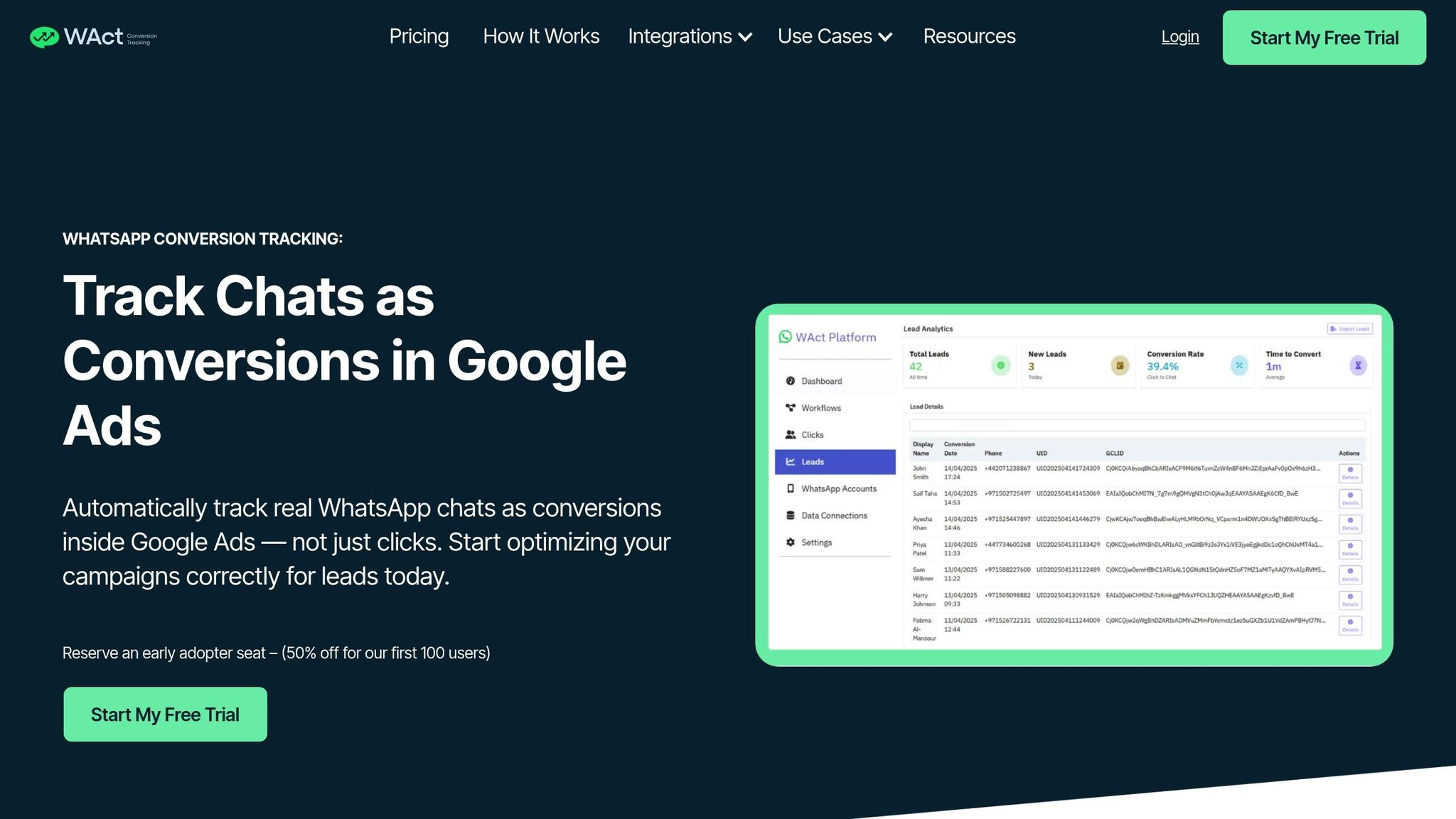
Pre-filled messages and unique links can help identify which channel a lead came from, but they fall short when it comes to letting Google Ads know if that click turned into an actual conversation. That’s where WAConversionTracking steps in, offering detailed performance insights.
This tool captures the Google Click ID (GCLID), UTM parameters, and session metadata the moment someone clicks your WhatsApp button on your website. It uses a tracking script that integrates with your existing button or a pre-built WhatsApp button designed with tracking capabilities. When the user sends their first message, WAConversionTracking links a unique user ID with the GCLID, ensuring accurate attribution to the specific ad click.
WAConversionTracking also automates workflows by connecting your WhatsApp Business API, Google Sheets, and Google Ads account. These workflows send conversion data directly to Google Ads, focusing only on genuine messages rather than accidental clicks. This level of precision improves data accuracy and delivers practical advantages for businesses in the UAE.
Benefits for UAE Businesses
In the UAE's competitive advertising space, precise conversion tracking is essential. WAConversionTracking allows advertisers to connect detailed user interactions directly to ad performance, helping businesses refine their budgets and target audiences who are genuinely interested. For companies running paid campaigns, this tool addresses the common issue of wasted ad spend. Google Ads alone can’t differentiate between accidental taps and genuine inquiries when it only records button clicks.
By providing Google Ads with accurate conversion data, WAConversionTracking enables Smart Bidding to focus on actual conversations rather than mere clicks. This helps the algorithm identify the audiences, keywords, and placements that drive real engagement, allowing your budget to be spent more effectively. Small and medium-sized enterprises (SMEs) also benefit from automated syncing, reducing the need for additional tracking resources.
The tool goes beyond basic tracking by letting you monitor leads deeper in the sales funnel. For example, you can set conversions to track only when appointments are booked or quote requests are made. This ensures your campaigns focus on high-intent prospects, improving lead quality. With approximately 81% of online shopping carts abandoned and 90% of searchers undecided about brands before they start their search, optimising for real WhatsApp conversations can give UAE businesses a key advantage in turning interest into sales.
Why WhatsApp Click to Chat Matters for Businesses
WhatsApp Click to Chat simplifies customer communication by letting potential clients start conversations instantly - no need to save phone numbers or deal with long forms. For businesses in the UAE, this feature streamlines customer engagement, making it easier to turn interest into actionable results.
The effect on conversion rates is impressive. Research indicates that customers who use WhatsApp are more likely to become repeat buyers, and opt-in methods can significantly grow marketing databases. For UAE businesses running paid campaigns, this means capturing genuine leads in real time, reducing the chances of fake data and the frustration of abandoned forms. This user-friendly approach not only enhances initial interactions but, when paired with advanced tracking, boosts campaign performance in a highly competitive market.
Placing these links strategically - both online and offline - further increases engagement. Pre-filled messages, like "I'm interested in your real estate listings", make it easy for users to start conversations while offering businesses valuable insights into campaign performance using a WhatsApp lead tracking planner.
"Click-to-chat links are essential tools that modernise business communication. Your customers won't need to save phone numbers anymore, which makes interactions quick and simple." – CampaignHQ
The real power of this feature lies in its integration with tools like WAConversionTracking. By offering precise conversion tracking, UAE businesses can focus their budgets on high-intent prospects, effectively turning WhatsApp's 2 billion users into a pool of qualified leads.
FAQs
How can businesses in the UAE use WhatsApp Click to Chat to improve customer engagement?
WhatsApp Click to Chat makes it incredibly easy for customers to reach out to your business instantly - just by clicking a link. No need for them to save your phone number first. Given how widely WhatsApp is used in the UAE, this feature offers a seamless way to connect with potential customers through platforms like Google Ads, websites, and social media.
For businesses in the UAE, here’s how this tool can make a difference:
- Broader audience engagement: Ads featuring a “Message on WhatsApp” button on platforms like Facebook and Instagram let you connect directly with users who are already active there.
- Personalised communication: Engage in one-on-one chats to offer tailored product suggestions, exclusive deals, or real-time support - helping you turn conversations into conversions and foster stronger customer loyalty.
- Actionable insights: Every click represents a lead, giving you the ability to track conversions, optimise your ad spend in AED, and integrate these insights with your existing tools to improve campaign performance.
By tapping into Click to Chat, businesses in the UAE can streamline customer interactions, offer support tailored to the local context (such as pricing in AED and dates formatted as dd/mm/yyyy), and use the resulting data to fine-tune their marketing efforts.
What is the difference between short and legacy WhatsApp Click to Chat links?
Short WhatsApp Click to Chat links follow this format: https://wa.me/<number> or https://wa.me/<number>?text=.... These links are straightforward and work effortlessly on both mobile browsers and WhatsApp Web. They rely on plain international phone numbers, ensuring broad compatibility across devices and platforms.
On the other hand, older formats like https://api.whatsapp.com/send?phone=<number>&text=... or whatsapp://send?phone=... depend on device-specific recognition of the WhatsApp protocol. This reliance can lead to inconsistencies, especially across different browsers or operating systems. For a more reliable and seamless experience, using the short link format is usually the better choice.
How does WAConversionTracking improve WhatsApp Click to Chat for businesses?
WAConversionTracking takes the WhatsApp Click to Chat feature to the next level, giving businesses in the UAE the tools they need to enhance customer interactions and track leads more efficiently. It seamlessly integrates Click to Chat links into platforms like Google Ads, websites, and social media campaigns, creating a smoother and more streamlined customer experience.
With its detailed conversion tracking capabilities, WAConversionTracking enables businesses to evaluate the performance of their paid ads and make informed decisions to boost their return on investment (ROI). By simplifying lead attribution, this tool not only saves time but also provides actionable insights to help businesses fine-tune their campaigns for better results.




