


Yes, WhatsApp supports multi-agent chat with three options tailored to different business sizes and needs:
- WhatsApp Business App (Free): Supports up to 5 devices. Suitable for small teams managing low message volumes. Basic features like shared inbox and quick replies are included but lack advanced tools like chat assignment or analytics.
- WhatsApp Business Premium (Paid): Expands support to 10 devices with chat assignment features and basic analytics. Costs between AED 18–37/month. Ideal for growing teams needing more organisation and accountability.
- WhatsApp Business API: Unlimited agents via third-party platforms. Offers advanced tools like CRM integration, automated workflows, and detailed analytics. Designed for medium to large businesses managing high message volumes.
Key takeaway: Small businesses can start with the free app, while larger teams should consider Premium or API solutions for better scalability and efficiency. For UAE businesses, the API is particularly helpful for industries like retail and real estate, where fast responses and automation are crucial.
Multi-agent WhatsApp Customer Support Tool
Does WhatsApp Support Multi-Agent Chat?
Yes, WhatsApp offers multi-agent chat through three options: the free Business App (supports up to 5 devices), the paid Business Premium (allows up to 10 devices with basic chat assignment features), and the Business API (unlimited devices via third-party integration). If your business needs go beyond the basic setup, upgrading to a higher tier unlocks advanced features and greater capacity.
The main differences lie in scale and functionality. The Business App and Premium versions are standalone mobile apps with built-in interfaces. In contrast, the Business API acts as a backend platform that integrates with external tools to provide advanced capabilities like CRM connections, automated message routing, and in-depth analytics. However, the API requires integration with a conversation management platform to handle messages efficiently.
Choosing the right solution depends on your team size and message volume. For medium to large businesses managing high message traffic, syncing with CRMs like Salesforce or HubSpot, or needing tools to monitor agent performance, the WhatsApp Business API is the ideal choice.
Additionally, WhatsApp's Coexistence feature allows businesses to use the same number on both the Business App and API, simplifying the transition to more advanced tools.
This breakdown provides a foundation for exploring and comparing the features of WhatsApp's multi-agent solutions throughout this guide.
WhatsApp Business App: Basic Multi-Agent Setup
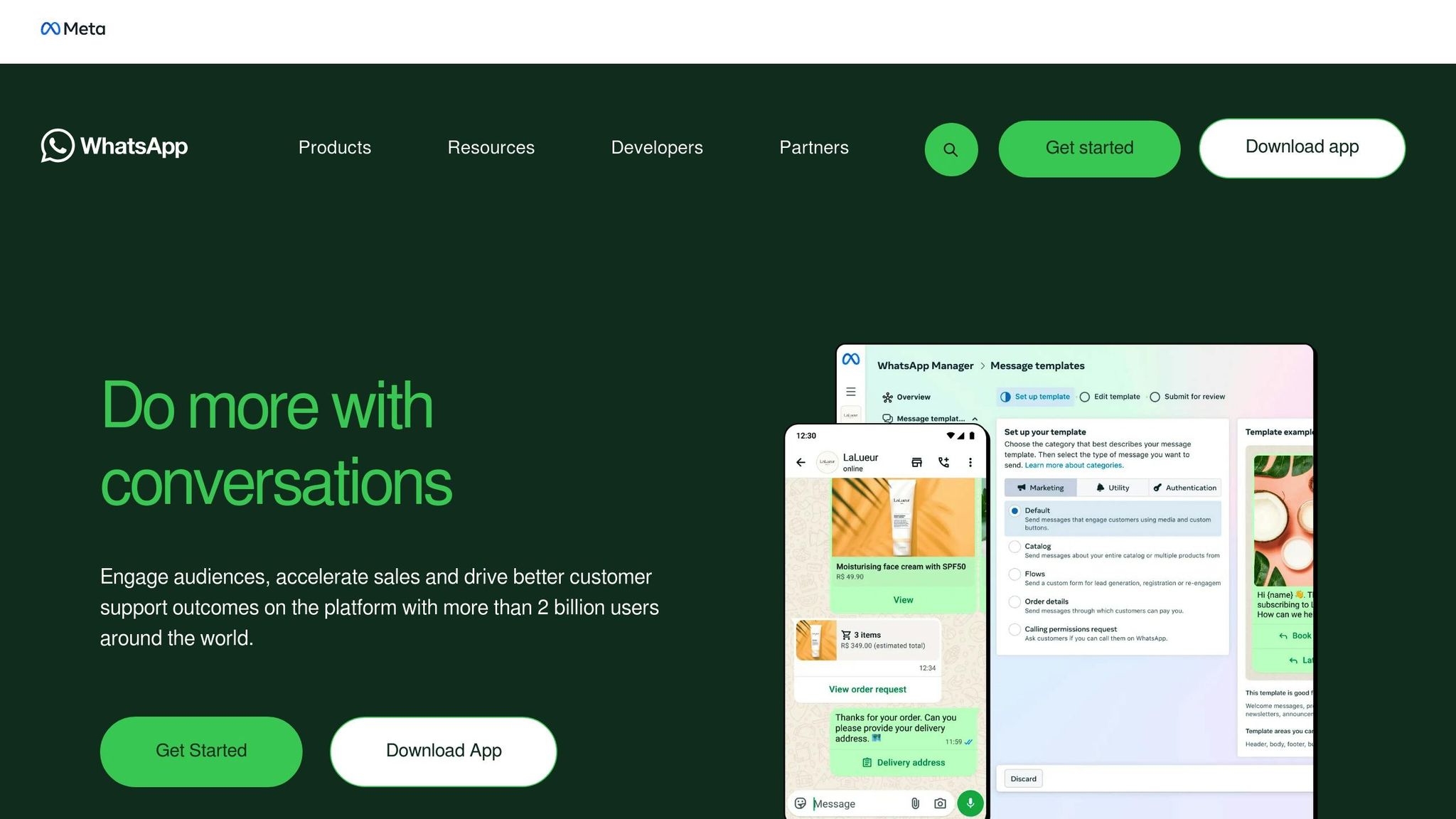
The WhatsApp Business App is an entry-level option for small teams looking to manage customer conversations across multiple devices. It’s a practical starting point before moving on to more advanced solutions like the Premium or API versions.
This free app allows small teams to handle customer interactions across up to five devices - one primary smartphone and four additional devices, such as tablets, computers, or other phones. Setting it up is straightforward: you simply link devices by scanning a QR code in the "Linked Devices" section. Once connected, all devices operate independently, sending and receiving messages even when offline.
The app provides a shared inbox where team members can access chats, contacts, and labels in real time. This means anyone on the team can respond to customer messages without switching accounts or forwarding chats. To make customer interactions smoother, the app also offers handy features like quick replies, greeting and away messages, and a product catalogue.
Key Features of WhatsApp Business App
One of the app’s standout features is the ability to link devices, enabling your team to respond to messages from anywhere, all while maintaining end-to-end encryption. You can also send broadcasts to up to 256 contacts and showcase your products directly within chats.
The setup process is simple and doesn’t require any technical expertise. Before linking new devices, make sure the app on your primary phone is updated. Each linked device can be assigned a unique name, making it easy to identify which hardware is being used. Since the app doesn’t offer formal chat assignment, you can use the "Labels" feature to organise conversations. For instance, you might label chats as "New Customer" or "Pending Payment" to keep track of conversations that need follow-up.
While these tools are helpful for small teams, the app does come with limitations that can hinder scalability.
Limitations of WhatsApp Business App
Despite its convenience, the WhatsApp Business App has some clear drawbacks for growing teams. The shared inbox setup means there are no individual logins, which can lead to multiple agents accidentally responding to the same customer. There’s also no way to route conversations or track which agent handled a particular inquiry.
Performance tracking is another missing piece. You won’t be able to measure key metrics like response times, resolution rates, or individual workloads. Additionally, the app doesn’t support advanced automation, such as AI chatbots, or integrations with CRM software. If you’re using an iOS device as your primary phone, be aware that chat deletions may not sync properly across linked devices. Managing sensitive customer data across multiple personal devices can also raise compliance issues, particularly with regulations like GDPR.
These limitations can become a bottleneck for growing teams. For example, Radio Arabella, a German radio station, faced significant challenges with the app. In June 2025, even with four linked team members, they struggled to manage their message volume. Michael Schmittner, Leader Business Development Digital at Radio Arabella, shared:
"No one should start their WhatsApp Business service with a mobile phone and one phone number anymore."
Without proper routing or performance tracking, their team faced delays and missed messages, ultimately prompting them to switch to an API-based solution.
Best Use Cases
The WhatsApp Business App is ideal for micro-businesses with fewer than five employees handling a manageable volume of 20–30 messages per day. It’s a great free tool for teams that can coordinate responses through other internal channels.
However, as your message volume grows or your team struggles to track responses, it’s likely time to consider an upgrade. For instance, Thread Bucket Studio faced challenges with transparency and accountability. Their switch to an API-based platform significantly improved their productivity and supported their growth.
WhatsApp Business Premium: Mid-Scale Solution for Growing Teams
WhatsApp Business Premium is a paid upgrade designed for teams that need more flexibility than the free version offers. Launched in 2022, it increases the device limit to 10, making it a practical choice for businesses that have outgrown the five-device cap on the free app.
One of its standout features is the ability to assign specific customer chats to individual team members. Managers can track who is handling each conversation, ensuring accountability and improving workflow. Additionally, Premium allows you to see which team member sends or responds to messages, providing an extra layer of oversight without requiring complex systems. These tools make it easier to maintain quality and consistency in customer interactions.
The subscription costs between AED 18 and AED 37 per month and is managed via the Google Play Store or Apple App Store. To help businesses evaluate the service, a 30-day free trial is often available. Premium also includes Meta Verified features, such as a verified badge for your business, which can help build trust with customers. Below, we explore the features that make Premium a step up from the free version.
Key Features of WhatsApp Business Premium
While the increased device limit is helpful, the real advantage lies in the added management tools. Each linked device can be named, making it easy to identify which team member or department is managing specific chats. The chat assignment feature ensures no customer inquiry is overlooked, allowing managers to evenly distribute tasks and monitor who is responsible for each conversation.
Premium also offers a custom "wa.me" link (e.g., wa.me/YourBrand), which can be updated every 90 days to align with seasonal marketing campaigns. Additionally, the Business Analytics Suite provides basic metrics, such as chat volumes and response times. However, these analytics are relatively simple compared to the more detailed insights available through the API.
Limitations of WhatsApp Business Premium
Despite its benefits, Premium has some clear limitations. The 10-device maximum may not be sufficient for larger teams, and there’s no option to expand this limit. Automation features are basic, lacking AI-powered chatbots, advanced message workflows, or the flexibility offered by the API solution.
Availability is another concern. Premium isn’t offered in all countries and has primarily been rolled out for Android users in select regions. Businesses should confirm its availability in their area before committing. Additionally, syncing between iOS and Android devices can sometimes cause disruptions in chat continuity.
Other restrictions include a cap of 256 contacts for broadcast messages, which must be managed from the primary phone. This can make large-scale marketing campaigns challenging. The lack of CRM integrations and advanced analytics may also limit its usefulness for businesses with more complex needs. Lastly, since metadata is accessible to Meta, companies operating under GDPR or similar regulations may face compliance challenges.
Best Use Cases
WhatsApp Business Premium is ideal for teams of 6 to 10 members managing moderate chat volumes. It’s particularly useful for businesses seeking better organisation and accountability than the free app provides, without diving into the technical complexity of the API. If your team struggles to keep track of who is handling each customer query or if you’ve hit the five-device limit, Premium offers a straightforward upgrade.
However, for teams larger than 10 people, or for businesses needing advanced automation and detailed analytics, an API-based solution is more suitable. Premium works best as a stepping stone - a middle-ground solution for growing teams that aren’t yet ready for the demands of high-volume customer management systems.
sbb-itb-0a82e4d
WhatsApp Business API: Large-Scale Multi-Agent Support

The WhatsApp Business API is tailored for organisations handling a high volume of messages while supporting an unlimited number of agents. Unlike app-based solutions, the API itself doesn’t come with a built-in interface. Instead, it needs to be connected to a Business Solution Provider (BSP) platform, which provides features like a shared team inbox. This setup eliminates device limitations, allowing multiple agents to log in through a centralised system.
One of its standout features is seamless integration with CRMs like HubSpot, Salesforce, and Zoho. This ensures real-time syncing of contact data, giving agents access to a customer’s complete history before responding. For UAE businesses managing customers across different time zones or departments, this level of coordination is invaluable.
"WhatsApp API is designed for medium to large companies looking to use WhatsApp for messaging at scale." - respond.io
Take Qobolak, a Saudi-based education placement agency, as an example. Between 2023 and 2024, they used WhatsApp API broadcasts and multi-agent management to promote events, resulting in a 95% boost in student lead conversions.
The API also supports AI-driven agents that handle FAQs, qualify leads, and even extract details from files. When cases become more complex, the AI smoothly transfers the conversation to a human agent. This hybrid approach ensures both efficiency and a personal touch. Plus, with WhatsApp messages boasting a 98% open rate, it’s a powerful tool for engaging customers.
Below, we’ll explore the API’s features, integration platforms, and its best applications for large-scale operations.
Key Features of WhatsApp Business API
The API is built for scalability, with no limit on the number of agents or broadcast recipients (though tiered messaging limits apply, starting at 250 messages per day). Each account benefits from 1,000 free service conversations monthly, and customer-initiated replies within a 24-hour window are typically free.
Intelligent routing ensures messages are directed to the right team or agent based on the nature of the conversation, customer profile, or agent availability. For instance, sales queries go to the sales team, while support requests are handled by customer service. Role-based access control lets managers set permissions, such as restricting agents from deleting contacts or exporting data.
Performance tracking is another highlight. Businesses can monitor metrics like agent workload, response times, and broadcast delivery rates through detailed analytics tools. These insights, unavailable in the app or Premium versions, are crucial for optimising operations. The API also supports WhatsApp Coexistence, allowing businesses to use both the Business App and API on the same number, which is particularly useful during transitions.
Platforms for WhatsApp Business API Integration
To unlock the API’s full potential, integration with a BSP is essential. Popular platforms include:
- respond.io: Offers features like AI Agents, WhatsApp Coexistence, VoIP integration, and advanced workflow automation, all without additional markups on Meta’s per-message rates.
- Trengo: Provides a multi-channel inbox with tools for team collaboration and multi-agent management.
- SleekFlow: Focuses on campaign automation and CRM integration.
When choosing a platform, it’s wise to prioritise those that don’t add extra charges to Meta’s official per-message rates. As of 1st July 2025, WhatsApp follows a per-message billing model with categories like Utility, Authentication, and Marketing templates. Customer-initiated service conversations are generally free within a 24-hour window (or 72 hours if initiated through Click-to-WhatsApp ads), as long as they fall within the 1,000 free monthly conversations.
Best Use Cases
The WhatsApp Business API is ideal for businesses and agencies managing high message volumes with complex workflows. If your team has more than 10 members, relies on advanced automation, or requires CRM integration, this API is your best bet. It’s especially valuable for organisations looking to manage the entire customer journey - from initial contact to after-sales support - on one platform.
For example, EMAX Beauté, a wellness provider in Kuala Lumpur, adopted a WhatsApp API platform to streamline lead tracking. By using features like auto-assignment and canned responses, they achieved an 18x increase in appointment bookings. In the UAE’s retail, hospitality, and real estate sectors, where immediate responses are often expected, the API’s automation and routing capabilities can significantly enhance conversion rates. After all, 83% of customers expect an immediate response when reaching out to businesses.
Comparing Multi-Agent Chat Solutions

WhatsApp Multi-Agent Chat Solutions Comparison: Business App vs Premium vs API
When deciding on the right WhatsApp multi-agent solution, it’s essential to weigh factors like team size, message volume, and operational demands. Here’s a breakdown of the three options:
- WhatsApp Business App: A free solution supporting up to five devices, ideal for micro-businesses.
- WhatsApp Business Premium: Expands to 10 devices, includes basic chat assignment, and requires a monthly subscription.
- WhatsApp Business API: Designed for medium to large enterprises, this option offers unlimited devices, CRM integration, advanced AI automation, and detailed analytics.
The differences between these solutions become even more apparent when looking at how they perform in practice. For instance, both the Business App and Premium version cap broadcasts at 256 contacts, while the API removes this limit entirely. Additionally, the Business App lacks visibility into which agent handles a message, and Premium only supports manual chat assignment. In contrast, the API enables automated message routing based on factors like customer profiles, query types, or agent availability.
For businesses in the UAE - particularly those in high-volume sectors like retail, hospitality, or real estate - the API’s advanced integration capabilities can be a game-changer. Take Lamarsa Coffee in Malaysia as an example: after switching to the API, they reduced their first response time by 38%. This showcases how automation and smart routing can enhance customer engagement and streamline operations.
Comparison Table: Features and Capabilities
Here’s a quick comparison of the three solutions:
| Feature | WhatsApp Business App | WhatsApp Business Premium | WhatsApp Business API |
|---|---|---|---|
| Ideal Business Size | Micro-Small | Growing Teams | Medium-Large |
| Agent Capacity | Up to 5 devices | Up to 10 devices | Unlimited |
| Chat Assignment | None | Manual assignment | Automated & logic-based |
| Automation | Basic (Quick replies) | Basic | Advanced AI & Workflows |
| Analytics | None | Basic | Comprehensive Reports |
| Integrations | None | None | CRM & Third-party tools |
| Broadcast Limit | 256 contacts | 256 contacts | Unlimited |
| Cost | Free | Paid subscription | Per-message + BSP fees |
This table highlights a clear pathway for businesses: start with the Business App for basic functionality, move to Premium as your team grows, and adopt the API when you need advanced tools like automation, CRM synchronisation, and detailed analytics. During the transition, businesses can use WhatsApp Coexistence to run both the App and API on the same number, retaining features like the Catalogue while implementing advanced automation.
When to Upgrade Your Multi-Agent Setup
Signs You've Outgrown Your Current Solution
If response times start creeping past 10 minutes, it’s time to take notice. Why? Because 90% of customers expect quick replies, and delays can hurt your business. Operational hiccups like agents asking, "Who followed up with this lead?" or multiple team members responding to the same customer are clear indicators that your current setup isn’t cutting it anymore.
Take the example of Thread Bucket Studio, an Indian clothing brand. They faced significant challenges with unseen chats and deleted messages. Rahul Rawal, their Sales and Marketing Manager, shared:
"We were unable to see the chats of the employees, and due to the 'delete' feature, many messages were lost, resulting in poor transparency and accountability".
After upgrading to a multi-agent API in June 2025, the results were impressive - 68% higher business growth and a 50% boost in productivity.
Device limitations are another sign that it’s time to upgrade. If your agents are spending too much time manually transferring WhatsApp data into your CRM or repeatedly answering the same FAQs, you’re overdue for automation. Features like those offered by the WhatsApp Business API can streamline these tasks and improve efficiency.
Ultimately, when your current setup starts to feel more like an obstacle than a solution, it’s time to explore better options.
Choosing the Right Solution for Your Growth Stage
Once you’ve identified operational bottlenecks, it’s crucial to assess your weekly chat volume to determine the right upgrade. Managing chats manually becomes impractical when your volume exceeds 100 weekly messages. If you’re a micro-business handling fewer than 100 chats per week, the free Business App might still work for you. But for teams managing between 100 and 500 weekly messages with 6–10 agents, upgrading to Premium is a smart move. This plan offers basic chat assignment features to help keep things organised.
For businesses that need more advanced tools - like CRM integration, automated routing, or detailed analytics - the WhatsApp Business API is the way to go. Consider the example of Dubai’s 800 Storage. After experiencing slow response times that began to impact their operations, they switched to the API. The result? They cut their first response time by 30%, bringing it down to just 1 minute and 56 seconds.
If you’re not ready to fully commit to the API, you can test platforms that support WhatsApp Coexistence. This allows you to use both the Business App and the API on the same number before making the full switch.
Conclusion
WhatsApp offers multi-agent chat solutions tailored to different business needs: the free Business App (supporting up to 5 devices), Business Premium (allowing up to 10 devices), and the Business API, which accommodates unlimited agents. Selecting the right option depends on your team size and the volume of messages you handle.
With an impressive 98% open rate for WhatsApp messages compared to just 20% for email, and response rates often reaching 55%, the platform stands out as a game-changer for business communication. Katherine Kim from ActiveCampaign highlights this perfectly:
"WhatsApp is a powerful tool. It demands an equally sophisticated management solution."
For businesses running paid campaigns, WAConversionTracking can be a game-changer. It captures real-time chat data, including GCLID and UTM parameters, and sends conversion events directly to Google Ads. This helps optimise Smart Bidding, ensuring ad budgets are spent effectively.
To ensure smooth operations, keep an eye on your response times and message volume. If delays stretch beyond 10 minutes or your current system struggles to keep up, it’s time to consider upgrading to a more robust multi-agent solution. Testing the API with WhatsApp Coexistence can make transitions smoother. A well-configured multi-agent setup not only improves customer experiences but also boosts the effectiveness of your advertising campaigns.
FAQs
What are the differences between WhatsApp Business App, Business Premium, and Business API?
WhatsApp provides businesses with three distinct options, each tailored to meet different operational requirements:
- WhatsApp Business App: This free app is perfect for small to medium-sized businesses. It supports a single user with up to four linked devices and includes helpful features such as a company profile, quick replies, welcome and away messages, chat labels, and a product catalogue. However, it doesn’t offer advanced automation or the capability to share a single number among multiple agents.
- WhatsApp Business Premium: Details about this option are still unclear, as official sources have yet to provide specific information regarding its features or pricing.
- WhatsApp Business API: Designed for larger businesses, this paid solution is accessible through authorised Business Solution Providers (BSPs). It offers features like multi-agent inboxes, high-volume messaging, CRM integration, and advanced automation. To use the API, businesses must collaborate with a BSP for setup and ongoing management.
The Business App works well for straightforward needs, while the API suits larger operations requiring complex functionalities. As for the "Premium" version, more information is needed to fully understand its offerings.
Can multiple agents manage customer chats using WhatsApp Business API?
Yes, the WhatsApp Business API makes it possible for multiple agents to handle customer chats through a single WhatsApp number. This setup allows businesses to expand their support teams without needing extra phone numbers. By using a shared, centralised inbox, teams can collaborate efficiently - managers can assign conversations, keep an eye on response times, and evaluate agent performance to ensure top-notch service quality.
The platform also offers advanced tools like automation, CRM integration, and quick-reply templates, which help businesses deliver personalised and efficient responses. Features such as broadcast lists, catalogue sharing, and WhatsApp Pay (available in the UAE) take customer engagement to the next level. These functionalities turn WhatsApp into a robust, multi-agent communication hub that simplifies operations and boosts customer satisfaction.
When should businesses in the UAE upgrade from the free WhatsApp Business App?
Businesses should think about moving beyond the free WhatsApp Business App when their communication needs outgrow its basic offerings. The free version is perfect for smaller setups, supporting up to five linked devices (one main phone and four additional devices), basic automation features like greeting messages, and a straightforward product catalogue. However, it falls short when it comes to advanced functionalities like managing chats with multiple agents, routing messages, or integrating with CRMs and ad-lead capture tools.
For businesses experiencing rapid expansion - like managing over 1,000 leads daily - or requiring teamwork among five or more members, upgrading to the WhatsApp Business API is a smart move. The API is designed to handle large chat volumes, assign conversations to specific team members, automate replies, and integrate with tools like chatbots or payment systems. In the UAE, expect to allocate a budget in AED (e.g., AED 2,500/month) to ensure your customer communication remains efficient and scalable.




