


Automating WhatsApp messages can save time, improve response rates, and handle customer queries efficiently. For UAE businesses, this is especially useful given the high demand for bilingual support and instant replies. Here's what you need to know:
- WhatsApp Business App: Free, ideal for small businesses. Features include greeting messages, away messages, and quick replies. Limited to 5 devices and lacks CRM integration.
- WhatsApp Business API: Designed for larger enterprises. Offers advanced automation with AI chatbots, CRM integration, and unlimited users. Requires a Business Solution Provider (BSP) for setup.
- Compliance: Ensure customer opt-ins, use Meta-approved message templates, and follow UAE's Personal Data Protection Law (PDPL).
- Integration: Connect WhatsApp with tools like HubSpot or Salesforce for seamless customer management. Use webhooks and event triggers for real-time automation.
- Performance Tracking: Use analytics to monitor delivery rates, response times, and customer satisfaction.
Quick Comparison:
| Feature | WhatsApp Business App | WhatsApp Business API |
|---|---|---|
| Automation Level | Basic (Greeting, Away) | Advanced (AI, Workflows) |
| User Access | Limited (5 devices) | Unlimited |
| CRM Integration | Not supported | Supported |
| Broadcast Limit | 256 contacts | Unlimited (tier-based) |
| Pricing | Free | Pay-per-conversation model |
Start small with the Business App or scale up with the API for advanced features. Compliance and integration are key to success, especially in the UAE market where customer expectations are high.

WhatsApp Business App vs API Comparison for UAE Businesses
How To Create a WhatsApp Automation with Manychat (Step-by-Step)
Prerequisites for WhatsApp Automation
To automate WhatsApp messages effectively, you need to complete several key setup steps. These requirements vary depending on whether you're using the WhatsApp Business App or the more advanced API. For businesses in the UAE, it's essential to ensure compliance with Meta's policies and local regulations.
Setting Up a WhatsApp Business Account
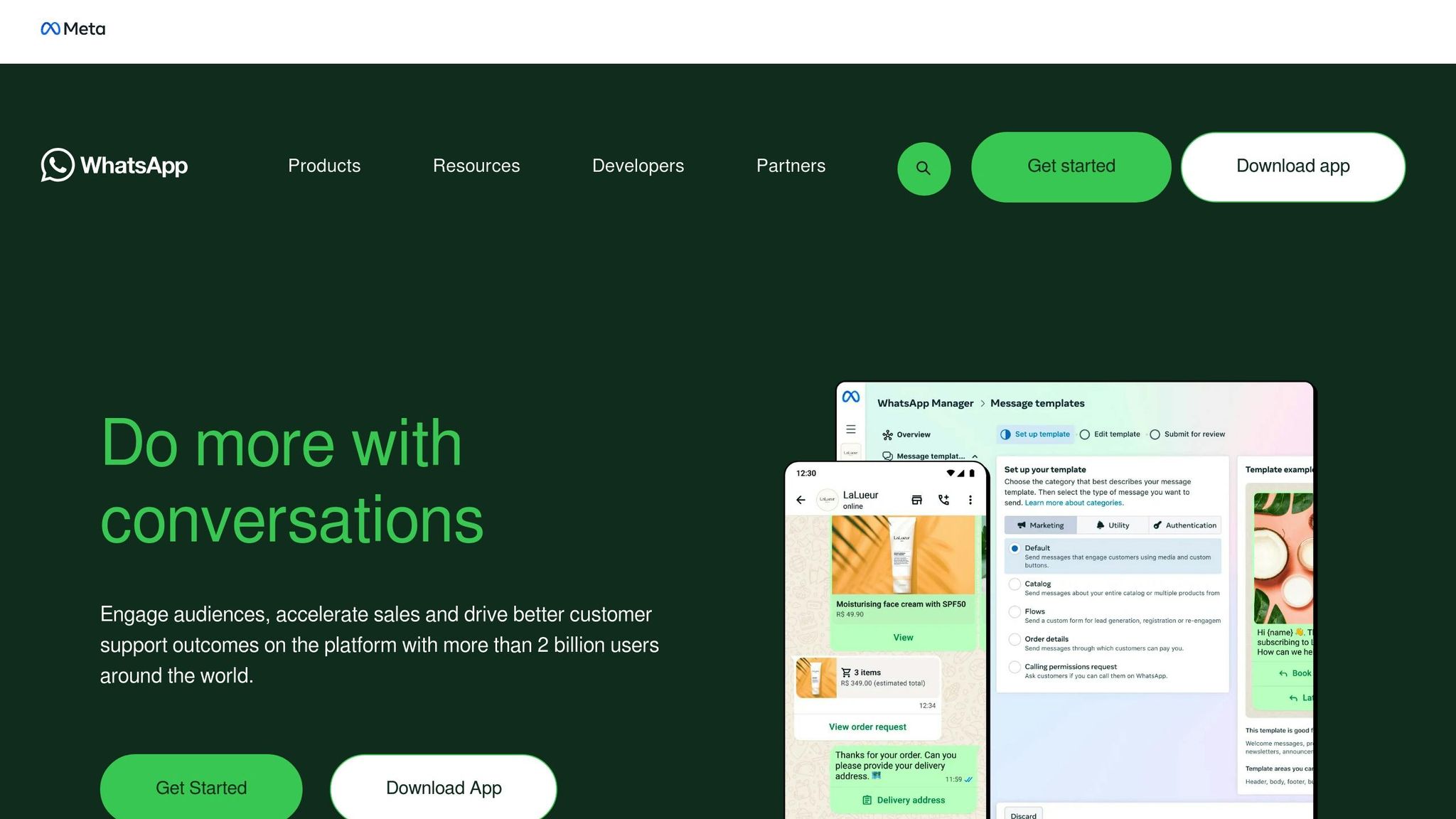
The first step is creating a Meta Business Portfolio (previously known as Meta Business Manager) to host your WhatsApp Business Account (WABA). This platform acts as a central hub for managing all your Meta business assets. You'll also need a valid phone number that is not already associated with any other WhatsApp account. UAE businesses can even use a landline by selecting the "Call me" option during the OTP verification process.
Your website must align with your business email domain to validate your account. Without completing Meta Business Verification, your account will be restricted to 250 conversations per day. Once verified, you can scale up to higher thresholds, including 2,000, 10,000, 100,000, and eventually unlimited conversations.
For example, in 2025, Dubai-based 800 Storage implemented the WhatsApp Business API through respond.io to handle a high volume of inquiries. By adopting multi-user access and automating message routing to the appropriate teams, they increased customer conversions by 30%.
This setup is crucial for integrating automation and streamlining workflows, which will be explored in later sections.
WhatsApp API Access and BSP Integration
The WhatsApp Business API doesn’t include a built-in messaging interface, so you’ll need to connect it to a third-party platform to manage conversations. You have two main options: access the API directly via Meta's Cloud API or partner with a Business Solution Provider (BSP) such as respond.io or SleekFlow. BSPs offer a messaging interface, technical support, and a simplified setup process. This process involves connecting your Facebook account, selecting your business portfolio, and verifying your phone number through SMS or voice call.
"The WhatsApp Business API is designed for businesses that need scalable, reliable, and personalised messaging... it enables automation, multi-agent support, and integration with CRM, marketing, and e-commerce platforms." - Abhishek Prakash, Strategic Sales Leader, Mtalkz
For UAE businesses, especially those requiring bilingual support in Arabic and English, working with a BSP simplifies the technical setup. Some BSPs charge setup or monthly hosting fees (e.g., AED 55 per number), while others only pass on Meta's official conversation charges.
Once your API access is established, the next step is to ensure compliance with Meta’s guidelines and local regulations.
Compliance and Messaging Guidelines
Meta has strict rules for automated messaging. You must secure explicit user opt-in before sending template messages. This opt-in should clearly mention your business name and the purpose of the messages. Additionally, all automated, business-initiated messages require pre-approved templates, which fall under categories like Marketing, Utility, Authentication, or Service.
In the UAE, compliance with the Personal Data Protection Law (PDPL) is mandatory. This includes using secure API endpoints and, in some cases, hosting data locally. Meta’s Commerce Policy also prohibits selling certain items, such as medical and healthcare products, on the platform. Furthermore, businesses must adhere to the guidelines set by the Telecommunications and Digital Government Regulatory Authority (TDRA).
When customers initiate a chat, a 24-hour "customer service window" opens, allowing you to send free-form messages. Once this window closes, only pre-approved templates can be used. WABAs also include a monthly free conversation quota, and utility template messages sent within the 24-hour window are free. Keep an eye on your template quality scores, as Meta may automatically increase your messaging limits if you maintain high-quality standards and use at least half of your current limit within a seven-day period.
Methods to Automate WhatsApp Messages
Once your setup is ready, the next step is to decide which automation approach fits your business needs. The WhatsApp Business App is ideal for small-scale operations, while the WhatsApp Business API caters to businesses in the UAE looking for advanced features and scalability.
Using the WhatsApp Business App for Automation
The WhatsApp Business App offers three primary automation features to streamline customer interactions:
- Greeting messages: These automatically welcome customers who message you for the first time or after 14 days of inactivity. To enable this, go to Business Tools > Greeting message, toggle it on, and customise your message. You can even include links to your product catalogue or service menu for added convenience.
- Away messages: These help manage customer expectations when you're unavailable. Set them up via Business Tools > Away message, and choose from options like "Always send", "Outside of business hours" (synced with your business hours), or "Custom schedule" for specific times, such as public holidays or prayer times. This feature is particularly handy for UAE businesses observing local schedules. You can also filter these messages to target specific groups, such as all contacts, only those not in your address book, or everyone except certain individuals.
- Quick replies: Save time by creating shortcuts for frequently asked questions. For instance, typing "/pricing" can instantly send your price list, or "/hours" can share your operating hours. These replies can include text, images, or videos (up to 16MB). Personalise these messages by including customer names, and always provide a way for users to connect with a live agent when needed.
While the app is sufficient for smaller businesses, those managing higher message volumes or complex workflows might find the WhatsApp Business API better suited to their needs.
Advanced Automation with WhatsApp Business API
The API takes automation to the next level. Unlike the Business App, the API requires integration with a Business Solution Provider (BSP) like respond.io or Twilio, as it doesn’t have a built-in messaging interface. Once connected, it allows for robust workflows using pre-approved message templates.
Within the 24-hour customer service window, you can send free-form responses to user messages. After this window, only pre-approved template messages are allowed. This is where webhooks and event triggers come into play. They notify your system of specific actions - like a new Shopify order or website form submission - enabling automated responses tied to these events.
For example, in 2025, JU Productions utilised respond.io to cut their cost per qualified lead by 47.2%. Automax® also leveraged respond.io to automate lead qualification, achieving a 10% increase in conversions by syncing WhatsApp data with their internal systems.
For businesses in the UAE, where bilingual support in Arabic and English is often essential, AI-powered agents can manage 24/7 coverage. They can pull answers from a knowledge base, update CRM records, and ensure seamless service. However, it’s crucial to include a "human handoff" option to escalate complex or sensitive queries to live agents. This approach keeps the service efficient without compromising quality.
WhatsApp Business App vs. API Comparison
The choice between the App and API depends on factors like your business size, messaging volume, and technical needs. Here’s a quick comparison:
| Feature | WhatsApp Business App | WhatsApp Business API |
|---|---|---|
| Automation Level | Basic (Greeting, Away, Quick Replies) | Advanced (Chatbots, Workflows, AI) |
| Multi-user Access | Limited (up to 5 devices) | Unlimited agents |
| Broadcast Limit | 256 contacts per list | Unlimited (subject to tier limits) |
| CRM Integration | Not available | Full integration via webhooks/APIs |
| Bulk Messaging | Limited (Broadcast lists) | High-volume automated campaigns |
| Performance Tracking | None | Detailed analytics and reporting |
| Pricing | Free | Pay-per-conversation model |
If you’re a solopreneur or part of a small team managing basic customer queries, the WhatsApp Business App is a great starting point. However, as your messaging needs grow, consider upgrading to the API. It’s especially helpful when syncing WhatsApp with platforms like HubSpot, Salesforce, or Shopify. Some providers even offer "WhatsApp Coexistence", allowing you to use the same number for both the App and API during your transition.
These distinctions can help you decide which platform aligns best with your business goals and integration needs.
sbb-itb-0a82e4d
Setting Up and Optimising Automated Workflows
Once you've chosen your platform, the next step is to build automated workflows that handle repetitive tasks while maintaining a personal touch. This approach aligns perfectly with the UAE's demand for quick and dependable service.
Creating Message Templates
For messages sent outside the 24-hour customer service window, you'll need pre-approved templates from Meta. These templates are divided into three categories: Utility (e.g., order confirmations, shipping updates), Authentication (e.g., one-time passcodes), and Marketing (e.g., promotions, abandoned cart reminders). Since approval can take up to 24 hours, it's wise to plan ahead when launching new campaigns.
Templates allow for dynamic variables - like {{1}} for a customer's name or {{2}} for an order number - making it easy to personalise messages without creating multiple versions. You can also boost engagement by including Quick Reply buttons (up to three per template) for instant responses or Call-to-Action buttons that lead to your website or initiate a phone call. To make your messages visually appealing, consider adding media headers such as images, videos, PDFs, or even location data. However, keep in mind that the message body is limited to 1,024 characters.
Here are some tips to ensure your templates get approved:
- Include sample values for placeholders to minimise rejection rates.
- Avoid URL shorteners like bit.ly, as Meta often flags them as suspicious. Instead, embed links in CTA buttons or use placeholders.
- Proofread carefully, as even minor spelling or grammatical errors can lead to rejections.
Unverified businesses can create up to 250 templates, while verified accounts can handle as many as 6,000. With your templates ready, you can move on to setting up workflows that maximise engagement.
Using Webhooks and Event Triggers
Webhooks are a key element in linking your automated workflows to external systems. They allow real-time communication between WhatsApp and tools like your CRM, e-commerce platform, or payment gateway by sending instant updates when specific events occur.
For businesses in the UAE, this opens up exciting automation possibilities. For instance, you can send reminders for abandoned carts, issue receipts immediately after transactions, or schedule appointment notifications. A great example is Automax®, which saw a 10% increase in conversions by automating customer interactions and tracking them as conversion events.
When setting up webhooks, security is a top priority. Use HTTPS endpoints, validate requests with secret tokens or IP whitelisting, and limit API permissions to essential functions. It's also important to define exit conditions for workflows - like halting automation when a human agent steps in - to avoid automated responses clashing with live conversations. Additionally, implement human handoff logic to escalate complex queries, negative feedback, or direct requests for help to a live agent.
"Automation can easily resolve routine inquiries... However, complex queries involving emotions, negotiations or nuanced judgment often require a human agent. The best approach is a hybrid model".
Analysing and Optimising Workflow Performance
As mentioned earlier, analysing performance metrics is essential for improving your automated workflows. While the basic WhatsApp Business App offers limited insights, the API provides detailed analytics to track key metrics like delivery rates, response times, and conversion rates. You can also measure Customer Satisfaction (CSAT) scores to determine whether your automation meets customer expectations or causes frustration.
To keep your workflows effective, focus on the following:
- Test workflows before publishing to identify potential issues.
- Add fallback branches for invalid responses to maintain a smooth user experience.
- Use variables to personalise messages and make them feel more engaging.
If analytics reveal poor engagement or high drop-off rates at specific steps, adjust your message copy to sound more conversational and approachable. A/B testing different strategies can also help you understand what resonates best with your audience. For AI-based workflows, regularly updating knowledge sources can improve performance without requiring constant rework of complex logic.
"By tracking metrics such as open rates, click-through rates, and response times, you gain valuable insights into what works and what doesn't".
Integrating WhatsApp Automation with Business Tools
Linking WhatsApp to your current business systems can turn scattered interactions into a streamlined customer experience. For businesses in the UAE managing large volumes of enquiries across different channels, this integration ensures no lead is overlooked while still delivering the personalised service customers value. By consolidating messaging and data, this approach builds on earlier automation strategies to create a unified communication framework.
Connecting WhatsApp with CRM Platforms
When WhatsApp is integrated with CRM platforms, it allows for a smooth flow of data and provides deeper customer insights. This connection syncs customer details, conversation histories, and lead statuses, cutting down on manual data entry and equipping sales teams with up-to-date information.
There are three main ways to connect WhatsApp with platforms like HubSpot or Salesforce:
- Native integrations: These sync contacts and workflows in real time.
- Third-party middleware: Tools like Zapier or Make act as bridges between WhatsApp and other applications.
- Custom API workflows: These provide full control over data transmission through HTTP request steps.
Automated syncing is a game-changer. For instance, when a customer responds to a WhatsApp message, your CRM can instantly update their deal stage to "Engaged". AI agents can also access live data, such as purchase history or account details, to craft tailored responses and suggest relevant products. By categorising contacts into lifecycle stages like "New Lead" or "Hot Lead", sales teams can focus on high-priority prospects.
Success stories highlight the impact of such integrations. EMAX Beauté in Kuala Lumpur saw an 18x boost in appointment bookings by using lifecycle tracking and automatic assignment tools. Similarly, Saudi-based Qobolak achieved a 95% jump in student lead conversions over eight months by combining WhatsApp broadcasts with API automation.
"WhatsApp is where the conversation starts. Your CRM is where customer data lives. Respond.io brings them together in one connected workspace." - respond.io
Using WAConversionTracking for Lead Attribution
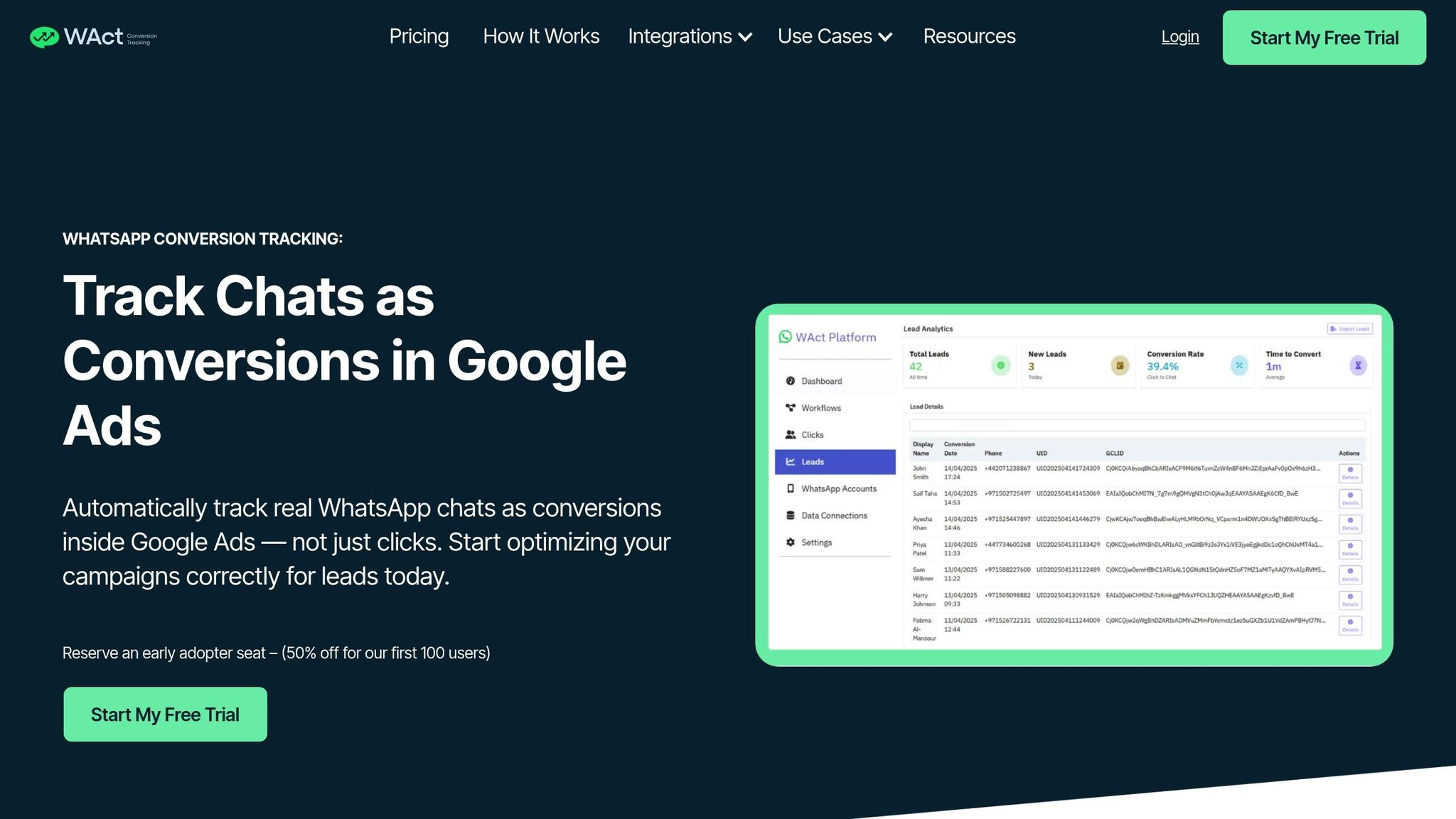
When running paid Google Ads campaigns, accurate lead tracking is critical. Many platforms mistakenly count button clicks as conversions, even if no real conversation takes place. WAConversionTracking solves this issue by tracking actual WhatsApp chats as conversions, complementing the automated workflows discussed earlier.
This tool captures parameters like GCLID and UTMs when someone clicks your ad, then logs the resulting conversation when they message your business. The conversion data is sent directly to Google Ads, helping you fine-tune Smart Bidding strategies and focus on campaigns that bring in real leads.
The setup is straightforward - no developer needed. A single click generates a tracking script, which you then integrate with your WhatsApp Business API. It also connects with Google Sheets and CRMs, making it easier to analyse leads within your existing workflows. For UAE businesses working with tight ad budgets, this precise tracking helps cut waste and scale campaigns targeting high-intent customers.
Low-Code Integration Options
Low-code platforms provide an accessible way to link WhatsApp with tools like booking systems and CRMs. Platforms like Zapier, Make (formerly Integromat), n8n, and Pipedream let you build automated workflows using drag-and-drop interfaces.
These tools allow businesses to create logic-based workflows without heavy coding. For example, you can set up a workflow that creates a new lead record in your CRM whenever someone messages your WhatsApp Business account. You can also use HTTP request steps to pull live data - such as checking appointment availability or tracking an order - during conversations. Webhooks ensure real-time data syncing, reducing the need for manual updates.
For small and medium-sized businesses in the UAE, low-code solutions simplify lead qualification, automate message routing, and handle routine notifications like order confirmations or appointment reminders. At the same time, they preserve the personal touch that customers appreciate. These platforms effectively bridge the gap between advanced automation and user-friendly technology, making them a practical choice for teams of all sizes.
Conclusion and Next Steps
Automated WhatsApp messaging in the UAE is transforming customer interactions, handling 70–80% of routine enquiries with an impressive 98% open rate. This approach not only drives 20–60% higher conversions but also slashes service costs by 30–50%. With 70% of customers expecting a response within one hour, automation has become a necessity for businesses aiming to remain competitive in the UAE market.
Key Takeaways
For micro-businesses managing lower messaging volumes, the WhatsApp Business App is a practical choice. On the other hand, larger businesses benefit from the WhatsApp Business API, which offers unlimited users, advanced chatbot capabilities, and CRM integrations. As highlighted earlier, selecting the right platform and integrating it with CRM tools are crucial for achieving these results. Real-world examples have shown how automation can significantly boost conversions.
"Choose a tool that grows with your business." - Ahmed Nassar, Technical Product Lead, respond.io
Integrating WhatsApp with your CRM is key to maximising automation's potential. A unified view of customer interactions ensures better service, and tools like WAConversionTracking can help you optimise your ad spend by targeting genuine leads.
Getting Started with WhatsApp Automation
Now is the time to put these insights into action by implementing an automation strategy tailored to your business needs.
Start by evaluating your messaging volume and team size. If your business handles fewer messages, the Business App is sufficient. For higher volumes and multi-agent support, upgrading to the API is the way to go. Make sure to secure customer opt-ins and use pre-approved templates to stay compliant with regulations.
Automate common queries such as operating hours, delivery tracking, and appointment scheduling to free up your team for more complex issues. Connect WhatsApp to your CRM through native integrations or low-code platforms, and if you’re running Google Ads, consider implementing WAConversionTracking to track leads effectively. Continuously monitor metrics like open rates, response times, and conversions to fine-tune your workflows and boost your return on investment.
FAQs
What compliance rules should businesses in the UAE follow when automating WhatsApp messages?
In the UAE, businesses leveraging WhatsApp automation must adhere to strict compliance rules designed to protect customer privacy and maintain legal standards. A key requirement is obtaining explicit opt-in consent from customers before sending any automated or promotional messages. This ensures that customers only receive messages they’ve willingly agreed to, helping to prevent spam and safeguard their privacy.
Moreover, businesses are required to use verified WhatsApp Business profiles to establish trust and demonstrate authenticity. Automation processes must align with local data protection laws, which are increasingly rigorous. Misusing the platform - such as sending unauthorised messages or breaching privacy regulations - can result in severe consequences, including account suspension, blocked messages, or damage to a business’s reputation. Adhering to these guidelines is crucial for maintaining lawful and effective WhatsApp communication in the UAE.
How can businesses in the UAE automate WhatsApp messaging and integrate it with their CRM systems?
Businesses in the UAE can streamline their communications by automating WhatsApp messaging and integrating it with their CRM systems through the WhatsApp Business API. This tool offers advanced capabilities, such as automated responses, message scheduling, and template-based communication, making it a powerful solution for handling customer interactions on a larger scale. To get started, many businesses collaborate with Business Solution Providers (BSPs) or platforms like respond.io, which simplify the integration process.
The process usually involves creating message templates, syncing contact lists, and designing automated workflows to efficiently manage leads and conversations. It's crucial to comply with UAE regulations, which include obtaining user consent and following data protection laws. By customising automation to align with local preferences - such as using the AED currency, DD/MM/YYYY date formats, and respecting local customs - businesses can improve response times, simplify communication, and boost customer engagement effectively.
What is the difference between the WhatsApp Business App and the WhatsApp Business API for automation?
The difference between the WhatsApp Business App and the WhatsApp Business API comes down to features and scalability.
The WhatsApp Business App is a free mobile application tailored for small businesses. It’s simple to set up and lets you handle conversations manually, send basic broadcast messages, and reply to customers - all from one device. This makes it a great choice for businesses with lower communication needs and straightforward operations.
In contrast, the WhatsApp Business API is designed for larger businesses with more complex requirements. It supports high-volume messaging, integrates seamlessly with CRM systems, and allows the use of chatbots for automation. With the API, you can manage bulk messages, use message templates, and enable multiple agents to handle customer interactions. However, unlike the app, the API requires technical setup and integration, making it better suited for businesses looking to scale their communication efforts.




