


If you're a UAE-based business, integrating WhatsApp with your CRM is a game-changer for managing customer interactions and boosting sales. With WhatsApp’s 98% open rate compared to email’s 20-30%, this platform is where your customers are most active. By linking WhatsApp to your CRM, you can centralize customer data, automate lead qualification, and track campaign performance - all in one place.
Key Benefits:
- Higher Conversions: Businesses report over 70% deal-closing rates and up to 300% conversion increases.
- Streamlined Communication: Sync messages, calls, and media directly into your CRM for real-time updates.
- Automation: Use AI Agents to handle common queries, saving time and focusing on high-value leads.
- Ad Performance Tracking: Connect WhatsApp with tools like Google Ads to track which campaigns drive actual sales.
What You Need:
- WhatsApp Business API: Multi-user access and advanced features for businesses.
- CRM Compatibility: Platforms like Salesforce, HubSpot, and Zoho offer WhatsApp integration.
- Local Compliance: Ensure alignment with UAE regulations, including data protection and consent requirements.
This integration simplifies workflows, improves response times, and helps UAE businesses optimize ad spend while staying compliant with local laws. Whether you're a small business or an enterprise, connecting WhatsApp to your CRM can transform how you engage with customers.
Why Connect WhatsApp to Your CRM?
Real-Time Lead Management
Integrating WhatsApp with your CRM ensures that every conversation is updated automatically. This integration allows your team to track the entire customer journey - from the first interaction to the final sale - all in one place. Why is this important? Because employees lose an average of four hours every week switching between platforms. That’s valuable time that could be better spent closing deals.
With AI Agents in the mix, leads can be qualified instantly by prioritising high-value prospects. For example, Only Tourism automated 80% of its visa enquiries using respond.io's AI Agent, freeing up their team to handle more complex bookings. Similarly, iMotorbike doubled its lead-handling capacity by leveraging AI to manage initial customer interactions.
Additionally, the system takes care of merging duplicate contacts from different channels, ensuring your team always has access to the most accurate and current information. This seamless lead management makes it easier to respond quickly and effectively to customer needs.
Better Customer Communication
Today’s customers expect quick responses. Integrating WhatsApp with your CRM makes this possible by enabling 24/7 automation for routine enquiries, leaving human agents free to focus on conversations that require more attention.
"Salesforce integration provides agents instant access to all customer data, eliminating platform switching." – Zheng Yang, Senior Technical Product Manager, respond.io
Take JU Productions, for instance - they saw a massive 718% increase in WhatsApp sales after adopting respond.io for their integration. With this setup, agents can access chat history, voice notes, and media files directly within the inbox - no extra downloads needed. Even WhatsApp voice calls can be handled directly within the CRM, giving agents complete context for every interaction.
Campaign Performance Tracking
Once your lead management and communication are running smoothly, tracking campaign performance becomes much easier. Linking WhatsApp conversations to your CRM lets you trace the journey from Click-to-WhatsApp ads to actual sales. This means you can identify which campaigns are driving revenue - not just clicks - and fine-tune your ad spend in AED based on verified conversion data. For leads generated through Facebook or Instagram ads, their details sync automatically, allowing you to segment audiences by purchase history, lifecycle stage, or behaviour for more targeted messaging.
A great example is Ekatra, an educational platform that used Wati's WhatsApp API and CRM integration to automate student onboarding in 2025. This approach boosted student attendance and engagement by over five times while connecting communication data with their management system to accurately measure the success of their outreach efforts.
How to Connect WhatsApp API to Zoho CRM | Step-by-step tutorial
What You Need Before Starting
Before diving into connecting WhatsApp to your CRM, you’ll need to prepare a few essentials. Having everything in place beforehand can save time and ensure a smooth integration process, especially when dealing with UAE's compliance and localisation requirements.
WhatsApp Business API Account
The WhatsApp Business API is tailored for medium to large businesses that require multi-user access and advanced automation tools. It’s the backbone of linking WhatsApp to your CRM.
To set up your API account, you’ll need:
- An active Meta Business Portfolio (formerly Meta Business Manager) with Admin access.
- A valid business website displaying your company name or logo, along with a matching email domain.
- A phone number capable of receiving SMS or voice calls for OTP verification. Avoid using a number already linked to a personal WhatsApp account unless you’re utilising the "WhatsApp Coexistence" feature.
Since the API doesn’t include a built-in messaging interface, you’ll need to connect it to a platform like respond.io to manage messages effectively. Keep in mind that unverified businesses start with a cap of 250 business-initiated conversations every 24 hours. This limit increases to 2,000 once your account is verified, with further scalability as your business grows.
For instance, 800 Storage, a Dubai-based company, integrated the WhatsApp Business API with respond.io. This allowed their sales and support teams to collaborate seamlessly, resulting in a 30% boost in conversion rates.
CRM Platforms That Work with WhatsApp
Not all CRMs handle WhatsApp integrations the same way. Popular platforms like Salesforce, HubSpot, and Zendesk offer native WhatsApp integrations. Meanwhile, others like Pipedrive and ActiveCampaign require third-party tools, such as respond.io, to bridge the gap.
Native integrations are convenient for managing conversations directly within the CRM but may miss advanced features like voice note playback. On the other hand, third-party integrations can unlock additional capabilities, including AI-driven agents, omnichannel support (e.g., Instagram, Telegram), and full media playback.
For UAE businesses, it’s crucial to ensure that your CRM or messaging platform supports local requirements, such as Arabic language templates, AED currency settings, and the DD/MM/YYYY date format. These features cater to local expectations, ensuring a seamless customer experience.
API Provider and UAE Requirements
Selecting the right WhatsApp Business Solution Provider (BSP) is a key step. Always choose an official BSP, like respond.io, to guarantee a faster setup, secure data handling, and adherence to Meta’s policies.
Be aware of additional costs. Some providers, such as SleekFlow, may charge AED 55 per phone number per month, while others like respond.io stick to Meta’s official per-message rates without extra fees.
For UAE compliance, your chosen API provider must align with local data protection laws and telecom regulations. If you’re in a regulated sector, such as banking or healthcare, ensure data is hosted within the region to meet data sovereignty requirements. Additionally, include explicit consent mechanisms in your message flows to allow customers to opt in or out of specific communications. This not only prevents account bans for unsolicited messaging but also aligns with UAE business practices for compliant integrations.
To streamline billing, set your WABA and Meta Business Manager currency to USD, even though local invoices can still reflect AED.
"WhatsApp API is designed for medium to large companies that want to use WhatsApp with multiple users." – respond.io
How to Connect WhatsApp to Your CRM
After meeting the necessary prerequisites, linking WhatsApp to your CRM can be done in just a few steps.
Step 1: Set Up WhatsApp Business API
In respond.io, navigate to Workspace Settings > Channels > Add Channel. From the options, select WhatsApp Business Platform (API). This will prompt you to use the Connect with Facebook flow. Log in with your Meta credentials and grant the required permissions.
Next, either select an existing Meta Business Portfolio and WhatsApp Business Account (WABA) or create new ones. If this is your first time setting it up, respond.io provides a step-by-step guide to help you through the process. Add your business phone number - whether it's new, ported, or provided by Meta - and verify it via SMS or voice call. Note that the number must not already be linked to a personal WhatsApp account unless you're using the WhatsApp Coexistence feature.
Ensure your business website complies with Meta's verification guidelines to avoid delays. Once your WhatsApp Business API is set up, you're ready to move on to the CRM integration.
Step 2: Connect to respond.io
With the WhatsApp API activated, go to Workspace Settings > Integrations in respond.io. Choose the connection method that matches your CRM:
- Native Integration: For platforms like HubSpot or Salesforce.
- Third-Party Automation: Use tools like Zapier or Make for other CRM systems.
- Custom API: Use HTTP Request steps in Workflows for proprietary platforms.
Follow the on-screen instructions to authenticate your CRM and link it with respond.io. This establishes a data pipeline, enabling automatic syncing of contact details, message history, and lifecycle stages between the platforms. Don’t forget to adjust localization settings to meet the expectations of your UAE-based customers.
Step 3: Map Data Fields and Test
Once the CRM connection is active, map the data fields to ensure smooth integration. Align WhatsApp data fields - like name, phone number, and email address - with your CRM fields. Since WhatsApp doesn’t provide email addresses by default, create an automated workflow to collect and sync them, which is crucial for CRMs requiring a unique identifier.
You can also map other fields such as chat history, call logs, lifecycle stages (e.g., lead, qualified, customer), tags, and lead owner assignments. To avoid duplicate records, use respond.io’s Merge Contact feature to link WhatsApp interactions with existing entries from other channels.
Test the integration by sending a message using a wa.me/{phoneNumber} link and confirm that it appears in respond.io. Check that contact details update in real time within your CRM and ensure phone numbers follow the UAE format (e.g., +971) to avoid sync issues. Run a test workflow to verify that lead qualification data, tags, and lifecycle stages are being transferred as expected. If messages stop syncing, review your WhatsApp Business Manager settings to ensure the respond.io partner connection remains active.
"Respond.io allows businesses to sync contacts, conversation history and lifecycle stages while automating lead assignments, chat routing and follow-ups." – respond.io
sbb-itb-0a82e4d
Adding WAConversionTracking for Google Ads Attribution
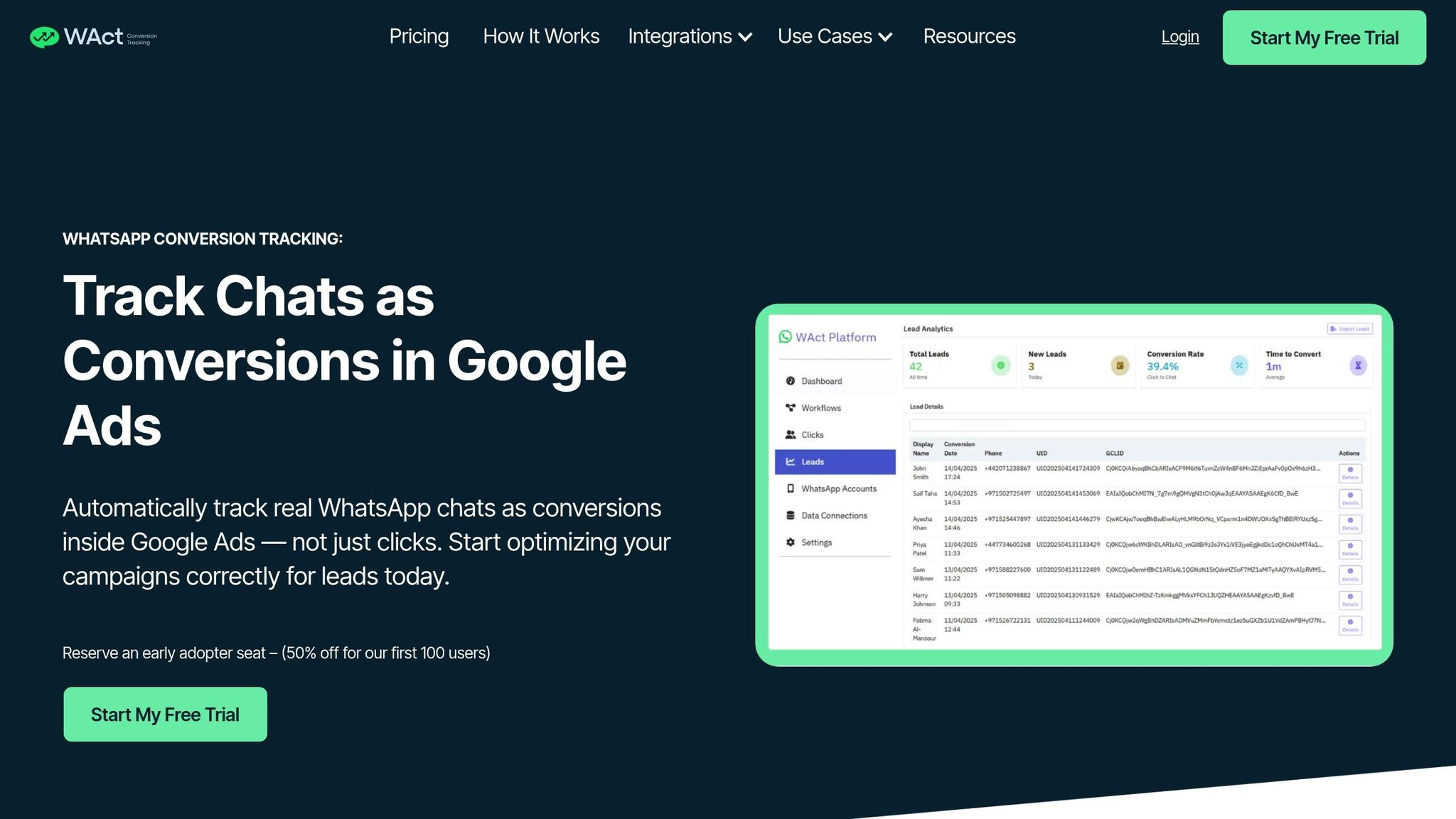
Once your WhatsApp-CRM integration is up and running, it's time to pinpoint which Google Ads campaigns are driving real conversations. WAConversionTracking steps in to handle this by automatically uploading conversion data back to Google Ads. This extra layer of tracking connects your ad spend directly to customer interactions, giving you a clearer picture of campaign performance.
Automatic Conversion Tracking and Upload
To get started, you can either install a tracking-enabled WhatsApp button or add the tracking script to your existing button. When someone clicks the button, WAConversionTracking grabs their GCLID and UTM parameters, linking them to the WhatsApp user ID. As soon as the user sends a message, the platform logs this as an offline conversion and uploads it to Google Ads. This ensures your Smart Bidding strategies are based on actual conversations rather than just clicks, helping you optimise your campaigns with reliable data.
Benefits for Agencies and Small Businesses
For marketing agencies in the UAE managing multiple client accounts, this level of accuracy removes the guesswork. Instead of assuming every button click equals a conversion, you can identify which campaigns are genuinely driving enquiries. This reduces wasted ad spend and helps you confidently scale campaigns that perform well.
Small businesses gain an edge too, as lead data is automatically added to Google Sheets, providing a streamlined view of campaign performance without the hassle of manual updates. Plus, the "Testing Your Setup" feature allows you to confirm that GCLIDs are being tracked correctly before you commit to increasing your ad budget.
CRM Integration
WAConversionTracking takes tracking a step further by integrating seamlessly with popular CRMs like HubSpot, Salesforce, and Zoho. This ensures every conversion is enriched with detailed customer data. By adding custom fields for "GCLID" and "UTM Source", you can effectively store and manage this tracking information. Your sales team will not only see the lead's details but also know exactly which ad sparked the interaction. This insight leads to smarter follow-ups and better closing rates, making your campaigns more effective.
CRM Platform Comparison

WhatsApp CRM Integration Platform Comparison for UAE Businesses
Choosing the right CRM for WhatsApp integration depends on factors like team size, budget, and the level of automation you need. For businesses in the UAE, it's essential to have a verified Facebook Business Manager account and a registered phone number that isn't already linked to another WhatsApp account before setting up any CRM integration.
Zoho CRM provides a seamless native integration, merging WhatsApp chats into its platform with a credit-based pricing model.
HubSpot, on the other hand, offers native integration for users on its Professional and Enterprise plans. However, it lacks some advanced features, such as the ability to make WhatsApp calls or play voice notes directly within the inbox.
Salesforce takes it a step further with its "WhatsApp (Enhanced)" native channel. This option allows for extensive customisation of workflows, making it ideal for complex business needs. However, the setup can be more challenging, and pricing typically requires direct consultation.
Third-party platforms like respond.io and Wati can fill in the gaps left by native integrations. These platforms bring additional features such as omnichannel support for platforms like Instagram and Telegram, AI-driven agents, and WhatsApp voice call capabilities.
"Integrating Salesforce with WhatsApp allows agents to access all customer information at the click of a button. Then, agents don't have to constantly switch between platforms to retrieve and view this information."
– Zheng Yang, Senior Technical Product Manager, respond.io
Comparison Table
Here’s a quick breakdown of the key features available in major CRM platforms:
| Feature | Zoho CRM | HubSpot | Salesforce |
|---|---|---|---|
| Setup Simplicity | High (Native integration) | Moderate (Professional/Enterprise) | Low (Complex setup/approvals) |
| Automation | Workflow rules & custom templates | Basic (Simple workflows) | High (Advanced custom workflows) |
| WhatsApp Calls | Not native (Third-party needed) | Not native (Third-party needed) | Not native (Third-party needed) |
| Data Sync | Bidirectional sync of contacts/chats | Syncs to contact timeline | Centralised database |
| Pricing Model | Credit-based | Tiered subscription (Pro/Enterprise) | Custom enterprise pricing |
For small to mid-sized teams, Zoho CRM is a practical choice due to its straightforward setup and flexible credit-based pricing. Larger enterprises that need advanced automation and customisation might find Salesforce a better fit. Alternatively, using a WhatsApp Business Solution Provider (BSP) like respond.io or Wati offers official API access and a simpler setup process.
Best Practices for UAE Businesses
Optimising your CRM setup to align with UAE-specific requirements can significantly improve compliance and customer engagement.
Following UAE Regulations
In the UAE, obtaining explicit customer consent before sending WhatsApp messages through your CRM is mandatory. This is outlined under the Telecommunications and Digital Government Regulatory Authority (TDRA) regulations and falls under Federal Decree-Law No. 34 of 2021 (Cybercrimes), Federal Decree-Law No. 46 of 2021 (Electronic Transactions), and Federal Decree-Law No. 35 of 2022 (Evidence).
WhatsApp messages are considered valid legal evidence in UAE courts as long as the original data and metadata are preserved. To ensure compliance, your CRM should maintain complete chat histories with appropriate access controls. Implement role-based permissions to restrict access to sensitive chat data.
It’s also worth noting that voice and video calling via WhatsApp is restricted unless the application is on the TDRA-approved list. Providers like Etisalat and Du enforce this restriction. For voice communication, use approved alternatives such as BOTIM, Microsoft Teams, or Zoom. Attempting to bypass these restrictions using VPNs is a criminal offence under UAE Cybercrime Law.
"Under TDRA guidance, unless a voice or video over-Internet service is provided by a licensee, in collaboration with a licensee, or approved by TDRA, it is illegal to use such software in the United Arab Emirates; licensees are obliged to block non-compliant VoIP traffic." – Telecommunications and Digital Government Regulatory Authority (TDRA)
Tailoring your CRM to meet local linguistic and cultural expectations is another critical step.
Localisation and Personalisation
To better connect with customers, ensure your CRM supports both Arabic and English. AI-powered tools that auto-translate messages can help deliver communications in the customer’s preferred language, fostering trust and engagement.
Customise your CRM to reflect AED currency formatting and display local contact details for agents handling customer profiles. Additionally, use automated routing to connect Arabic-speaking customers with Arabic-speaking agents based on their initial enquiry or stored CRM data. For example, Dubai-based 800 Storage adopted automated conversation routing, leading to a 30% increase in conversions.
Be mindful of local customs when scheduling messages, especially during Ramadan and other religious observances. Sending promotional messages at inappropriate times, such as during prayer or late at night, can harm your brand’s reputation. Use your CRM's scheduling tools to ensure messages are sent at suitable times for the local audience.
Improving Campaign Results
Measure the success of your WhatsApp campaigns by tracking Click-to-WhatsApp conversions. Tools like WAConversionTracking can automatically log messaging events, capturing GCLID and UTM parameters, and upload them as conversions to Google Ads. These insights help refine Smart Bidding strategies, minimising ad spend on clicks that don’t lead to conversations.
For instance, Only Tourism, a UAE-based travel company, used AI-powered agents to manage a high volume of customer queries, automating 80% of visa-related enquiries. Similarly, educational recruitment firm Qobooluk leveraged WhatsApp broadcasts to promote events, achieving a 95% increase in student lead conversions within eight months.
Finally, use lifecycle tracking within your CRM to pinpoint where customers are in the sales funnel. This allows you to trigger personalised follow-ups tailored to their current stage, ensuring more effective engagement.
Conclusion
Integrating WhatsApp with your CRM can transform how UAE businesses manage customer relationships and marketing campaigns. By syncing chats, calls, and media into a single dashboard, companies can break down silos and gain a complete view of their customers. This streamlined setup supports real-time lead qualification, automated routing, and AI-driven assistance - all in one place.
To fully harness these advantages, a strong integration infrastructure is crucial. Platforms like respond.io deliver this with enterprise-level reliability, boasting 99.999% uptime, and even enabling voice calls through the WhatsApp Business Calling API. The impact is clear: Automax in the UAE sends over 80,000 targeted broadcasts monthly, achieving a staggering 42.5x return on their platform investment. Similarly, SchuVar Tours managed to triple their lead volume from paid ads in just three months.
For businesses running Google Ads, WAConversionTracking bridges the attribution gap by capturing WhatsApp chats as conversions. This data feeds directly into Smart Bidding strategies, helping optimise ad spend and reduce inefficiencies.
Combining CRM integration, AI-powered automation, and precise conversion tracking allows UAE businesses to scale operations effectively while staying aligned with local regulations. Whether you're handling 250 daily conversations or scaling to unlimited messaging, the right tools ensure every interaction is tracked and fine-tuned for better results.
FAQs
How can connecting WhatsApp to a CRM boost sales performance?
Integrating WhatsApp with your CRM can transform the way your team handles sales by simplifying communication and managing leads more efficiently. It enables faster responses to customer inquiries, cutting down delays and minimising the chances of missed opportunities.
By centralising all customer interactions in one platform, your business can keep tabs on conversations, tailor responses to individual needs, and better understand customer behaviour. This approach not only strengthens engagement but also equips you with actionable insights to refine sales and support processes, ensuring a smooth and satisfying customer journey.
What are the rules for using the WhatsApp Business API in the UAE?
To integrate the WhatsApp Business API in the UAE, businesses are required to collaborate with verified WhatsApp Business Solution Providers. Additionally, they must comply with UAE data protection laws to ensure customer information is handled responsibly. Message templates also need prior approval, adhering to Meta’s guidelines, to guarantee they meet the necessary standards. Following these steps ensures secure and professional interactions with customers.
How can UAE businesses track WhatsApp campaigns effectively using their CRM?
UAE businesses can keep a close eye on their WhatsApp campaigns by linking WhatsApp with their CRM systems. Tools like the WhatsApp Business API, combined with platforms such as Salesforce, HubSpot, or Zoho, allow companies to sync customer interactions instantly. This setup ensures businesses can send automated notifications for important events, like when a message is received or a customer responds, while also tracking campaign performance and lead conversions effectively.
By integrating these systems, businesses can gather leads from multiple sources - whether it’s social media platforms, online ads, or websites - and organise this information in their CRM. Tailoring campaigns to reflect local preferences, including AED currency formats and cultural considerations, helps create a more targeted and effective approach for the UAE market. These integrations not only offer precise campaign tracking but also boost marketing efficiency, making it easier to engage with customers and manage follow-ups seamlessly.




