


UTM parameters are essential for tracking the performance of your Google Ads campaigns. They provide detailed insights into traffic sources, helping you understand which ads, keywords, and platforms drive results. Without them, up to 30% of website traffic could be misclassified as "Direct", leading to poor data and wasted ad spend.
For Smart Bidding, UTM parameters ensure that Google’s algorithms receive accurate data to optimise bids effectively. They work alongside tools like ValueTrack to refine campaigns based on real-time performance. In regions like the UAE, where platforms like WhatsApp play a major role in customer engagement, UTM tracking is crucial for attributing conversions accurately.
Why UTMs Matter:
- Prevent misattribution of traffic (reduces "Direct" misclassification).
- Provide detailed data on campaign performance.
- Enable Smart Bidding to optimise for high-value traffic and conversions.
Key UTM Parameters:
- utm_source: Identifies the platform (e.g., google, whatsapp).
- utm_medium: Specifies the channel type (e.g., cpc, email).
- utm_campaign: Groups assets under a specific promotion.
- utm_term: Tracks paid keywords.
- utm_content: Differentiates ad creatives or variations.
For UAE Advertisers:
- WhatsApp Tracking: Tools like WAConversionTracking help track WhatsApp button clicks as conversions, linking them back to campaigns for Smart Bidding.
- Best Practices: Use consistent naming conventions, lowercase parameters, and avoid overly complex UTM strings.
UTM parameters, combined with tools like auto-tagging and WhatsApp tracking, ensure your campaigns are optimised for real results. Proper tracking leads to better data, smarter bidding, and improved ROI.
UTM Tracking in Google Ads (Templates + Custom Parameters)
sbb-itb-0a82e4d
How Smart Bidding Uses UTM Data

ValueTrack Parameters Impact on Google Ads Smart Bidding
Smart Bidding relies on precise conversion data, often sourced from UTM parameters, to distinguish between high- and low-value traffic. This data allows Google to adjust bids in real time, ensuring campaigns remain optimised.
UTM tracking plays a crucial role in providing Google's algorithms with detailed insights into factors like keywords, ad creatives, and placements. This is especially important in the face of privacy restrictions, such as Apple's App Tracking Transparency, which has reduced iOS attribution by 15%–25%. When elements like the GCLID are unavailable, UTM parameters act as a vital backup, ensuring Smart Bidding continues to receive accurate data.
By using UTM data, Smart Bidding builds predictive models that help identify which campaigns deserve higher budgets and which ones need scaling back. This data directly informs bid adjustments, allowing the algorithm to make smarter decisions based on observed performance. With granular insights fed into its machine learning system, Smart Bidding ensures every bid is as informed as possible.
Machine Learning in Smart Bidding
Google's Smart Bidding models use Bayesian learning to refine conversion predictions continuously. By incorporating recent UTM-tagged data and dynamic ValueTrack parameters, the system stays up to date and adapts to changing campaign dynamics.
"Smart Bidding is always learning, even from campaigns using manual bidding." - Google Ads Help
Dynamic ValueTrack parameters, such as {keyword}, {matchtype}, and {device}, provide granular metadata. This data helps Smart Bidding differentiate between high- and low-performing traffic segments more effectively.
| ValueTrack Parameter | Data Supplied to Machine Learning | Impact on Bidding Decisions |
|---|---|---|
{keyword} |
Specific search term triggered | Boosts bids for high-intent terms |
{matchtype} |
Match type (exact, phrase, broad) | Identifies the most effective match types |
{device} |
Device type (mobile, desktop, tablet) | Adjusts bids based on device-specific conversion rates |
{campaignid} |
Unique campaign identifier | Allocates budgets to top-performing campaigns |
{creative} |
Ad creative ID | Highlights which ads deliver the best results |
Real Examples of UTM-Driven Insights
The effectiveness of these refined models can be seen in real-world campaigns.
For instance, in January 2026, the SaaS company FlowPro implemented a strict UTM naming convention and integrated cost data into their analytics. This approach uncovered profitable channels that had been under-credited due to poor attribution, resulting in a 142% revenue increase. Without proper tagging, traffic often gets misclassified as "Direct", which prevents Smart Bidding from accurately linking conversions to specific campaigns. This misclassification can lead to wasted spending on underperforming keywords.
For businesses in the UAE, especially those running WhatsApp-based campaigns, UTM parameters are indispensable. With 60% to 70% of social sharing occurring through private "dark social" channels like WhatsApp, UTMs are often the only way to track and attribute this traffic. By tagging WhatsApp links with parameters like utm_source=whatsapp and utm_campaign=spring_promo, advertisers can provide Smart Bidding with accurate signals about which campaigns are driving real conversations and conversions. Tools like WAConversionTracking enhance this process by capturing WhatsApp leads with UTM parameters and GCLID, ensuring Smart Bidding performs effectively in fast-paced markets like the UAE.
Key UTM Parameters for Google Ads
Tracking performance accurately in Google Ads campaigns hinges on five essential UTM parameters. These parameters not only ensure proper attribution but also provide Smart Bidding systems with the data they need to optimise effectively. Without proper UTM tagging, campaigns risk significant misattribution, which can lead to wasted ad spend. In fact, companies that get their UTM tagging right have reported up to a 3x ROI improvement. Yet, surprisingly, about 30% of campaigns still lack proper UTM markup.
"UTM parameters are the plumbing of digital marketing – invisible when working, but catastrophic when broken."
– Dan McGaw, CEO of UTM.io
Fine-tuning UTM parameters is critical for UAE advertisers and agencies managing campaigns across platforms like Google Search, Display, and WhatsApp. Each parameter plays a unique role in delivering precise data to Smart Bidding systems, ensuring better-informed bid decisions.
utm_source and utm_medium
The utm_source parameter identifies the platform driving traffic to your site. For Google Ads, this is typically set to google. However, for campaigns targeting platforms like Microsoft Ads or WhatsApp, you might use bing or whatsapp respectively .
The utm_medium parameter specifies the marketing channel. For example:
- Use
cpcfor paid search campaigns. - Use
displayfor banner ads. - Use
emailfor newsletters.
Stick to standard terms, as GA4 assigns traffic to Default Channel Groupings based on these values. Deviating from these standards could result in traffic being categorised as "Unassigned".
Both parameters should always be in lowercase. GA4 is case-sensitive, so inconsistent casing (e.g., utm_source=Google instead of utm_source=google) could split your data into separate entries, complicating analysis. Once these parameters are set, the campaign and term parameters take your tracking to the next level.
utm_campaign and utm_term
The utm_campaign parameter groups all assets under a single marketing initiative. For instance, a Ramadan promotion running across Google Search, Display, and WhatsApp might use a uniform tag like utm_campaign=ramadan_sale_2026. This consistency allows advertisers to compare ROI across channels and make better budget allocation decisions .
The utm_term parameter is especially useful for paid search campaigns. It captures the keyword that triggered your ad. In Google Ads, you can automate this process using the {keyword} ValueTrack parameter, which dynamically inserts the keyword at the time of the click. This insight helps Smart Bidding systems identify high-performing keywords and adjust bids accordingly .
utm_content for Ad Variations
The utm_content parameter helps differentiate between various ad creatives, placements, or call-to-action buttons. This is particularly helpful for A/B testing. For example:
- Compare ad headlines (
utm_content=headline_avs.utm_content=headline_b). - Test banner sizes (
utm_content=300x250_sidebarvs.utm_content=728x90_header).
In UAE-specific campaigns, such as WhatsApp ads, you might use this parameter to test different messaging approaches, like conversational tones versus promotional offers. These insights can directly improve Smart Bidding by identifying what resonates most with your audience.
| UTM Parameter | Required in GA4? | Purpose | Example |
|---|---|---|---|
utm_source |
Yes | Identifies the platform or origin | google, whatsapp, newsletter |
utm_medium |
Yes | Identifies the marketing channel | cpc, social, email |
utm_campaign |
Yes | Identifies the specific promotion | ramadan_sale_2026, product_launch |
utm_term |
No | Captures paid search keywords | {keyword}, luxury_apartments_dubai |
utm_content |
No | Differentiates ad variations | headline_a, video_ad_v1 |
How to Set Up UTM Parameters in Google Ads
Getting accurate UTM data is key to optimising Smart Bidding algorithms. Here’s how to set up Google Ads conversion tracking and UTM parameters.
Google Ads simplifies UTM parameter management using tracking templates and final URL suffixes, making manual tagging unnecessary. By combining auto-tagging with manual UTM setups, you can ensure your campaigns provide the detailed data needed for Smart Bidding.
Tracking templates in Google Ads follow a strict hierarchy: Keyword > Ad > Ad Group > Campaign > Account. For UAE advertisers, configuring tracking templates at the account level is a reliable choice. This ensures all new campaigns, ad groups, and keywords inherit the correct tracking setup.
Using Tracking Templates
Tracking templates automate UTM tagging across your account. To set one up, go to Admin > Account Settings > Tracking and input your template. A commonly used template might look like this:
{lpurl}?utm_source=google&utm_medium=cpc&utm_campaign={_campaign}&utm_term={keyword}
{lpurl}: This placeholder dynamically inserts your landing page URL.- ValueTrack parameters: Elements like
{keyword}add real-time data, such as the search term triggering your ad.
If you prefer user-friendly campaign names over numeric IDs, define custom parameters (e.g., {_campaign}) in the Campaign URL Options section. Google Ads supports up to eight custom parameters at each level.
For simpler UTM strings, you can skip {lpurl} and use the Final URL Suffix field instead. For example:
utm_source=google&utm_medium=cpc&utm_campaign=ramadan_sale_2026
Always test your URLs to ensure the parameters work correctly. Keep in mind, updates may take 24–48 hours to reflect.
Auto-Tagging vs Manual UTM Parameters
Tracking templates help with manual tagging, but auto-tagging remains essential for detailed insights. Here’s a quick breakdown of their differences:
Auto-tagging automatically appends a GCLID (Google Click Identifier) to your URLs, providing granular data. To enable it, go to Admin > Account Settings, expand the Auto-tagging section, and tick the box for "Tag the URL that people click through from my ad."
For best results, keep auto-tagging enabled while supplementing it with manual UTM parameters. Auto-tagging captures Google-specific data, while manual UTMs ensure consistent tracking across third-party tools like HubSpot or Salesforce. When using manual UTMs, align them with Google's defaults (e.g., utm_source=google and utm_medium=cpc) to match GA4’s channel groupings.
"Auto-tagging gives you precision. UTMs give you consistency."
– Waseem Bashir, CEO, Apexure
Here’s a side-by-side comparison:
| Feature | Auto-Tagging (GCLID) | Manual UTM Parameters |
|---|---|---|
| Setup | One-click activation | Requires tracking templates or manual input |
| Data Depth | Detailed (keywords, search terms, cost data) | Basic (campaign, source, medium) |
| Cross-Platform | Limited to Google Ads | Works across platforms (e.g., Meta, email, WhatsApp) |
| Error Risk | Low (automated) | Higher (prone to typos) |
| Control | Limited | High (custom naming conventions) |
One important tip: avoid adding UTM parameters to internal links on your website. Doing so can overwrite the original traffic source and disrupt session tracking.
Tracking WhatsApp Conversions with UTM Data Using WAConversionTracking
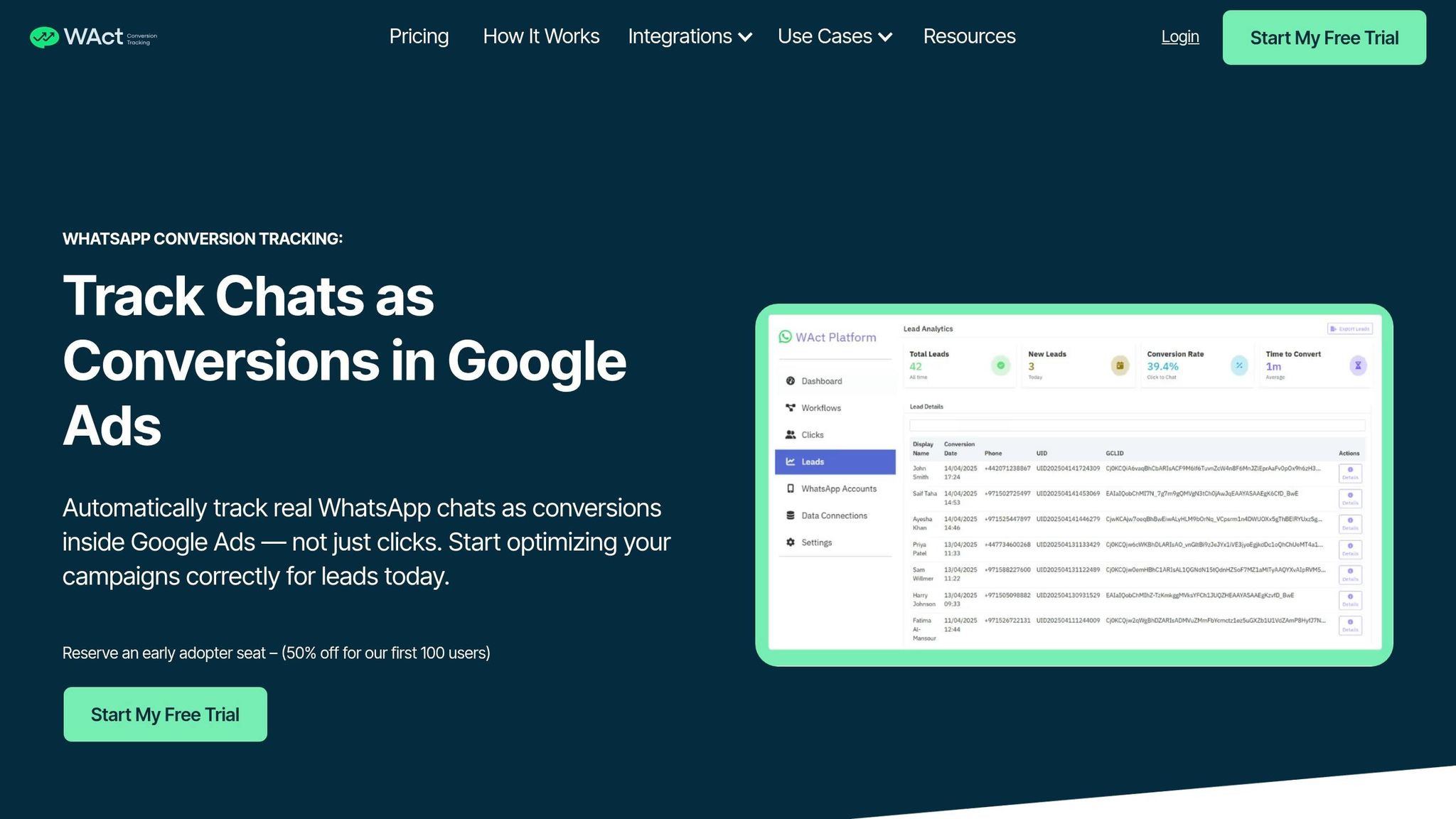
In the UAE, WhatsApp is a key platform for customer engagement, but tracking actual conversations as conversions has always been tricky. Many advertisers mistakenly optimise for users who click on a WhatsApp button but never follow through with a message. WAConversionTracking solves this issue by capturing real WhatsApp chats and sending that data - complete with GCLID and UTM attribution - to Google Ads. Here's how this tool fills the critical gap in WhatsApp campaign attribution.
Key Features of WAConversionTracking
When someone clicks a WhatsApp button, WAConversionTracking captures essential data like the Google Click ID (GCLID), UTM parameters, session details, and a timestamp. It then assigns a unique tracking code (UID) to the pre-filled WhatsApp message. Once the user sends a message, the system detects the event on the server side, matching the UID with the original ad click. This data is then sent to Google Ads as an offline conversion, linking the conversion to the specific campaign, ad group, and keyword that drove it.
"The WhatsApp Business API is currently the only way to automatically track and read incoming chats. It allows your system to detect when a user sends a message that contains a tracking ID (UID), which we use to match with the original Google Ads click (GCLID) and trigger a conversion." – WAConversionTracking
The tool is designed to respect user privacy. It does not access personal messages or contact lists. Instead, it focuses solely on recording conversion events and the attribution data required for Smart Bidding.
How It Improves Smart Bidding
Smart Bidding strategies like Target CPA and Target ROAS depend on precise, high-quality conversion data. When you only track button clicks, you’re left with low-value signals, often from users who never intended to start a chat.
"Tracking button clicks doesn't tell the full story. You may be optimising for users who click but never chat - wasting ad spend." – WAConversionTracking
By tracking actual WhatsApp conversations, Smart Bidding gets the accurate data it needs to identify high-intent traffic. This allows the algorithm to pinpoint which keywords, ads, and audiences drive meaningful interactions, cutting down on wasted budget. With real-time data updates, the algorithm can adjust immediately as new conversions are recorded. Advertisers have reported performance gains of up to 200% when using this data effectively.
What You Need to Get Started
Setting up WAConversionTracking is quick and tailored for UAE campaigns. You’ll need access to the WhatsApp Business API, which can be obtained through providers like Meta Cloud API, 360dialog, or Twilio. Note that the standard WhatsApp Business app doesn’t support programmatic access to incoming messages.
The setup process takes about 10 minutes. Simply connect your WhatsApp API key, generate the tracking script, update your WhatsApp links, and link your Google Ads account. For early adopters, WAConversionTracking is offering a 50% discount to the first 100 users.
Common UTM Mistakes and How to Fix Them
For Smart Bidding to work effectively, your UTM data needs to be spot on. But common errors can disrupt this process, leading to less precise targeting. Research highlights that 22% of sessions with UTM parameters contain at least one tracking error, potentially causing data losses of up to 35% in campaign attribution. When tracking breaks, Smart Bidding struggles to optimise, wasting budget on the wrong audiences.
Inconsistent Naming Conventions
UTM parameters are case-sensitive, which means variations like "google", "Google", and "FB" are treated as separate sources. This inconsistency fragments data, making it harder for Smart Bidding to work efficiently. In fact, such naming issues can distort data by 18–24% and increase cost per lead by 15%.
The solution? Stick to lowercase letters and use hyphens to separate words. Tools like centralised spreadsheets or UTM builders with dropdown menus can help eliminate typos and maintain consistency. Companies that standardise their UTM naming conventions report a 29% improvement in campaign attribution accuracy.
Missing Required Parameters
Surprisingly, 30% of companies leave out UTM tags in over 30% of their campaigns. Missing key parameters like utm_source, utm_medium, or utm_campaign can misclassify traffic as "direct", causing attribution errors that confuse Smart Bidding. This oversight can distort data by 25–35% and hike up cost per lead by 23%.
To prevent this, ensure every external link includes utm_source, utm_medium, and utm_campaign before launching campaigns. Test tagged links in a private browser to confirm they work and retain the UTM string. For Google Ads, keep auto-tagging enabled and disable the "allow manual UTMs to override auto-tagging" option in GA4. This ensures Smart Bidding receives the detailed keyword-level data it needs.
Overly Complex UTM Strings
Long and overly detailed UTM strings can hurt performance. URLs with over 150 characters see an 11% lower click-through rate. Adding too much detail - like audience segments, creative versions, or send dates - makes URLs cumbersome and prone to errors, weakening the data quality for Smart Bidding.
The fix? Stick to the five standard UTM parameters and use GA4 custom dimensions for extra details. For example, adopt a clear, hierarchical naming structure for utm_campaign like 2026-q1-spring-sale-uae to consolidate data points into one readable field. For social media or print campaigns, branded short links can simplify URLs and boost click-through rates by up to 39% compared to generic shorteners. Just ensure your link shortener preserves the full query string during redirects.
Conclusion
UTM parameters are the backbone of precise campaign tracking and effective Smart Bidding. They help differentiate high-performing search terms from clicks that don’t convert. As Waseem Bashir, CEO of Apexure, explains:
"Dynamic UTMs are not just a 'nice to have' technical feature. They are the foundation of Data Trust".
Without proper UTM tracking, around 25–30% of traffic can be misclassified as "Direct" or "Unassigned", making it harder to assess campaign performance. In one case, implementing a robust UTM strategy uncovered that 60% of a client’s leads came from a single source, boosting their ROI by 30%.
For UAE campaigns, where WhatsApp conversions play a crucial role, WAConversionTracking works hand-in-hand with UTM tracking. While UTMs pinpoint which ad or keyword sparked an interaction, WAConversionTracking ensures the actual chat conversion data is captured and sent back to Google Ads. This allows Smart Bidding to optimise campaigns based on real conversations, not just clicks.
Key Takeaways
Accurate UTM implementation is critical for campaign success. Stick to lowercase naming conventions, use account-level tracking templates for consistency, and balance auto-tagging for GA4 integration with manual UTMs for CRM clarity. Avoid errors like inconsistent naming or missing parameters.
For campaigns heavily reliant on WhatsApp conversions, WAConversionTracking automates the process of uploading real chat conversions with full attribution data to Google Ads. This reduces wasted ad spend and fine-tunes campaigns to focus on high-intent leads.
Next Steps
To improve your tracking setup, start by auditing your current UTM strategy. Look for inconsistencies, missing parameters, or overly complicated strings. Create a centralised naming convention document to keep your team aligned.
Before launching, test your setup by using the "Test" button in Google Ads tracking settings. This ensures landing pages load properly and UTM parameters aren’t stripped during redirects. For most advertisers, setting a tracking template at the account level ensures comprehensive and error-free tracking.
If WhatsApp is a key conversion channel in your UAE campaigns, consider using WAConversionTracking. It’s simple to implement - just generate a tracking script with one click. This provides the data needed to optimise Smart Bidding, minimise wasted spend, and scale campaigns targeting high-intent leads effectively.
FAQs
Do I need UTMs if Google Ads auto-tagging is on?
No, UTMs aren't mandatory if Google Ads auto-tagging is enabled. Auto-tagging automatically appends a GCLID (Google Click Identifier) to track ad clicks. However, combining UTMs with auto-tagging can improve tracking and provide more precise attribution, especially when conducting in-depth campaign analysis.
Which UTM values should I use so GA4 channels stay correct?
To ensure proper tracking and attribution, always use consistent, lowercase values for utm_source, utm_medium, and utm_campaign. For utm_medium, align it with GA4's default channel grouping to maintain accurate channel attribution. This consistency helps prevent misclassification and enhances the effectiveness of your campaigns.
How can I track real WhatsApp chats (not just clicks) for Smart Bidding?
To monitor actual WhatsApp chats for Smart Bidding, tools like WAConversionTracking (WAct) can be incredibly effective. WAct works by capturing WhatsApp messages, identifying them as conversions in Google Ads, and providing precise data for Smart Bidding. It does this by replacing your current WhatsApp links with trackable ones, instantly recording chat events, and sending the data directly to Google Ads. This ensures you can accurately measure high-quality leads - particularly useful in WhatsApp-dominant markets such as the UAE.




