


Running ads without accurate attribution wastes money. Platforms like Google Ads and Meta often inflate conversion data, making it hard to determine which campaigns drive real sales. In the UAE, where WhatsApp is key for marketing, tracking actual leads - not just clicks - is essential. Tools like WAConversionTracking, Google Analytics 4, and Ruler Analytics help businesses track conversions accurately, optimise ad spend, and focus on real results.
Here’s a quick overview of the best attribution tools:
- WAConversionTracking: Tracks real WhatsApp messages and integrates with Google Ads for precise optimisation.
- Google Analytics 4: Free but tracks only WhatsApp clicks, not actual messages.
- Google Tag Manager: Customisable but requires technical setup.
- Boei: A simple chat widget with basic WhatsApp tracking.
- Omnichat: API-based tracking with automation for WhatsApp and Google Ads.
- Zapier: Automates CRM data uploads to Google Ads.
- Google Ads Message Assets: Tracks WhatsApp chats directly from ads.
- WhatConverts: Tracks calls, forms, and chats but lacks native WhatsApp tracking.
- CallRail: Focuses on call tracking, not WhatsApp.
- Ruler Analytics: Tracks WhatsApp chats and ties them to revenue data.
Quick Comparison
| Tool | WhatsApp Tracking | Google Ads Integration | Automation Level | Ease of Setup |
|---|---|---|---|---|
| WAConversionTracking | Tracks real messages | Full integration | Fully automated | Easy |
| Google Analytics 4 | Tracks clicks only | Native integration | Manual setup required | Moderate |
| Google Tag Manager | Tracks clicks (custom) | Native integration | Partially automated | Complex |
| Boei | Basic widget tracking | Indirect via analytics | Partially automated | Easy |
| Omnichat | API-based message tracking | Google Ads integration | Partially automated | Moderate |
| Zapier | CRM data workflows | Indirect integration | Partially automated | Moderate |
| Google Ads Message Assets | Tracks chats directly | Native integration | Fully automated | Easy |
| WhatConverts | Tracks forms & chats | Full integration | Partially automated | Moderate |
| CallRail | Tracks calls only | Full integration | Partially automated | Moderate |
| Ruler Analytics | Tracks chats & revenue | Full integration | Fully automated | Complex |
For UAE businesses relying on WhatsApp, WAConversionTracking stands out for its accuracy and ease of use. It is also purpose-built for Google Ads agencies managing multiple client accounts. Combine it with Google Ads Message Assets for better campaign performance.

WhatsApp Attribution Tools Comparison: Features, Integration & Setup Complexity
I found the BEST Google Ads Attribution Tool (Northbeam Review)
sbb-itb-0a82e4d
1. WAConversionTracking
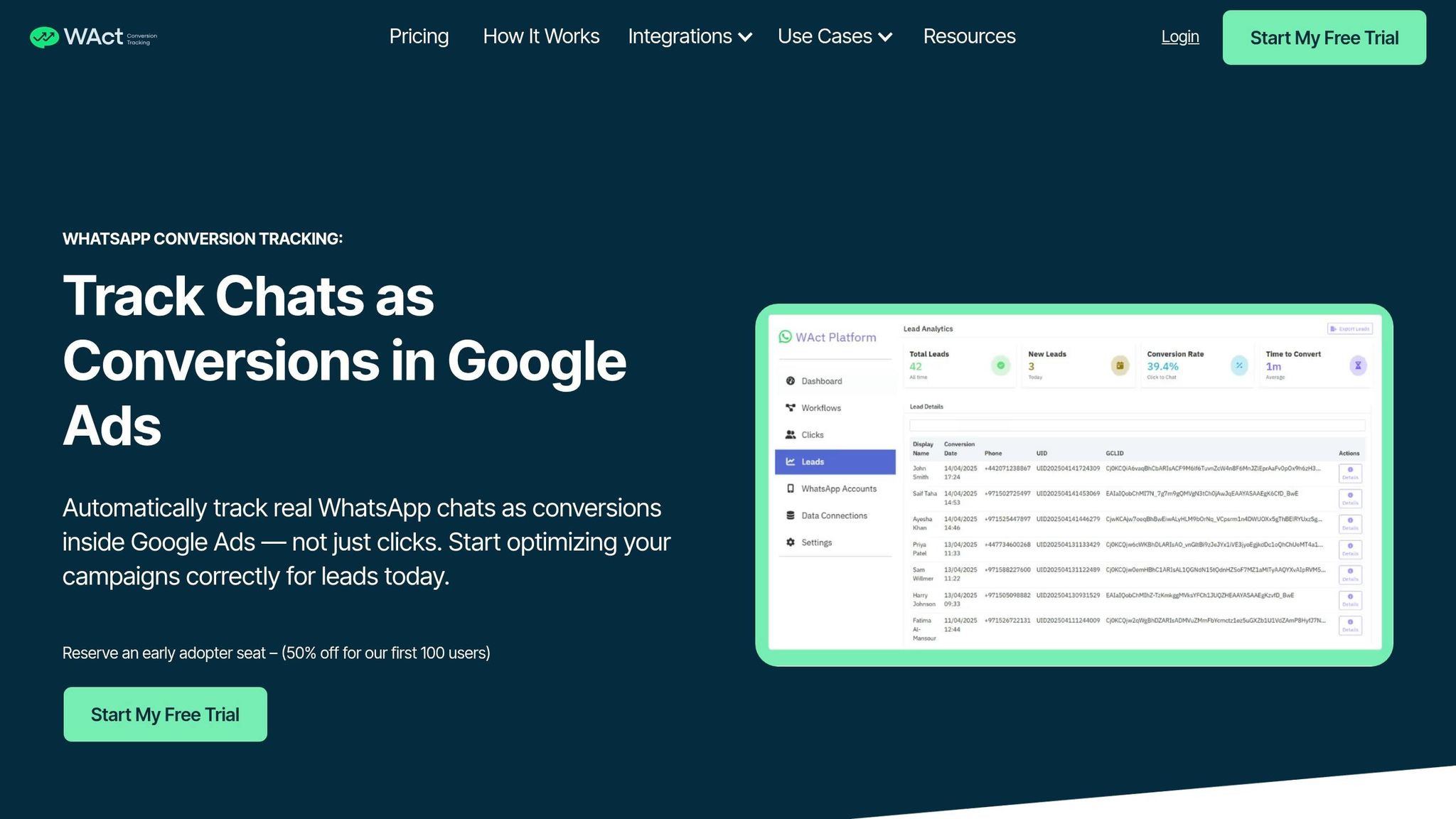
WAConversionTracking is specifically built for tracking WhatsApp conversions. Unlike general analytics tools that consider button clicks as conversions, this tool tracks when a user actually sends a WhatsApp message, ensuring that only real interactions are measured.
The system works by capturing the Google Click ID (GCLID) and UTM parameters when someone clicks on an ad. It then attaches a unique tracking code (UID) to the WhatsApp message. Once the message is sent, the tool matches the UID to the original GCLID and uploads the data to Google Ads as an offline conversion. Let’s break down its standout features.
WhatsApp Chat Tracking
This tool uses the WhatsApp Business API to detect messages on the server side. A conversion is only recorded when a message is successfully delivered, ensuring accurate results. To use this feature, businesses need to upgrade to the WhatsApp Business API through providers like Meta Cloud API, 360dialog, or Twilio, as the standard WhatsApp Business app (mobile or desktop) doesn’t allow programmatic access. The system is designed to track conversion events only - it doesn’t access personal messages or contact lists.
Google Ads Integration
Once the chat tracking is set up, the tool integrates the conversion data directly into Google Ads. This allows advertisers to use Smart Bidding strategies like Target CPA and Maximise Conversions to optimise campaigns based on real leads instead of just clicks. By identifying which keywords lead to actual conversations, businesses can reduce wasted ad spend. For internal management, users can also export raw click and chat data to Google Sheets.
GCLID/UTM Capture
The tool automatically captures key data such as GCLID and UTM parameters (source, medium, campaign, keyword). This ensures every WhatsApp conversation is tied back to the specific ad click that initiated it.
Automation and Setup
WAConversionTracking simplifies the entire process, automating everything from ad clicks to uploading conversions to Google Ads. The setup takes about 10 minutes. Users can either use a pre-built WhatsApp button with built-in tracking or integrate a lightweight tracking script with their existing website buttons. Simply replace your current WhatsApp links with the custom click-to-chat links provided in the dashboard.
Pricing starts at AED 66/month (US$18) for the Essentials Plan, which includes one WhatsApp connection. For agencies, the Agency Plan costs AED 165/month (US$45) and supports unlimited connections. A 14-day free trial is available, and early adopters can enjoy a 50% discount using the code "EARLY50".
2. Google Analytics 4
Google Analytics 4 (GA4) takes a different approach from WAConversionTracking by focusing on tracking user intent rather than confirming completed WhatsApp interactions. It’s a free analytics tool that captures WhatsApp link clicks, offering insights into user interest without verifying whether a message was sent or delivered.
WhatsApp Chat Tracking
GA4 doesn’t natively track WhatsApp chats. Instead, it relies on Google Tag Manager (GTM) to monitor clicks on WhatsApp links. By setting up a trigger in GTM, you can track URL patterns like wa.me, api.whatsapp.com, web.whatsapp.com, or the whatsapp:// protocol. This creates an event - often named "whatsapp_click" - that records details such as the link URL, link text, and page location.
However, this method only tracks clicks on WhatsApp links. It doesn’t confirm whether a message was sent, delivered, or qualified as a lead. For deeper insights, you’d need to integrate with the WhatsApp Business API or use specialised third-party tools.
Google Ads Integration
GA4 integrates seamlessly with Google Ads, enabling you to mark WhatsApp clicks as Key Events (conversions). These events can then be imported into Google Ads to optimise campaigns using Smart Bidding. GA4’s data-driven attribution model ensures that credit is distributed across all touchpoints and can even reattribute conversions up to 7 days after the event. This integration helps refine ad performance and ensures better targeting.
GCLID/UTM Capture
When linked with Google Ads, GA4 automatically captures GCLID (Google Click Identifier) and UTM parameters. This ensures that WhatsApp click events are properly attributed, adding another layer of accuracy to your campaign data.
Ease of Setup
Setting up WhatsApp tracking in GA4 requires some technical work. You’ll need to enable specific click variables in GTM, such as Click URL, Click Text, and Click Element. Then, create a trigger using a regular expression to match WhatsApp link formats. Finally, use GA4’s DebugView to verify that everything is configured correctly. While the process takes some effort, it provides valuable insights into user behaviour.
3. Google Tag Manager
Google Tag Manager (GTM) is a free tool that tracks WhatsApp link clicks to gauge user intent. However, it doesn’t track actual messages, making it a less automated option than specialised tools. For marketers who prefer manual configuration and greater control, GTM serves as a reliable option for WhatsApp attribution. Let’s dive into its core functions - tracking clicks, integrating with Google Ads, and capturing essential parameters.
WhatsApp Chat Tracking
GTM monitors WhatsApp interactions by tracking clicks on URLs that match specific patterns, such as wa.me, api.whatsapp.com, web.whatsapp.com, or whatsapp://. This is achieved using a "Just Links" trigger combined with a RegEx pattern: (wa\.me|api\.whatsapp\.com|web\.whatsapp\.com|whatsapp://). To make this work, you’ll need to enable Click Variables like Click URL, Click Text, and Click Element. For deeper insights, you can use Custom JavaScript variables to extract details such as the phone number or pre-filled message text from the clicked link.
"Tracking button clicks doesn't tell the full story. You may be optimizing for users who click but never chat - wasting ad spend." - WAConversionTracking
Now, let’s look at how GTM works alongside Google Ads to refine attribution efforts.
Google Ads Integration
To integrate GTM with Google Ads, start by creating a WhatsApp click trigger. Then, set up a "Google Ads Conversion Tracking" tag using your unique Conversion ID and Label. Don’t forget to add a Conversion Linker tag across all pages to store click data in first-party cookies. Depending on your campaign goals, you can classify WhatsApp clicks as either primary conversions (main leads) or secondary conversions (micro-actions).
GCLID and UTM Parameter Capture
GTM allows you to capture Google Click Identifier (GCLID) data using the Conversion Linker tag. You can also create URL-based variables to track UTM parameters like utm_source, utm_medium, and utm_campaign, which are essential for detailed event tracking.
Manual Configuration vs. Automation
Unlike plug-and-play tools that handle tracking and conversion uploads automatically, GTM requires you to manually configure tags, triggers, and variables. This hands-on approach offers flexibility but comes with added complexity. For instance, if you’re using floating WhatsApp widgets (like Joinchat or GetButton), you may need to use "All Elements" triggers instead of "Just Links" triggers. This is because these widgets often rely on non-link elements, such as <div> or <span> tags, controlled by JavaScript.
Ease of Setup
Setting up GTM isn’t a simple task - it requires a moderate level of technical knowledge. You’ll need to understand RegEx patterns, configure multiple variables, and test your setup thoroughly using GTM’s Preview Mode on a mobile device. Keep in mind that WhatsApp’s behaviour can vary between desktop and mobile, adding another layer of complexity. While GTM itself is free, the time and expertise required for proper setup can be substantial compared to automated tools.
4. Boei
Boei is a chat widget that supports WhatsApp along with over 50 other channels, and it takes just five minutes to set up. It’s trusted by more than 10,000 businesses, has tracked 2.6 million conversions, and increased conversion rates by 27%.
WhatsApp Chat Tracking
Boei tracks the entire customer journey using event-based tracking, capturing actions like BoeiOpened, WhatsAppClick, and WhatsAppMessageSent. This level of detail helps differentiate casual clicks from actions with higher intent. It also features an AI-driven assistant that engages visitors on WhatsApp by asking qualifying questions about their budget and timeline. The AI gathers essential contact details - such as name, email, and phone number - and evaluates the intent of the lead. The most promising leads are then forwarded to your sales team.
Google Ads Integration
While Boei doesn’t directly integrate with Google Ads, it automatically sends interaction data to analytics platforms like Google Analytics 4, Google Tag Manager, Meta Pixel, Plausible, and Simple Analytics. From there, you can import these events as conversions into Google Ads. This allows you to optimise ad bidding and understand which ads or keywords are driving WhatsApp conversations.
GCLID and UTM Parameter Capture
Boei links events to session data, such as UTM parameters and GCLIDs, through your existing analytics setup. There’s no need for manual configuration - variables and triggers are handled automatically. This makes it simple to identify which channels, pages, or devices are generating the most WhatsApp conversions. The smooth integration of data paves the way for Boei’s advanced automation capabilities.
Automation Level
Boei simplifies conversion tracking by automating every step. Its AI assistant handles lead qualification by asking targeted questions, collecting contact information, and scoring intent. High-quality leads are then routed to your team. Additionally, Boei includes built-in A/B testing to optimise widgets and calls-to-action.
Ease of Setup
Boei is designed for quick implementation, requiring just a single header script and five minutes to set up. It’s compatible with platforms like WordPress, Shopify, Wix, Squarespace, and page builders such as Elementor and Divi. The Pro plan costs €14/month (around AED 56/month) and includes features like the WhatsApp AI agent, 2,000 AI messages, a shared team inbox, a built-in CRM, and unlimited team seats. A 7-day free trial is available, and no credit card is required.
5. Omnichat
Omnichat is a solution built around the WhatsApp Business API, designed to help businesses track conversations and conversions while surpassing the limits of standard WhatsApp Business accounts. According to research from Kantar, 79% of online adults now message businesses at least once a week. This makes WhatsApp a key channel for customer interaction.
WhatsApp Chat Tracking
Omnichat tracks conversions by recording a "Conversations Started" event whenever a user messages through Google Ads or directly on WhatsApp. The platform provides insights into key metrics like message volume, response times, and conversion rates. It even evaluates the performance of individual sales consultants, helping businesses identify which interactions drive successful outcomes.
Google Ads Integration
Omnichat integrates seamlessly with Google Ads Message Assets, letting businesses add a WhatsApp call-to-action directly to their search ads. This can be set up at either the campaign or account level by linking a verified WhatsApp number and crafting a concise starter message (up to 140 characters) like: "Hi, I'd like to get a quote." This approach targets users based on their search intent, capturing high-quality leads who are actively looking for products or services. This feature also supports advanced automation workflows and a WhatsApp lead tracking planner for businesses.
Automation Features
Omnichat’s automation tools are extensive. It includes 24/7 chatbots capable of managing FAQs, qualifying leads, and routing high-priority enquiries to sales teams. The platform also supports automated order processing and integrates product catalogues directly into chats. By analysing browsing behaviour and past interactions, it enables detailed customer segmentation. Additionally, CRM and e-shop integrations bring all customer data into one place, simplifying remarketing and attribution efforts.
Simple Setup
Getting started with Omnichat is a straightforward process. You’ll need an active Google Ads account and a verified WhatsApp number. From there, create a Message Asset in Google Ads, connect it to Omnichat’s API platform, and craft a clear, engaging call-to-action with a starter message. This setup ensures potential customers are prompted to engage directly with your business.
6. Zapier
Zapier stands out as a robust automation tool that complements direct tracking systems by bridging CRM data with Google Ads. While it doesn’t directly track WhatsApp conversions, it simplifies attribution by transferring verified conversion data from your CRM to Google Ads. Impressively, 87% of Forbes Cloud 100 companies utilised Zapier in 2023, and 93% of its users stated that it improved their job performance.
Google Ads Integration
One of Zapier's standout features is its "Send Offline Conversion" action. This allows users to import conversion data from over 8,000 supported apps directly into Google Ads. For instance, when a WhatsApp lead in your CRM reaches a key milestone - like qualifying as a lead or completing a purchase - Zapier automatically uploads this data to Google Ads. This integration empowers advanced Smart Bidding strategies, such as Target CPA or ROAS, to focus on real sales outcomes rather than just ad clicks.
GCLID/UTM Capture
To make the most of Zapier, your website or landing page must capture the GCLID (Google Click Identifier). Zapier uses this identifier to map data from your CRM and upload it to Google Ads. Additionally, the platform supports enhanced conversions for leads by combining hashed email addresses with GCLID data, improving overall attribution accuracy.
Automation Capabilities
Zapier’s "Zaps" provide no-code automation, making it accessible for users without technical expertise. Filters can be applied to ensure only high-quality leads are sent to Google Ads, helping to avoid optimising for irrelevant or spam enquiries. The platform also supports AI-driven data transformation to refine lead filtering further. Setting up a Zap is quick - users typically spend under six minutes on a new workflow. To date, over 25 million automated workflows have been created on Zapier.
Setup Process
Getting started with Zapier involves a few technical setup steps. First, ensure your CRM captures and stores the GCLID. Then, create a Zap that triggers when a lead reaches a conversion milestone. Adding a 24-hour delay step ensures the conversion data aligns with Google’s attribution window. Lastly, map the GCLID field correctly as the "Google User Identifier Source". While Zapier offers a free tier for basic automation, some advanced integrations may require a paid subscription.
7. Google Ads Message Assets
Google Ads Message Assets let you connect with users through WhatsApp directly from your search campaigns. Currently in beta, this feature allows users to click on an ad and instantly open WhatsApp to start a conversation with your business. Once your message asset is approved, Google Ads automatically sets up a "Leads from Messages" conversion goal, making it easier to track interactions.
Google Ads Integration
Message assets integrate smoothly with both Search and Performance Max campaigns. To enable this feature, set "Leads" as your campaign objective. The system supports various messaging platforms like WhatsApp, SMS, Facebook Messenger, and Zalo. In the UAE, WhatsApp stands out due to its popularity. You can optimise your campaigns using Target CPA or Max Conversions bidding strategies, helping you reach users who are more likely to engage in a chat.
GCLID/UTM Capture
While standard message assets track clicks, capturing a more detailed attribution requires extra steps. Tools like WAConversionTracking can help by logging the Google Click Identifier (GCLID) and linking it to a unique tracking ID in the initial message. When a user sends a message through the WhatsApp Business API, this ID is matched to the original ad click and uploaded to Google Ads as an offline conversion. This ensures you're optimising for actual messages sent, not just button clicks.
Ease of Setup
Getting started is straightforward, but there are a few requirements. Complete Google's advertiser verification process and ensure your campaigns comply with their policies. You'll need a WhatsApp Business number (e.g., with the +971 country code for the UAE) and a starter message that aligns with Google Ads' guidelines. Avoid directly referencing WhatsApp in your ad headlines (e.g., "WhatsApp us") to prevent misleading users who might expect an instant chat window.
While message assets are a great way to track WhatsApp engagement, combining them with API-based tracking tools can provide more precise attribution data, helping you fine-tune your campaigns for better results.
8. WhatConverts
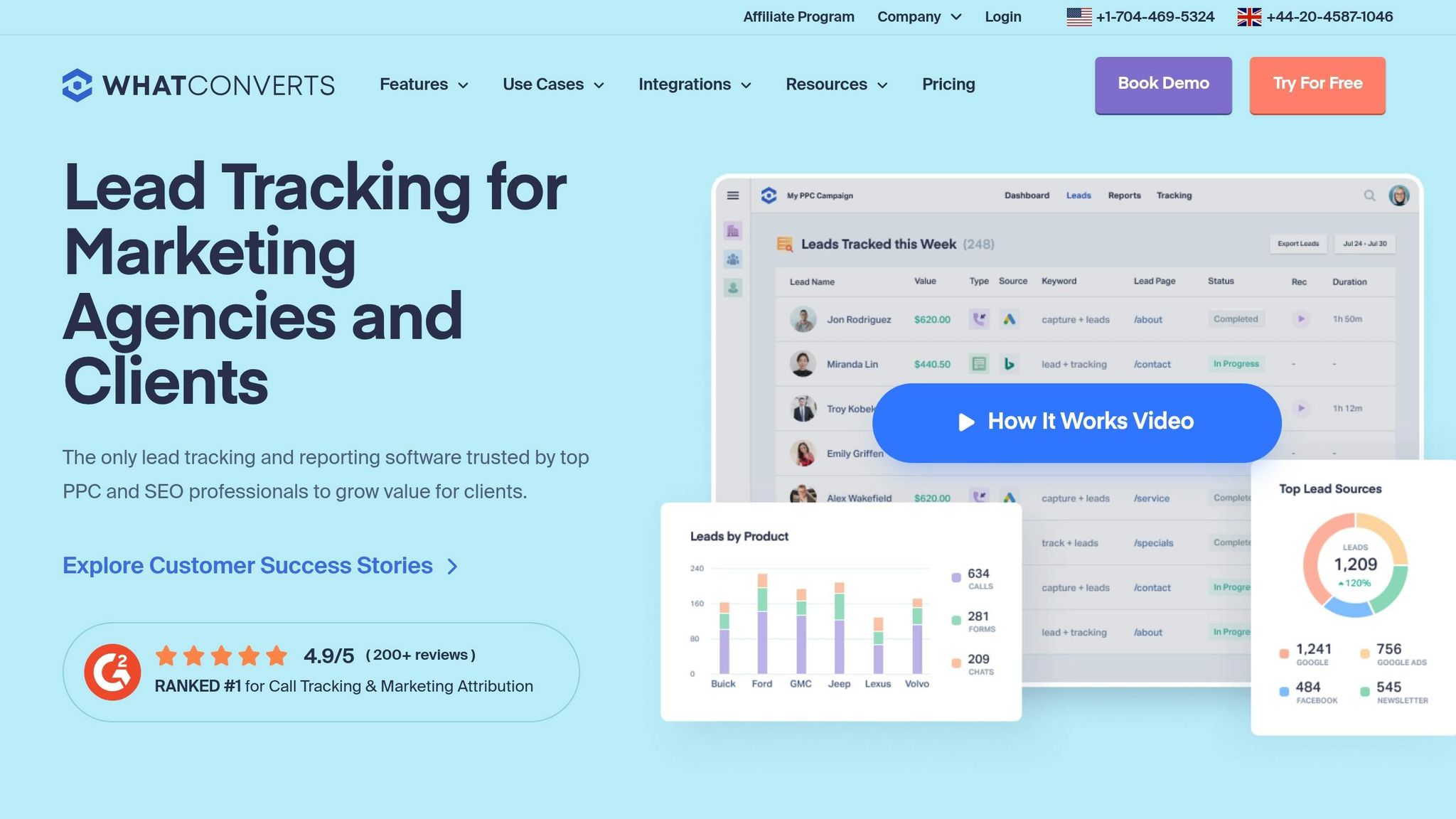
WhatConverts is a tool designed to track phone calls, forms, and live chats, even providing full web chat transcripts. While it doesn't natively track WhatsApp messages, its integration with Google Ads offers detailed attribution, making it easier to optimise campaigns. This allows businesses to gain a clear view of multi-channel performance, even without WhatsApp tracking.
Google Ads Integration
WhatConverts integrates seamlessly with Google Ads, sending qualified leads and quote values directly into the platform. You can establish rules, such as uploading conversions only when a lead is marked as "qualified" or when a quote value is added. This ensures that Google's Smart Bidding focuses on high-value leads rather than simply tracking form submissions. For example, between 2024 and 2025, Airskirts, an RV accessory company, used WhatConverts to link individual leads to specific Google Ads campaigns. This strategy led to an 8x increase in ad spend and a 10x boost in lead generation over just five months. Such integration ensures efficient data flow, further enhanced by its GCLID and UTM capture capabilities.
GCLID/UTM Capture
A single tracking script in WhatConverts collects more than 70 lead data points, including campaign source, medium, keyword, and ad content. It also uses Dynamic Number Insertion (DNI) to associate phone calls with a visitor's GCLID. Once leads are marked as qualified, they can be assigned quote or sales values, which are then sent back to Google Ads. This allows bidding to be optimised based on revenue rather than just the sheer number of leads.
Automation Level
The platform automates processes like script installation and GCLID capture, but qualifying leads in the Lead Manager still requires manual effort. Businesses on the Elite plan (AED 587/month) can access multi-touch attribution, which provides a complete view of the customer journey from the first click to the final conversion. For companies with longer sales cycles, it’s possible to send "Quote Value" instead of "Sales Value" to give Google Ads earlier optimisation signals. These partially automated workflows simplify lead management and ensure the system is ready for quick deployment.
Ease of Setup
Getting started with WhatConverts is straightforward and takes less than 20 minutes, with no coding required. Begin by enabling auto-tagging in Google Ads under Settings > Account Settings. Next, install the tracking script using either a WordPress plugin or Google Tag Manager. Finally, connect WhatConverts to Google Ads via its native integration and configure your conversion rules. The platform offers a 14-day free trial, with pricing starting at AED 110/month for basic call tracking and AED 220/month for more advanced features.
9. CallRail
CallRail is designed to track phone calls, SMS, and form submissions, but it does not support WhatsApp chat tracking. If you need to track WhatsApp button clicks as conversions, you will need a different approach. While its focus on call attribution is impressive, businesses that rely heavily on WhatsApp for communication may find its capabilities lacking in that area.
Google Ads Integration
CallRail integrates seamlessly with Google Ads, pushing call and form data as conversions. It acts as a supported third-party provider for Google's call details forwarding, delivering real-time attribution data - like campaign, ad group, and click IDs - via SIP headers when a call is received. Ryan Amen, Director of Client Success at Nifty Marketing, highlighted its value:
Seeing how marketing efforts translate directly into phone calls lets us see the value of our efforts… Call Tracking gave us proof of attribution.
This integration also allows CallRail to capture detailed campaign data, making it a useful tool for tracking marketing performance.
GCLID/UTM Capture
CallRail automatically captures GCLIDs (Google Click IDs) to connect calls with visitor sessions when auto-tagging is enabled in Google Ads. Additionally, it tracks UTM parameters - such as source, medium, campaign, content, and term - for both first and last interactions. Its Dynamic Number Insertion (DNI) feature assigns unique tracking numbers to website visitors, enabling businesses to follow the customer journey from the initial click to the call [45, 48].
Automation Level
CallRail leverages AI to enhance call tracking with features like transcription and call scoring. These tools identify spoken keywords and generate "Call Highlights" reports, helping businesses understand customer intent. It also categorises leads in real time through its Lead Center dashboard.
However, some aspects, like setting up tracking numbers and routing, require manual configuration. Pricing starts at AED 147 per month for basic call tracking, scaling up to AED 477 per month for more comprehensive solutions. Additional integrations, such as Salesforce, cost AED 239 per month.
Ease of Setup
CallRail is rated 9.0/10 for ease of setup on G2. To get started, you’ll need to enable auto-tagging in Google Ads, install the tracking script on your website, set up a pool of tracking numbers for high-traffic sites, and configure ValueTrack parameters in Google Ads tracking templates to capture details like ad position and device type. With an overall rating of 4.6 out of 5 on G2, 93% of users appreciate its ability to capture and replay conversations [6, 44].
10. Ruler Analytics
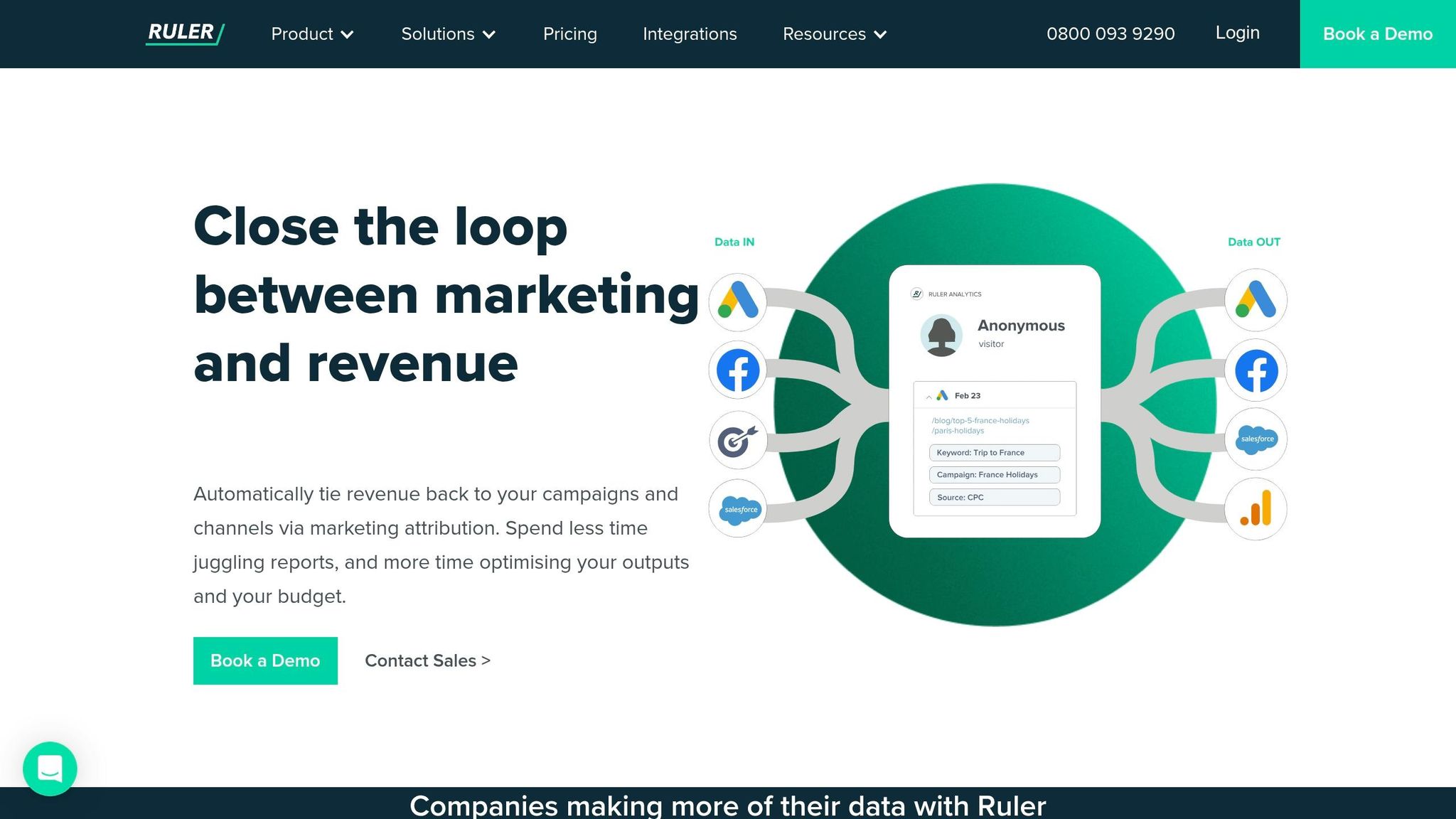
Ruler Analytics, a certified Google technology partner, offers a platform designed to track the entire customer journey - from the first click to the final sale. It focuses on optimising WhatsApp conversion data by connecting marketing touchpoints to revenue through CRM integration and syncing conversion data with Google Ads.
WhatsApp Chat Tracking
Ruler Analytics records WhatsApp interactions on your website as live chat sessions, tagging them as conversion events. These chats are tied to the visitor’s source, campaign, and GCLID. When a WhatsApp lead is closed in your CRM, Ruler automatically attributes the revenue back to the original ad click. This setup ensures seamless tracking and integration with Google Ads.
Google Ads Integration
The platform sends offline conversions directly into Google Ads, allowing you to measure the actual return on ad spend, even for campaigns with lengthy sales cycles. When a WhatsApp lead converts into a sale, the corresponding revenue data is pushed back to Google Ads. This feedback loop supports Smart Bidding strategies, such as Target CPA and Maximise Conversions, helping you optimise campaigns based on revenue rather than just lead numbers.
GCLID/UTM Capture
Ruler captures UTM variables, GCLIDs, and Cookie IDs at the visitor level, supporting multiple attribution models like First-click, Last-click, Linear, Time Decay, U-shaped, and Full-path. This flexibility lets you evaluate the performance of different channels in driving conversions. Unlike Google Analytics 4, which limits attribution tracking to 90 days, Ruler provides an unlimited lookback period.
Automation Level
With its advanced tracking and integration capabilities, Ruler automates the attribution process. It links anonymous visitor data to conversions - whether they occur via chat, form, or call - and forwards this information to your CRM. Additionally, it sends revenue data back to Google Ads, streamlining campaign optimisation. The platform also supports Enhanced Conversions by sharing hashed first-party data with Google, improving measurement accuracy. Pricing starts at AED 730 per month for small businesses (up to 50,000 monthly visits), with mid-market plans at AED 2,380 and enterprise plans at AED 4,220 per month.
Feature Comparison Table
When it comes to evaluating WhatsApp conversion tracking tools, having a clear comparison can save time and help you make an informed choice. Below is a table that breaks down ten attribution tools based on key features like WhatsApp chat tracking, Google Ads integration, GCLID/UTM capture, automation level, and ease of setup. This summary aims to simplify the decision-making process by highlighting each tool's strengths and limitations.
| Tool | WhatsApp Chat Tracking | Google Ads Integration | GCLID/UTM Capture | Automation Level | Ease of Setup |
|---|---|---|---|---|---|
| WAConversionTracking | Native (real-time chat capture) | Automatic upload | Automatically captures GCLID & UTM data | Fully automated | High (no developer needed) |
| Google Analytics 4 | Limited (session-based only) | Native | Automatic (90-day limit) | Manual event setup required | Medium (requires GTM for WhatsApp) |
| Google Tag Manager | Via custom tags | Native | Manual configuration | Partially automated (requires tag setup) | Low (high technical complexity) |
| Boei | Basic (widget-level tracking) | Via third-party integrations | Manual UTM only | Manual | High (plug-and-play widget) |
| Omnichat | Advanced (API-based) | Via Message Assets | API-captured | Partially automated (requires tag setup) | Medium (requires API setup) |
| Zapier | Workflow-based (indirect) | Via Zap connections | Passed through workflows | Partially automated (requires tag setup) | Medium (requires workflow building) |
| Google Ads Message Assets | Native (Conversations Started) | Native | Native GCLID | Automated for click-to-chat | High (built into Google Ads) |
| WhatConverts | Chat transcript tracking | Direct sync | Automatically captures GCLID & UTM data | Automated lead tracking | Medium (requires script installation) |
| CallRail | Limited (form and call focus) | Direct sync | Automatically captures GCLID & UTM data | Automated for calls/forms | Medium (requires script installation) |
| Ruler Analytics | Live chat session tracking | Automatic offline conversions | Automatically captures GCLID & UTM data (unlimited lookback) | Fully automated (closed-loop) | Low (requires CRM integration) |
Among these tools, WAConversionTracking and Ruler Analytics stand out for their fully automated, closed-loop attribution capabilities. This ensures that businesses can track leads from initial interaction to final conversion without manual intervention. As Madlitics aptly pointed out:
If your capture layer is messy, your CRM attribution will be too.
This underscores the importance of maintaining accurate, consistent data capture rather than merely collecting UTM parameters.
For businesses focused on WhatsApp-specific attribution, WAConversionTracking, Google Ads Message Assets, and Omnichat are the only options offering native or API-level tracking. These tools can directly link individual chats to campaign sources. The other tools either rely on indirect methods like forms or widgets or require custom configurations to achieve similar results.
Conclusion
Choosing the right attribution tool depends on your business needs and marketing goals. If you're running Google Ads campaigns in the UAE and rely heavily on WhatsApp for lead generation, WAConversionTracking stands out as a practical choice. It tracks actual chats rather than just button clicks, providing accurate data and integrating seamlessly with Google Ads to refine bidding strategies. For a more comprehensive view, tools like Ruler Analytics or Google Analytics 4 offer multi-touch attribution but come with a more complex setup process.
The UAE market presents unique challenges for tracking conversions. With mobile penetration expected to hit 95% and around 8.6 million messaging app users in the Emirates, WhatsApp is no longer just a communication tool - it’s a key conversion channel. This makes precise attribution critical in a performance-driven market like the UAE, where hybrid customer journeys span English and Arabic channels, mobile browsing, and offline WhatsApp chats.
For paid media teams, Google Ads integration is crucial. Solutions like WAConversionTracking, Ruler Analytics, and WhatConverts - tools that support offline conversion APIs - help bridge the gap between ad clicks and actual results. Without effective attribution, campaigns costing 60,000–100,000 AED monthly could lack direction and waste resources. The right tool ensures every dirham spent on advertising delivers measurable outcomes.
For those just starting, pairing Google Ads Message Assets with GA4 offers a free and straightforward option. Meanwhile, scaling WhatsApp campaigns benefits significantly from specialised tools like WAConversionTracking, which help eliminate inefficiencies in ad spending.
FAQs
Do I need the WhatsApp Business API to track real WhatsApp leads?
No, you don’t need the WhatsApp Business API to track genuine leads from WhatsApp. Tools like WAConversionTracking allow you to monitor conversions directly from WhatsApp campaigns without relying on the API. This makes it simpler to attribute leads effectively and fine-tune your marketing strategies.
What’s the difference between tracking a WhatsApp click and a WhatsApp message?
Tracking a WhatsApp click involves recording when a user interacts with a link or button, such as a "Click to WhatsApp" ad, indicating interest in starting a conversation. However, this action doesn't confirm that a message was sent. On the other hand, tracking a WhatsApp message focuses on actual message activity - whether it’s sent, delivered, or read. The main distinction lies in their purpose: clicks measure engagement, while message tracking offers deeper insights into communication and potential conversions within WhatsApp campaigns.
How do I send WhatsApp leads back to Google Ads for Smart Bidding?
Google Ads doesn’t offer built-in support for tracking WhatsApp leads directly for Smart Bidding. To make this work, you’ll need to track WhatsApp interactions externally - like clicks on a WhatsApp link or sent messages. Once tracked, you can import this data into Google Ads as conversions using either a conversion tracking tag or the API. These conversions can then be used to refine your Smart Bidding strategies. Keep in mind, this approach requires a customised setup since there’s no direct integration available.




